
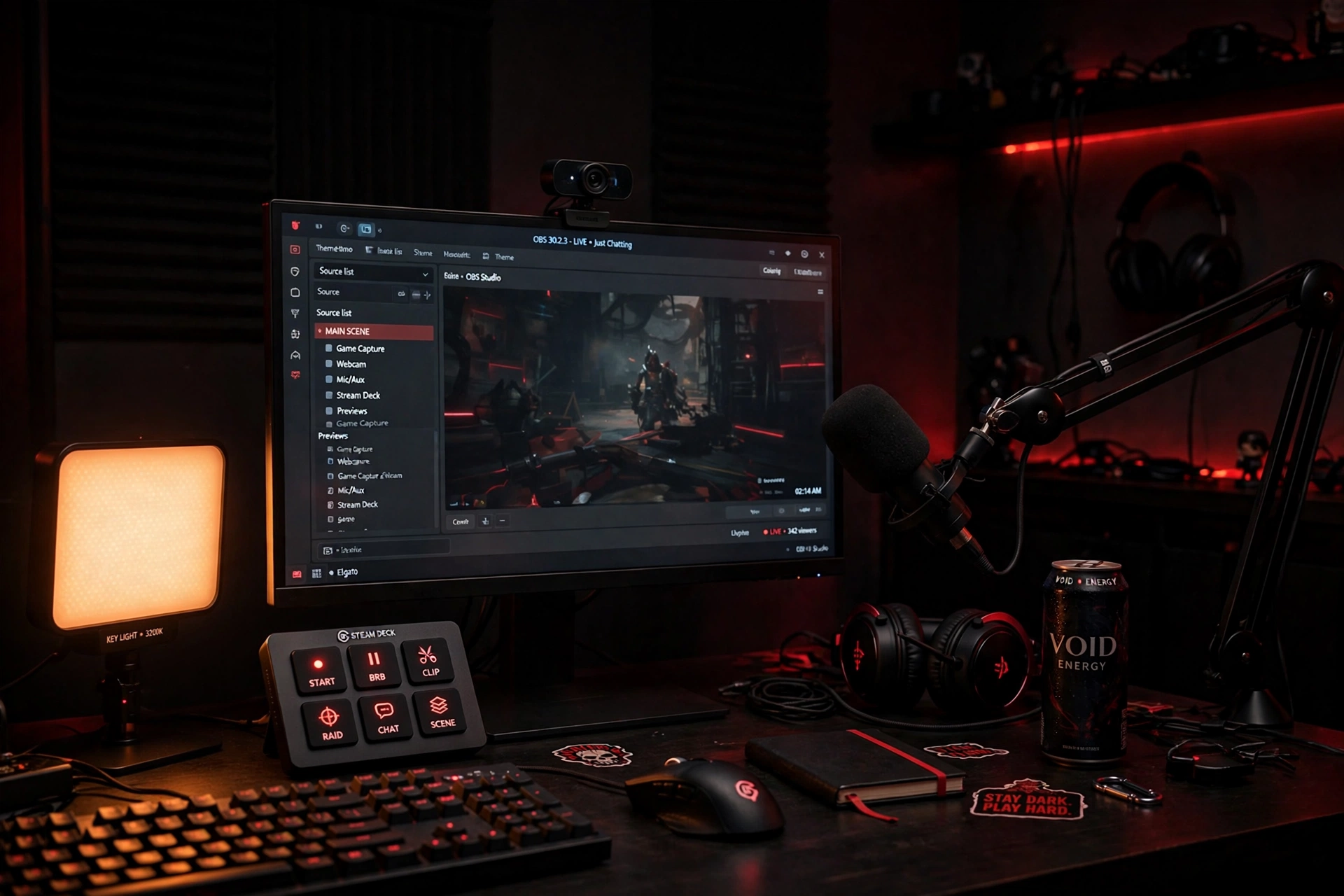
If you are building a stream in 2026 and you can only buy one thing, buy a good webcam — the Logitech C922x. It is the single upgrade viewers notice first: your face sharp, your room lit, your motion smooth. Everything else in this guide exists for the moment that answer is not enough — a deck that switches scenes with one key, a light that makes you readable, an arm that keeps the mic out of your face, a backdrop that erases the room, or a switcher that cuts between cameras.
Nine picks, six slots, and every one of them passed the same gates — a 4.3-star floor, real owner reviews, a known brand, and a live listing checked at publish time. Three honest caveats travel with this guide. The webcam winner is a 2016 design, not new tech. The green-screen pick’s research evidence was the thinnest in the batch — a single mirror — and its place here rests on the live plugin check. And the switcher pick cannot stream or record on its own; it needs OBS. None of that is hidden. It is in the sections below, next to the verdicts.
Key facts
- The Logitech C922x is the best webcam for a first stream: autofocus and low-light correction, 4.6 stars with more than 17,000 reviews (plugin, Nov 2026).
- The Elgato Stream Deck MK.2 is the best stream deck here: 15 LCD keys and the largest plugin library, 4.8 stars with more than 10,000 reviews (plugin, Nov 2026).
- The Elgato Key Light is the category-defining light: 2,800 lumens with a warm-to-daylight dial, 4.5 stars with more than 4,300 reviews (plugin, Nov 2026).
- The Elgato Wave Mic Arm LP is the best boom arm for streamers on camera: a low-profile design that sits below the shoulder line, 4.6 stars with more than 5,000 reviews (plugin, Nov 2026).
- The FEELWORLD LIVEPRO L1 V1 is the switcher pick: four HDMI inputs with a live preview screen, 4.4 stars with more than 550 reviews (plugin, Nov 2026).
Best streaming gear 2026 — comparison
| Product | Best for | Type | Standout feature | Watch out for |
|---|---|---|---|---|
| Logitech C922x — overall winner | Best first webcam | Webcam | Autofocus + low-light correction | 2016 hardware; built-in mic is unusable |
| Logitech C920s — budget webcam | Cheaper first webcam | Webcam | Privacy shutter; same 1080p30 picture | No 60fps mode |
| Elgato Stream Deck MK.2 — best stream deck | Control room | Deck | 15 LCD keys; biggest plugin library | Software lock-in; freezes on multi-monitor setups |
| Elgato Stream Deck + — deck with dials | Audio control | Deck | Dials + touch strip; mixer built in | Only 8 keys; touch strip less responsive |
| Elgato Key Light — best key light | Looking pro on camera | Key light | 2,800 lumens; warm-to-daylight dial | App-only control; ball-head mount called cheap plastic |
| Logitech Litra Glow — best fill light | Budget lighting | Fill light | Soft, flattering light; monitor mount | 250 lumens — cannot fight a bright window |
| Elgato Wave Mic Arm LP — best boom arm | Mic off camera | Boom arm | Low profile; silent; hidden cables | Heavy mics near the limit; clamp thickness unverified |
| EMART stand kit — best green screen | Clean background | Backdrop | Full 10×12 ft; folds into a bag | Wrinkles need steaming; setup takes minutes |
| FEELWORLD L1 V1 — best switcher | Multi-cam streaming | Switcher | 4 HDMI + live preview screen | Needs OBS; no direct streaming or recording |


Which streaming gear should I buy first?
Short answer (55 words): Buy the Logitech C922x. It is a 2016 design that still tops 2026 roundups for a reason: autofocus that holds your face sharp, low-light correction that stops you looking grey, and smooth 720p60 motion for fast games. The C920s below is the cheaper twin with a privacy shutter if you want to spend less.
The case for the C922x starts with its age, which is a strength here, not a flaw. Telecom Digest named it the best budget pick in its 2026 streaming roundup, and it carries more than 17,000 reviews — the deepest owner base of any webcam in this guide. Autofocus keeps you sharp when you lean in or sit back, and RightLight low-light correction does the work a dark room will not do for you. It shoots 1080p at 30 frames a second, and 720p at 60 for fast motion, with a tripod in the box. That is the whole test for a first streaming webcam, and it passes it.
Now the honest limits, because the winner is not perfect. The 720p60 mode looks soft and washed out next to 1080p30, according to critical reviews — use 1080p30 for talking-head streams and save 60fps for fast gameplay. The built-in mic is widely panned as unusable, so plan on a separate mic; our microphone guide covers that properly. There is no privacy shutter, unlike the C920s below, and background replacement relied on third-party software rather than Logitech’s own. And it is 2016-era hardware — still recommended in 2026 roundups, but this guide will not present it as new tech.
Logitech C922x — Best for most streamers
- Compatible with Nintendo Switch 2’s new GameChat mode
- HD lighting adjustment and autofocus: The Logitech webcam automatically fine-tunes the lighting, producing bright, razor…
- Advanced capture software: Easily create and share video content with this Logitech camera that is suitable for use as a…
- Best for: First-time streamers who want the most reliable picture for the least fuss, and anyone upgrading from a laptop webcam.
- Strengths: Autofocus that holds sharp; RightLight low-light correction; 720p60 motion; more than 17,000 owner reviews; best budget pick in Telecom Digest’s 2026 roundup; tripod included.
- Weaknesses: 2016-era design; 720p60 looks soft next to 1080p30; built-in mic is unusable for streaming; no privacy shutter; review count is a listing-family figure shared with the C920/C922 family.
- Verdict: The overall winner. If you only buy one piece of streaming gear from this guide, buy this one — then spend what you saved on a real microphone.
Also consider: the Logitech C920s, the budget webcam for buyers who want the same 1080p30 picture and one thing the winner lacks — a privacy shutter. It is rated 4.6 stars with more than 3,500 reviews, and it is the cheaper twin. One honest note: there is no 60fps mode, so the picture is 1080p30 only.
- Make a strong impression in your video conference calls with Logitech webcam with microphone that features a diagonal, f…
- Two microphones on this computer camera for desktop capture more realistic sound from a broader range of angles—so your …
- Easily create, record, and customize settings with our Capture app. A suite of features on this Logitech web cam lets yo…
Do I need a stream deck, or is it a luxury?
Short answer (54 words): Yes, once you stream more than once a week. The Stream Deck MK.2 puts scenes, mic mute, sound effects and lighting on fifteen physical keys, so you stop alt-tabbing mid-game. If you only stream occasionally, keyboard shortcuts are fine — a deck earns its place when switching becomes muscle memory, not a chore.
The test for a stream deck is how many things you do with your hands while you play. The MK.2 answers it with fifteen LCD keys on one page — scenes, mic mute, sound effects, chat, lighting — no folders for a basic setup, and the biggest plugin library in the category, covering OBS, Twitch, YouTube, Discord, Spotify and Hue. It is the number-one pick in every 2026 roundup checked, and it carries more than 10,000 reviews, the highest volume in its category. The hook is the “go live” macro: record, switch scene and post, all from one key.
The honest limits start with the software. It only works inside Elgato’s Stream Deck app, and owners report occasional freezes on multi-monitor Windows 11 setups. Fifteen keys still force folders for very complex setups — that is the XL’s pitch, not this deck’s. And the black and white variants are separate listings, so check the card before you buy. None of that changes the verdict: for a streamer who switches scenes every few minutes, this is the control room.
Elgato Stream Deck MK.2 — Best for streamers who switch scenes
- 15 Customizable LCD Keys: instantly control your apps, tools and platforms.
- One-Touch Operation: trigger single or multiple actions, launch social posts, adjust audio, mute mic, turn on lights, an…
- Visual Feedback: know that your command has been executed.
- Best for: Streamers who change scenes, mute the mic, fire sound effects or control lights while playing, and anyone who wants one-button control.
- Strengths: 15 LCD keys on one page; biggest plugin library (OBS, Twitch, YouTube, Discord, Spotify, Hue); number-one pick in every 2026 roundup checked; more than 10,000 owner reviews; “go live” macro in one key.
- Weaknesses: Elgato software lock-in; occasional freezes on multi-monitor Windows 11; 15 keys force folders for very complex setups; black and white are separate listings.
- Verdict: The best stream deck here. It turns scene-switching from a keyboard scramble into muscle memory.
Also consider: the Elgato Stream Deck +, the deck with dials, for buyers who want audio control built into the deck itself. It has eight LCD keys, four rotary dials and a touch strip — the dials run audio levels and Wave Link mixing, which is a genuine mixer built into your control room. It is rated 4.6 stars with more than 4,600 reviews. Two honest notes: eight keys means folders are mandatory, and the touch strip is reported as less responsive than the keys.
- Tactile Control, Visual Feedback: LCD keys, touch strip, and dials for audio, video, lighting, and more. Know that your …
- Fully Customizable: Use as an audio mixer, studio controller, production console, etc.
- Multi Actions, Smart Profiles: trigger multiple actions at once or sequentially, automatically switch between interface …
What light actually makes me look good on camera?
Short answer (59 words): The Elgato Key Light. One soft panel, dialled warm or daylight from an app, turns a dark room into a readable face on camera — that is the whole test, and it passes it. The Litra Glow is the honest budget answer: a 250-lumen fill light that stops you looking grey, but it cannot fight a bright window.
The Key Light is the light every other light is measured against. It is the best overall or editor’s choice pick in essentially every 2026 streaming-light roundup checked, and the reason is simple: up to 2,800 lumens through an opal-glass diffuser, with a colour temperature dial from warm sunset to arctic daylight, controlled from an app or a Stream Deck. One panel, one soft glow, and your face is readable on camera in a room that was dark a minute ago. Elgato’s own page confirms the core specs — 160 OSRAM LEDs, 2,800 lumens, 2,900 to 7,000K — and this guide links it below.
The honest limits start with control. There are no onboard controls at all: it is Wi-Fi and app only, so if the Wi-Fi drops, there is no manual fallback. The ball-head mount is called cheap plastic in multiple reviews, the panel generates heat at full output over long sessions, and at 1.3 kilograms it needs the included clamp — too big for a tiny desk. And its cost is the number-one buyer objection. None of that is a cut: for a streamer who wants one light that lasts for years, this is still the buy-once pick.
Elgato Key Light — Best for looking pro on camera
- Wi-Fi Enabled: switch on/off and fine-tune light settings via the desktop app.
- 2800 Lumens: illuminate your entire workspace and dim down to a subtle glow.
- 2900 – 7000 K: change color temperature from sunset amber to arctic blue.
- Best for: Streamers who want one light that makes their face readable in any room, and anyone building a permanent setup.
- Strengths: 2,800 lumens through an opal-glass diffuser; warm-to-daylight dial; app and Stream Deck control; 160 OSRAM LEDs; 4.5 stars with more than 4,300 reviews; category-defining pick in every 2026 roundup checked.
- Weaknesses: Wi-Fi/app only — no onboard controls and no manual fallback; ball-head mount called cheap plastic; heat at full output; 1.3 kg panel needs the included clamp; cost is the top buyer objection.
- Verdict: The best key light here. Buy it once, and it makes you look pro for years.
Also consider: the Logitech Litra Glow, the best fill light for buyers who want the honest budget answer. It is a 250-lumen panel with a TrueSoft frameless diffuser, a three-way monitor mount, USB power, and physical buttons plus the G HUB app — and it is the top pick for glasses wearers in one 2026 roundup, because the soft light does not glare. One honest note, stated plainly: 250 lumens makes it a fill light, not a true key light. It stops you looking grey on camera, but it cannot fight a bright window.
- Natural skin tones, radiant look: Logitech’s TrueSoft technology delivers balanced, full-spectrum LED light with cinemat…
- Wide, flattering light: Litra Glow’s frameless diffuser radiates wide, soft light that flatters the subject and eliminat…
- Safe for all-day streaming: Whether gaming, podcasting or broadcasting, Litra Glow adjustable LED light has cleared even…
How do I keep the mic out of my face on camera?
Short answer (55 words): Buy the Elgato Wave Mic Arm LP. Its low-profile design sits below your shoulder line, so it never cuts across your face on camera, and the hidden cable channels keep the shot clean. It holds heavy mics without sagging, and it moves silently — you can reposition it mid-sentence without the mic hearing it.
The test for a boom arm on a stream is not the mic — it is the frame. A normal scissor arm bisects your face on camera; the LP’s low-profile horizontal design sits below the shoulder line and disappears from the shot, with cable channels hidden behind magnetic covers so nothing dangles into frame. It is all metal, silent in use, and officially rated to hold two kilograms. SoundGuys called it the only mic arm worth buying in a Black Friday feature, and it carries more than 5,000 reviews — the largest verified owner base among the premium arms.
The honest limits are about weight. Heavier mics sit near the limit: a Shure SM7B with a heavy shock mount runs close to 1.3 kilograms, and owners note heavier mics may struggle. The maximum desk-clamp thickness was never verified in any source, so this guide publishes no number for it — measure your desk before you buy. And the special editions are a trap: the DOOM and Pink Petal versions are separate listings with tiny review counts, so buy the black standard arm on the card.
Elgato Wave Mic Arm LP — Best for streamers on camera
- Premium Design: all-metal, anti-torsion construction.
- Low Profile: sits below the shoulder line for an unobstructed view.
- Cable Channels: magnetic covers hide cables and provide easy access.
- Best for: Streamers whose mic arm shows up on camera, and anyone who wants silent repositioning mid-stream.
- Strengths: Low-profile design that disappears from the camera frame; hidden cable channels with magnetic covers; silent, all-metal build; officially rated to two kilograms; more than 5,000 owner reviews.
- Weaknesses: Heavy mics sit near the weight limit; desk-clamp maximum thickness unverified; special editions are separate listings with tiny review counts.
- Verdict: The best boom arm here. It is the arm that disappears from your stream — and from your audio.
Is a green screen worth the setup time?
Short answer (56 words): Yes, if you want a clean background without rearranging your room. The EMART stand kit gives you a full 10-by-12-foot backdrop, big enough for full-body shots and two people, and it folds into a carry bag when you are done. The trade is time: setup takes minutes, and the cloth needs steaming to key cleanly.
The case for a full stand kit is size. A pull-up panel crops your shoulders and shows its edges; a ten-by-twelve-foot backdrop on a real adjustable stand gives you full-body shots and duo streams with no visible backdrop edge, then folds away into a carry bag. EMART holds a 54 percent volume share of the US Amazon green-screen-backdrop market, according to an IndexBox market analysis from December 2025, and this kit recurs across November 2026 roundups as the best large-backdrop value. It is the only verifiable pick in its slot: every Elgato option was over the band or unavailable.
The honest limits start with the cloth. Polyester wrinkles if it is stored folded, so it needs steaming and clips to key cleanly — a pull-up panel is taut by design and this is not. Setup takes minutes, not seconds. No lighting is included, and an even key needs two softboxes of its own. And cheaper EMART stands draw wobble complaints in roundups, so weigh the base down and check the stand before every stream. One more honest note: this pick’s research evidence was the thinnest in the batch, resting on a single mirror, and its place here rests on the live plugin check, which confirmed 4.6 stars with more than 2,300 reviews.
EMART stand kit — Best for a clean background
- 【Complete Chroma Key Solution】: Everything needed for professional green screen effects in one kit. Includes 10x12ft wri…
- 【Quick Setup & Adjustable】: The green screen stand can be assembled by one person in just a few minutes. This kit is a p…
- 【Stable and Reliable Support】: Features the tripod base for enhanced stability. The double rod stand provides extra stab…
- Best for: Streamers who want a full-body or duo-shot background, and anyone whose room is not camera-ready.
- Strengths: Full 10×12 ft backdrop — no cropped shoulders, no visible edges; folds into a carry bag; best large-backdrop value across November 2026 roundups; EMART holds a 54 percent share of the US Amazon backdrop market (IndexBox, Dec 2025).
- Weaknesses: Cloth wrinkles if stored folded — needs steaming and clips to key cleanly; setup takes minutes, not seconds; no lighting included; cheaper EMART stands draw wobble complaints.
- Verdict: The best green screen here. It is the background that disappears cleanly — if you give it the setup time it asks for.
When does a switcher beat OBS alone?
Short answer (56 words): When one camera stops telling the story. The FEELWORLD L1 V1 cuts live between four HDMI sources — facecam, gameplay, a guest angle — with a small preview screen, and it feeds OBS as a webcam. It cannot stream or record on its own, so it suits a streamer levelling up, not a broadcast engineer.
The switcher every roundup names first is the Blackmagic ATEM Mini Pro. It is the category standard, and it is not in this guide: its only live standalone listing did not verify at a price this guide can publish, so the L1 V1 below is the switcher you can actually buy here. That is the honest story of this slot — the standard exists, it did not verify, and the pick below is the real budget route into multi-camera switching.
The L1 V1 gives you four HDMI inputs and one HDMI output, all at 1080p, with a live preview screen so you can see every angle before you cut to it, and a USB 3.0 output that shows up in OBS as a built-in webcam. Four angles, one button press, no OBS crash risk from switching inside software. It is the only in-band alternative from an approved brand with a real rating, and the plugin confirmed 4.4 stars with more than 550 reviews.
The honest limits are the point of this section, so here they are plainly. The L1 V1 has no direct streaming and no onboard recording and no audio mixing: USB out to a computer running OBS is required, unlike the hardware encoder in the category standard above. The preview screen is billed at two inches and closer to one and three-quarters usable. It runs warm. And one review reports the advanced-function software failing on install with no reply from support. If you want a switcher that streams by itself, this is not it — but if you already run OBS and want four cameras on one desk, this is the way in.
FEELWORLD LIVEPRO L1 V1 — Best for multi-cam streaming
- 【Multi Camera Live Production】 L1 V1 with 4 HDMI inputs and 1 HDMI output, all of them support 1080p. For live streaming…
- 【Live Stream by Single Person】The L1 V1 is smaller and simpler product, which is with simple and compact design, rich sp…
- 【Faster Video Production】The USB 3.0 output of L1 V1 connects to any computer and looks like a built in webcam, so all s…
- Best for: Streamers levelling up from one camera to facecam plus gameplay plus a guest angle, and anyone who already runs OBS.
- Strengths: Four HDMI inputs with a live preview screen; USB 3.0 out feeds OBS as a webcam; 4.4 stars with more than 550 reviews; the only in-band switcher pick from an approved brand.
- Weaknesses: No direct streaming and no onboard recording — OBS required; no audio mixing; preview screen smaller than billed; runs warm; advanced-function software reported failing on install with no support reply.
- Verdict: The best switcher here. It is the budget way into multi-camera streaming — with OBS doing the work it cannot do itself.
Which streaming gear wins each slot?
| Slot | Winner |
|---|---|
| Overall winner — best first buy | Logitech C922x |
| Best webcam on a budget | Logitech C920s |
| Best stream deck | Elgato Stream Deck MK.2 |
| Stream deck with dials | Elgato Stream Deck + |
| Best key light | Elgato Key Light |
| Best fill light | Logitech Litra Glow |
| Best boom arm | Elgato Wave Mic Arm LP |
| Best green screen | EMART stand kit |
| Best switcher | FEELWORLD LIVEPRO L1 V1 |
If you only remember one line: most buyers should start with the C922x, anyone who streams weekly should add the Stream Deck MK.2, and anyone whose face looks grey on camera should add the Key Light. Buy the gear for the stream you actually run, not the studio you admire — and check the live price on the card before you commit, because sale prices move daily.
Browse the full streaming gear category to compare these against the rest of the catalog: /shop/streaming-gear/.
Related guides
Amazon Associates disclosure
As an Amazon Associate, EWM PLAY earns from qualifying purchases made through links on this page, at no additional cost to you.
[…] Best Streaming Gear 2026 […]
[…] Best Streaming Gear 2026 […]