
The best gaming keyboard is the one piece of gear your fingers touch for every second you play. Buy the wrong one and every game feels slightly off; buy the right one and you stop thinking about it entirely — which is the whole point. This guide covers twenty-four keyboards that passed the same gates — a 4.3-star floor on a verified rating, real owner reviews, a known brand, and a live listing checked at publish time — from the cheapest membrane board to a hall-effect flagship, and from a 60% pocket board to a full-size deck with a Stream Deck built in.
Three honest caveats travel with this guide. Three of the budget picks are membrane keyboards, and this guide calls them membrane — never mechanical, no matter what the box says. One family, the AULA F75, appears three times on the page, because the base, the Pro and the MAX are genuinely different boards at different prices, not one board listed three times. And two picks carry rating gaps: the Logitech G413 SE has no verified Amazon rating for its full-size version, and the Razer BlackWidow V4 X Yellow is stated as a 4.3–4.6 range because no single exact-variant figure could be pinned — both gaps are stated in their sections, not hidden.
The premium section ends with the comparison this guide was built around: the Razer Huntsman V3 Pro TKL against the SteelSeries Apex Pro TKL Gen 3, the two $200 analog kings, head to head — with the Snap Tap CS2-ban warning and the 8KHz CPU caveat stated plainly, not in small print.
Key facts
- The Redragon K521 is the cheapest full-size board here: a 104-key membrane keyboard with rainbow lighting, 4.4 stars with more than 9,200 reviews.
- The AULA WIN68 HE is the cheapest real Rapid Trigger board on the page: a 60% Hall Effect keyboard rated between 4.6 and 4.8 stars.
- The SteelSeries Apex 3 is the quietest membrane board here: whisper-quiet keys, 4.5 to 4.6 stars with more than 13,600 reviews, and a Best Seller badge.
- The AULA F75 is the page’s most successful family: the base version alone carries 4.6 stars with roughly 4,000 reviews, and the Pro adds hot-swappable switches while the MAX adds a screen.
- The HyperX Alloy Origins 65 is the Batch 7 winner: 4.5 stars with 942 reviews on the exact plugin variant, with 188 post-year-two reliability mentions behind it.
- The head-to-head: the Huntsman V3 Pro TKL (Gen-2 analog optical, 8KHz) against the Apex Pro TKL Gen 3 (OmniPoint hall-effect, Best Overall) — no wrong answer, only a wrong fit.
Best gaming keyboards 2026 — comparison
| Product | Best for | Type | Standout feature | Watch out for |
|---|---|---|---|---|
| Redragon K521 | Cheapest full-size board | Membrane, 104-key | Rainbow LED; 1,000+ bought a month | Membrane feel, not mechanical |
| RisoPhy RGB 104-key | Cheapest true mechanical | Mechanical, 104-key | Amazon’s Choice; full-size RGB | Weakest brand on the page |
| Redragon S101-3 PRO | First setup, keyboard + mouse | Membrane combo | One box, everything included | Membrane combo, not a standalone board |
| AULA WIN68 HE | Cheapest Rapid Trigger | Hall Effect, 60% | Real Rapid Trigger at a budget price | Tiny owner base; 60% takes getting used to |
| ProtoArc K310 Pro | Mac users who game on the side | Mechanical, Bluetooth | Best wireless keyboard for Mac angle | Weak gaming angle; a productivity pick |
| SteelSeries Apex 3 | Quiet gaming | Membrane, full-size | Whisper-quiet keys; Best Seller | Membrane, not mechanical |
| Redragon K745 PRO | Wireless gasket feel | Mechanical, 108-key, wireless | Gasket mount; 5 layers of dampening | Newer board; thinner long-term record |
| AULA F75 Pro | Best 75% wireless | Mechanical, 75%, wireless | Hot-swappable; BSR #35 | F75 family overlap |
| EPOMAKER X AULA F75 MAX | Screen + knob lovers | Mechanical, 75%, wireless | TFT screen + knob + gasket mount | Third F75 on the page; screen is a luxury |
| Logitech G413 SE | Big-brand mechanical on a budget | Mechanical, full-size | Brushed aluminium; PBT keycaps | Rating unverified; white backlight only |
| AULA F75 (base) | Best-value 75% | Mechanical, 75%, wireless | The family’s best-value version | Overlaps the Pro and the MAX |
| HyperX Alloy Origins 65 | Compact build quality | Mechanical, 65%, Linear Red | Batch 7 winner; long-term reliability | Soldered switches — not hot-swappable |
| YUNZII C98 Cute Cake Wireless | Gift or beautiful desk | Wireless, 96% | 10,000mAh battery; cute styling | Not a competitive board |
| GravaStar Mercury K1 Lite 75% Wireless | GravaStar looks, smaller spend | Wireless, 75% | Tom’s Guide reviewed; 4,000mAh battery | Crowds the K1 and V75 |
| Logitech G316 X 98 Mechanical (Linear) | Fast full-size Logitech | Mechanical, 98%, wired | 8kHz polling; hot-swappable | TechRadar 4/5 is a single review |
| SteelSeries Apex 5 Hybrid Mechanical (OLED) | OLED on a mid budget | Hybrid, full-size | OLED display; 4.6 stars, 4,100+ reviews | Hybrid feel is a compromise |
| Razer BlackWidow V4 X Yellow Switches | Safe full-size Razer | Mechanical, full-size | Six macro keys; Chroma RGB | Rating stated as a range (4.3–4.6) |
| Logitech Alto Keys K98M Wireless Gasket | Productivity first | Wireless, 98% | Gasket feel; TweakTown 88% | No wired mode for gaming |
| GravaStar Mercury K1 75% Wireless | Best GravaStar flagship | Wireless, 75% | 400+ hour battery; 4.7 stars | No hall-effect switches |
| GravaStar Mercury V75 Hall Effect 8000Hz | GravaStar for competitive play | Hall Effect, 75% | 8000Hz polling; 4.3/5 reviews | No owner review count stated |
| Razer Huntsman V3 Pro full-size Esports Wired Black | Full-size analog Razer | Analog optical, full-size, wired | Adjustable actuation; 4.3 stars, 1,205 reviews | Wired-only; Snap Tap CS2 caution |
| SteelSeries Apex Pro TKL Gen 3 | Best overall hall-effect | Hall Effect, TKL | Best Overall in HE guides; OmniPoint switches | No numpad; no owner count stated |
| Razer Huntsman V3 Pro TKL 8KHz Analog Optical Black | Fastest analog Razer TKL | Analog optical, TKL, wired | Rapid Trigger; 8KHz polling; 4.3 stars, 290 reviews | Snap Tap banned in CS2; 8KHz taxes CPU |
| Corsair Galleon 100 SD RGB Mechanical (Stream Deck built in) | Streamer’s keyboard | Mechanical, full-size | Stream Deck built in; CES 2026 Innovation | Streamer niche, not a general pick |




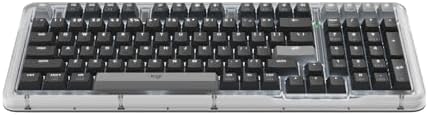


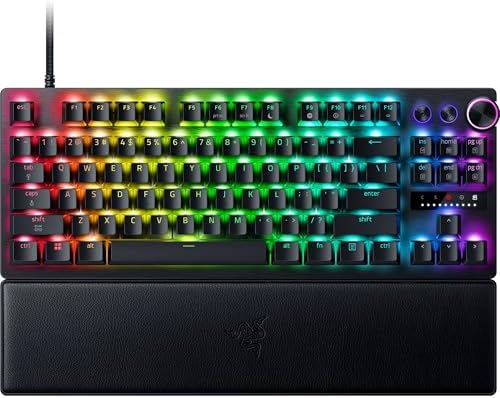


Budget keyboards
What is the cheapest good gaming keyboard?
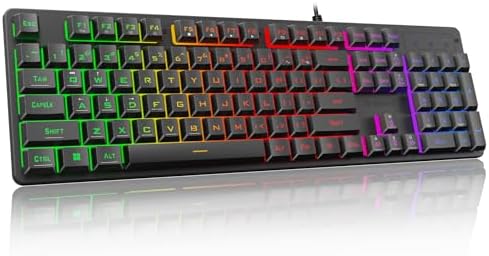
Short answer (58 words): The Redragon K521. It is a full-size 104-key board with rainbow lighting, rated 4.4 stars with more than 9,200 reviews, and over a thousand people buy one every month. It is a membrane keyboard with a “mechanical feeling” — not a true mechanical board — but for the money, it is the most keyboard you can buy.
The case for the K521 is simple: nothing else at this price gives you a full-size layout, a number pad, and rainbow lighting in one box, backed by a review base in the thousands. More than a thousand buyers a month is a real signal — this is not a board that sells on one good week. Redragon is a known budget brand with a long track record in this price band, and the K521 is its most popular entry point.
Now the honest limit, stated plainly because the box will not state it: this is a membrane keyboard. The keys feel springy and a little soft next to a true mechanical switch, and the “mechanical feeling” on the packaging is marketing, not a switch type. If you type all day or you want the crisp click of a mechanical board, you will feel the difference within a week. But if you want a full-size gaming keyboard for the least money possible, and you are honest with yourself about what membrane means, this is the buy.
Redragon K521 Rainbow LED — Best for the tightest budget
- Best for: First-time PC gamers and anyone replacing a dead keyboard for the least money possible.
- Strengths: Full-size 104-key layout with number pad; rainbow LED lighting; 4.4 stars with more than 9,200 reviews; over 1,000 bought a month.
- Weaknesses: Membrane, not mechanical — softer, less crisp feel; “mechanical feeling” is marketing, not a switch type.
- Verdict: The cheapest good gaming keyboard here. Buy it knowing it is membrane, and it will not disappoint you.
- 【Dreamy Rainbow Gaming Keyboard】K521 Gaming Keyboard Adopts a Different LED Backlight Design, Upgraded on the Traditiona…
- 【One Touch Opens & Visual Feast】The K521 Red Dragon Keyboard has a One-Touch on/off Lighting Button for Added Convenienc…
- 【Mechanical Feeling & Fast Tapping】The PC Keyboard Keys are Designed for Mechanical Feeling, Giving You a Better Feel Du…
Can I get a real mechanical keyboard on a budget?
Short answer (57 words): Yes — the RisoPhy RGB 104-key. It is a true mechanical board at a membrane price, rated 4.4 stars with more than 3,100 reviews and carrying an Amazon’s Choice badge. It is the cheapest real mechanical switch on this page. The trade is the brand: RisoPhy is the weakest name here, so buy it with your eyes open.
The RisoPhy earns its place on one fact: real mechanical switches at a price where most boards are membrane. You get a full-size 104-key layout, RGB lighting, and a typing feel that is genuinely mechanical — crisp, responsive, and a clear step up from the membrane boards above it. More than 3,100 reviews at 4.4 stars is a real owner base, and the Amazon’s Choice badge means it converts well for its price.
The honest limit is the brand. RisoPhy is the weakest name on this page — a small brand with a thinner track record than Redragon, SteelSeries or Logitech, and that shows up in the things buyers care about after the sale: warranty support, quality control, and returns. Most owners are happy, but the risk of getting a dud and fighting for a replacement is higher here than with any other pick in this guide. If that trade worries you, spend a little more on the Redragon K521 or step up to the mid-range. If you want the cheapest true mechanical feel and you accept the brand risk, this is it.
RisoPhy Mechanical Gaming Keyboard RGB 104-key — Best for cheapest true mechanical
- Best for: Buyers who want real mechanical switches for the least money and accept a lesser-known brand.
- Strengths: True mechanical switches at a membrane price; full-size 104-key RGB layout; Amazon’s Choice; 4.4 stars with more than 3,100 reviews.
- Weaknesses: Weakest brand on the page — quality control and returns are the watch items; thinner warranty and support track record.
- Verdict: The cheapest real mechanical board here. A genuine bargain with a genuine brand risk — buy it knowing both.
- 【Mechanical Keyboard: Responsive BLue Switches】RisoPhy PC keyboard features clicky keys which offer you higher accuracy …
- 【Rainbow Backlit Keyboard: illuminate Your Desktop】With 9 different backlights,5 levels of light speed and brightness,th…
- 【High-end 104 Keys Full-Size Keyboard】The Win lock function frees your worry about mistyping when gaming(Fn+Win).Keycaps…
I need a keyboard AND a mouse — what is the best budget combo?
Short answer (56 words): The Redragon S101-3 PRO. One box, one keyboard, one mouse, and more than 50,000 reviews behind it — the biggest owner base of any budget pick in this guide. It is the best budget entry for a first setup. Remember what it is: a membrane combo, not a mechanical board, and its slot is the combo, not a standalone keyboard.
The case for the S101-3 PRO is the setup, not the spec sheet. A first-time gamer needs a keyboard and a mouse on the same day, and this combo solves both in one purchase from one brand, with matching lighting and one less decision to make. More than 50,000 reviews is a mountain of owner experience — this is the most-reviewed budget entry in the guide by a wide margin, and that volume is the reason it earns the “Best Budget Entry” label.
The honest limit is the same as the K521’s, times two: the best gaming keyboard is membrane, and the mouse is a budget mouse. Neither part of this combo competes with a standalone board or a standalone mouse, and this guide will not pretend otherwise. Buy it as a complete first setup that gets you playing today. When you outgrow it, replace the keyboard first — the mid-range boards below are where that upgrade lives.
Redragon S101-3 PRO keyboard + mouse combo — Best for a first setup
- Best for: First-time PC gamers who need a keyboard and a mouse in one purchase.
- Strengths: Keyboard plus mouse in one box; more than 50,000 reviews — the largest budget owner base here; matching look; one purchase, done.
- Weaknesses: Membrane keyboard, not mechanical; budget mouse; neither half competes with a standalone pick.
- Verdict: The best budget entry. The fastest way from an empty desk to a working setup — and the best gaming keyboard is the first thing you will want to upgrade later.
- 🎮𝐀𝐥𝐥-𝐢𝐧-𝐎𝐧𝐞 𝐆𝐚𝐦𝐢𝐧𝐠 & 𝐎𝐟𝐟𝐢𝐜𝐞 𝐂𝐨𝐦𝐛𝐨 – 𝐔𝐧𝐛𝐞𝐚𝐭𝐚𝐛𝐥𝐞 𝐕𝐚𝐥𝐮𝐞: Experience premium features without the premium price. This comple…
- ✨𝐅𝐮𝐥𝐥𝐲 𝐂𝐮𝐬𝐭𝐨𝐦𝐢𝐳𝐚𝐛𝐥𝐞 𝐑𝐆𝐁 & 𝐌𝐚𝐜𝐫𝐨𝐬 – 𝐘𝐨𝐮𝐫 𝐂𝐨𝐧𝐭𝐫𝐨𝐥, 𝐘𝐨𝐮𝐫 𝐒𝐭𝐲𝐥𝐞: Dive into your gameplay with dynamic lighting. The keyboard…
- 🔇𝐐𝐮𝐢𝐞𝐭, 𝐂𝐨𝐦𝐟𝐨𝐫𝐭𝐚𝐛𝐥𝐞 & 𝐑𝐞𝐬𝐩𝐨𝐧𝐬𝐢𝐯𝐞 𝐓𝐲𝐩𝐢𝐧𝐠 𝐄𝐱𝐩𝐞𝐫𝐢𝐞𝐧𝐜𝐞: Designed for marathon sessions. The soft-touch membrane keys provide…
What is the cheapest keyboard with Rapid Trigger?
Short answer (55 words): The AULA WIN68 HE. It is a 60% Hall Effect keyboard with real Rapid Trigger, rated between 4.6 and 4.8 stars with around 480 reviews. Nothing else on this page gives you adjustable actuation and rapid trigger at this price. The trade is size and scale: it is a tiny board with a small owner base.
Rapid Trigger is the feature competitive players actually pay for: keys that reset the instant you lift your finger, so counter-strafing and repeated taps register faster than on any normal switch. Until recently it lived only on boards costing two or three times as much. The WIN68 HE brings it to the budget band with real Hall Effect switches — magnetic, adjustable, and genuinely fast — at a rating between 4.6 and 4.8 stars.
The honest limits are two. First, the owner base is small — around 480 reviews — so the rating is promising rather than proven at scale. Second, 60% is a real adjustment: no number pad, no function row, no arrow keys on their own layer. If you live in shooters, you will love it. If you type, spreadsheet, or miss your arrows, you will feel the missing keys every day. Buy it for the feature, not the layout.
AULA WIN68 HE 60% Hall Effect — Best for cheapest Rapid Trigger
- Best for: Competitive FPS players who want Rapid Trigger at the lowest price on the page.
- Strengths: Real Rapid Trigger with Hall Effect switches; adjustable actuation; rated 4.6 to 4.8 stars; the cheapest Rapid Trigger entry here.
- Weaknesses: Small owner base (around 480 reviews); 60% layout means no number pad, function row or dedicated arrows.
- Verdict: The cheapest way into Rapid Trigger. A specialist board that does one thing brilliantly — buy it for that one thing.
- Fast Trigger Gaming Keyboard: AULA WIN68 HE magnetic gaming keyboard offers an industry-leading 8,000Hz polling rate and…
- Hall Effect Keyboard with Magnetic Switch: Equipped with advanced hall effect magnetic switches, the WIN68 HE black gami…
- Customizable Web Driver: The mechanical gaming keyboard is equipped with a professional web driver that allows users to …
What is the best wireless keyboard for Mac users who also game?
Short answer (58 words): The ProtoArc K310 Pro. It is a Bluetooth mechanical keyboard built with Mac users in mind, and it is the best wireless keyboard for Mac angle on this page. Saying that honestly means saying the other half too: its gaming angle is weak. This is a productivity and Mac secondary pick, not a gaming-first board.
The K310 Pro earns its place on fit, not on gaming specs. It connects over Bluetooth, it speaks Mac layout fluently, and it is a proper mechanical keyboard for typing — the kind of board that makes a Mac desk setup feel finished. For a Mac user who plays games on the side, it is the board that does double duty without a second keyboard on the desk.
The honest limit is the gaming itself. No Rapid Trigger, no wired esports latency story, no gaming software ecosystem — this board was not built to win ranked matches, and this guide will not pretend it was. If gaming is your main thing, every other board in this section serves you better. If your Mac is your main machine and gaming is the side quest, the K310 Pro is the pick that fits your desk.
ProtoArc K310 Pro Bluetooth Mechanical — Best for Mac users
- Best for: Mac users who want one good wireless mechanical keyboard for work first and games second.
- Strengths: Bluetooth wireless; Mac-friendly layout; proper mechanical switches for typing; the best wireless-for-Mac angle on the page.
- Weaknesses: Weak gaming angle — no Rapid Trigger, no esports feature set; a productivity pick wearing a gaming slot.
- Verdict: The Mac secondary pick. Buy it for your Mac desk, not for your rank — and it will serve you well there.
- Linear Quiet Typing: The wireless mechanical keyboard features low-profile linear red swtiches keys and precise red swit…
- Seamless Multi-Device Connectivity: Mechanical wireless keyboard connect up to 3 devices using either the USB receiver o…
- 10 Adjustable backlight: Mechanical keyboard include 10 backlight effects. Lighting speed and level can also be adjusted…
What is the quietest gaming keyboard?
Short answer (59 words): The SteelSeries Apex 3. It is a membrane keyboard built to be whisper-quiet, rated 4.5 to 4.6 stars with more than 13,600 reviews, and it carries a Best Seller badge. It is the quietest board in this guide. It is also membrane — never mechanical — and this guide says so plainly, because the silence is the point, not the switch.
The Apex 3 is the board for everyone who shares a room, a flat, or a late-night schedule. Its quiet keys mean you can play at 2 a.m. without waking the house, and the spill-resistant design means one knocked-over drink does not end the keyboard. More than 13,600 reviews and a Best Seller badge make it the most trusted membrane board on the page, from a brand with a real support network behind it.
The honest limit is the one this guide repeats wherever it matters: membrane is not mechanical. The keys are soft and quiet by design, and if you want the crisp, tactile snap of a mechanical switch, you will not find it here. What you get instead is silence, durability, and a brand you can actually reach if something goes wrong. For a shared room, that trade is worth it.
SteelSeries Apex 3 — Best for quiet gaming
- Best for: Gamers in shared rooms, flats, or late-night sessions who need a quiet keyboard.
- Strengths: Whisper-quiet keys; spill-resistant design; 4.5 to 4.6 stars with more than 13,600 reviews; Best Seller badge; strong brand support.
- Weaknesses: Membrane, not mechanical — soft feel, no mechanical snap; quiet by design means less tactile feedback.
- Verdict: The quietest board here. If silence matters more than switch feel, this is the buy.
- Ip32 water resistant – Prevents accidental damage from liquid spills
- 10-zone RGB illumination – Gorgeous color schemes and reactive effects
- Whisper quiet gaming switches – Nearly silent use for 20 million low friction keypresses
Mid-range and compact keyboards
What is the best wireless gasket keyboard in the mid-range?
Short answer (57 words): The Redragon K745 PRO. It is a 108-key wireless gasket-mounted board with five layers of dampening, and 2026 reviews score it 8 out of 10. Gasket mount means the keys sit on a soft, cushioned plate instead of a hard one — deeper sound, softer feel, less rattle. This is the smoothest-feeling Redragon on the page.
The K745 PRO is the board for the buyer who has felt a cheap keyboard rattle and wants the opposite. Five layers of dampening foam and silicone soak up the hollow ping that budget boards suffer from, and the gasket mount gives every keypress a soft, cushioned landing. Wireless freedom plus a full 108-key layout means no cable and no missing number pad — a combination that is rare at this price.
The honest limit is time. The K745 PRO is a newer board, and its long-term record is thinner than the older picks in this guide — no years of owner reports to lean on, just strong 2026 reviews at 8 out of 10. The feel is proven; the five-year story is not written yet. If you want the smoothest typing experience in the mid-range and you accept a shorter track record, this is it.
Redragon K745 PRO Wireless 108-key gasket — Best for wireless gasket feel
- Best for: Buyers who want a soft, deep, rattle-free typing feel with wireless freedom and a full layout.
- Strengths: Gasket mount with 5 layers of dampening; wireless; full 108-key layout with number pad; 8 out of 10 in 2026 reviews.
- Weaknesses: Newer board — thinner long-term reliability record than the older picks; no multi-year owner history yet.
- Verdict: The smoothest-feeling mid-range board here. Buy it for the feel, and accept that its long-term story is still being written.
- 4 Extra Hotkeys, Full-Size 108-Key Anti-Ghosting – Dedicated shortcut keys default to mute, calculator, screen lock and …
- Switch Devices Without Re-Pairing, Zero Lag – Tri-mode connectivity jumps between USB-C, Bluetooth, and 2.4GHz wireless,…
- Creamy Cushioned Typing Feel, Swap-Ready Anytime – Gasket-mounted construction with 5-layer noise dampening gives an ext…
What is the best 75% wireless keyboard?
Short answer (56 words): The AULA F75 Pro. It is a 75% wireless mechanical board, rated 4.6 stars with 1,760 reviews, ranked Best Seller Rank #35 in its category, and it is hot-swappable — you can pull the switches out and swap new ones in without soldering. Compact, wireless, and built to be changed: that is the whole pitch.
The F75 Pro is the compact board for people who want everything. A 75% layout keeps the function row and arrows while cutting the number pad, so the board is small without feeling cramped. Wireless means a clean desk. Hot-swappable means the board grows with you: try new switches in an afternoon instead of buying a new keyboard. A 4.6-star rating with 1,760 reviews and a #35 best-seller rank is a solid, proven owner base.
The honest limit is the family it belongs to. The F75 appears three times on this page — the base, the Pro, and the MAX — and this guide says so plainly, because three similar names on one page is confusing by design. The Pro sits in the middle: it costs more than the base for hot-swap and wireless polish, and less than the MAX for buyers who do not want a screen. If you want the middle of the family, this is it.
AULA F75 Pro 75% Wireless — Best for 75% wireless
- Best for: Buyers who want a compact wireless board they can customise with new switches later.
- Strengths: Hot-swappable switches; 75% layout keeps function row and arrows; wireless; 4.6 stars with 1,760 reviews; BSR #35.
- Weaknesses: F75 family overlap — three similar boards on one page; costs more than the base version for the hot-swap feature.
- Verdict: The best 75% wireless pick here. Compact, wireless, and built to be changed — the middle of the family, done right.
- Tri-mode Connection Keyboard: AULA F75 Pro wireless mechanical keyboards work with Bluetooth 5.0, 2.4GHz wireless and US…
- Hot-swap Custom Keyboard: This custom mechanical keyboard with hot-swappable base supports 3-pin or 5-pin switches repla…
- Advanced Structure and PCB Single Key Slotting: This thocky heavy mechanical keyboard features a advanced structure, ext…
Is a keyboard screen worth paying for?
Short answer (57 words): On the EPOMAKER X AULA F75 MAX, almost. It is a 75% wireless board with a TFT screen and a control knob, plus a gasket mount for a soft, deep feel. The screen shows volume, battery and settings at a glance, and the knob makes volume a twist instead of a keypress. It is a luxury, not a necessity — and this guide says so.
The F75 MAX is the showpiece of the F75 family. The TFT screen is genuinely useful in daily use — battery level, connection mode, volume, all visible without opening software — and the knob is the fastest volume control on any board in this guide. Underneath the screen, the gasket mount gives the same soft, cushioned feel as the K745 PRO above, so the luxury is not only skin-deep.
The honest limit is the overlap, stated plainly: this is the third F75 on the page. The base F75 and the F75 Pro do the same core job — 75%, wireless, mechanical — for less money, and the screen and knob are the only things the extra money buys. If you love the screen, buy it and enjoy it. If you do not care about a screen, buy the Pro or the base and keep the difference.
EPOMAKER X AULA F75 MAX Wireless (TFT screen) — Best for screen + knob
- Best for: Buyers who want a screen, a volume knob and gasket-mounted feel in one compact board.
- Strengths: TFT screen + control knob; gasket mount for a soft, deep feel; 75% wireless layout; the showpiece of the F75 family.
- Weaknesses: Third F75 on the page — same core board as the cheaper family members; the screen is a luxury, not a performance gain.
- Verdict: The luxury pick of the family. Buy it for the screen and the knob, knowing the cheaper F75s type just as well.
- Compact Size, Function Core: With 80 programmable keys and a customizable screen, the F75 Max upgrades from its successf…
- Stylish and Ergonomic: Say goodbye to wrist strain and finger fatigue, as this Cherry-profile keyboard becomes your ergo…
- Satisfying Creamy Sound: Indulge in the creamy smooth melody of F75 MAX, composed by the rhythmic thud of every keystrok…
Should I buy a big-brand mechanical keyboard at a mid-range price?
Short answer (58 words): Yes — the Logitech G413 SE. It is a full-size mechanical keyboard from the biggest name in the category, with a brushed aluminium top, wear-resistant PBT keycaps and tactile mechanical switches. No RGB light show, no software suite, no gimmicks: just a solid Logitech board at a mid-range price. One gap: no Amazon rating or review count could be verified for this exact version.
The G413 SE is the board for the buyer who trusts the brand more than the feature list. Logitech’s build quality is the story here: a brushed aluminium top plate that feels rigid under your hands, PBT keycaps that resist shine and wear far longer than the ABS caps on budget boards, and tactile switches with a clear, subtle bump at the actuation point. It is wired, full-size, and built to last — the kind of board you buy once and forget about.
The honest limits are three, and none of them is hidden. First, the backlight is white only — no RGB, so if you want colour, look elsewhere. Second, there is no G HUB software support, so what you see is what you get: no macros, no remapping, no lighting control beyond the board itself. Third, and most important for this guide: no Amazon rating or review count could be verified for the full-size G413 SE in our sources, so this guide publishes no number for it. The board earns its place on brand, build and materials — not on a rating this guide could not confirm.
Logitech G413 SE Full-Size — Best for big-brand mechanical
- Best for: Buyers who want a Logitech mechanical board at a mid-range price and trust build quality over features.
- Strengths: Brushed aluminium top plate; wear-resistant PBT keycaps; tactile mechanical switches; full-size layout; Logitech build quality and support.
- Weaknesses: Amazon rating and review count NOT verified for the full-size version — no number published; white backlight only, no RGB; no G HUB software support.
- Verdict: The big-brand buy. Solid materials and a name you can trust — bought for the build, not for a rating this guide could not verify.
- Take your gaming skills to the next level: The Logitech G413 SE is a full-size keyboard with gaming-first features and t…
- PBT keycaps: Heat- and wear-resistant, this computer gaming keyboard features the most durable material used in keycap d…
- Tactile mechanical switches: Uncompromising performance is always within reach with this wired gaming keyboard
What is the best-value 75% keyboard on the page?
Short answer (57 words): The AULA F75, the base version. It is a 75% wireless mechanical board rated 4.6 stars with roughly 4,000 reviews — the largest owner base of any compact board in this guide. It is the base version of the page’s most successful family, and it is the best-value way into that family. The overlap with its siblings is real, and it is stated below.
The base F75 earns its place on volume. Roughly 4,000 reviews at 4.6 stars is the deepest owner base of any 75% board here, and that many happy owners is the strongest signal in this section. You get the compact 75% layout, wireless freedom, and the same core typing experience as the Pro and the MAX — without paying for hot-swap or a screen you may never use.
The honest limit is the family overlap, and this guide will not dress it up: the F75 appears three times on this page. The Pro adds hot-swappable switches; the MAX adds a screen, a knob and a gasket mount. If you want either of those things, buy the sibling. If you want the best-value F75 — the one with the most owners and the lowest price of the three — this is it, and the other two are upgrades, not replacements.
AULA F75 75% Wireless (base) — Best for best-value 75%
- Best for: Buyers who want the page’s most proven compact board at the lowest price in its family.
- Strengths: 4.6 stars with roughly 4,000 reviews — the largest compact-board owner base here; 75% wireless layout; best-value member of the F75 family.
- Weaknesses: F75 family overlap — the Pro and MAX do the same core job with added features; no hot-swap, no screen.
- Verdict: The best-value 75% on the page. The family’s foundation — buy it if you want the proven board, and pay more only if you want the siblings’ extras.
- Tri-mode Connection Keyboard: AULA F75 wireless mechanical keyboard supports BT5.0, 2.4GHz wireless and USB wired connec…
- Hot-swap Custom Keyboard: This custom mechanical keyboard with hot-swappable base supports 3-pin or 5-pin switches repla…
- Advanced Structure & PCB Single Key Slotting: This thocky heavy mechanical keyboard features an advanced structure, exte…
What is the best-built compact keyboard here?
Short answer (59 words): The HyperX Alloy Origins 65. It is a 65% board with Linear Red switches, rated 4.5 stars with 942 reviews on the exact plugin variant, and it is the Batch 7 winner. It is also the board with the longest honest track record in this section: 188 post-year-two reliability mentions. Compact, solid, and proven over time — with one catch, stated below.
The Alloy Origins 65 wins on build and on time. The aluminium body feels rigid and premium in a way plastic boards do not, and the Linear Red switches are smooth and consistent for both gaming and typing. But the real story is the 188 post-year-two reliability mentions — owners still talking about this board years after buying it, still using it, still recommending it. That is the kind of evidence a new board cannot fake, and it is why this board won Batch 7.
The honest limit is the switches: they are soldered, not hot-swappable. If a switch dies or you want to try a different feel, you cannot pull it out and swap it — that is a repair job, not an afternoon project. At 65%, you also lose the function row and the dedicated arrows, so this is a board for gamers who live on the main cluster. Buy it for the build and the long-term record, knowing the switches are permanent.
HyperX Alloy Origins 65 Linear Red — Best for compact build quality
- Best for: Gamers who want a premium-feeling compact board with a proven multi-year track record.
- Strengths: Aluminium body; smooth Linear Red switches; 4.5 stars with 942 reviews on the exact plugin variant; Batch 7 winner; 188 post-year-two reliability mentions.
- Weaknesses: NOT hot-swappable — switches are soldered, so a dead switch is a repair, not a swap; 65% layout loses the function row and dedicated arrows.
- Verdict: The best-built compact board here. Buy it for the aluminium body and the years of owner proof — and accept that the switches are permanent.
- No more wearing out. Mechanical key switch offers a longer lifespan and higher stability for nonstop gamers and typers
- USB Type C connectivity for a easy connection with your PlayStation 4
- Quickly and easily connect with the playstation 4
Mid-range keyboards, continued
Want a keyboard that looks as good as it types?
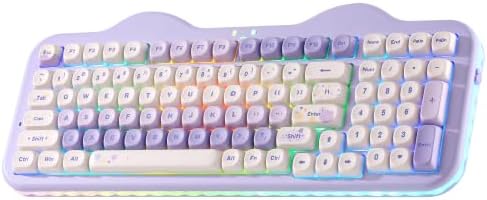
Short answer (56 words): The YUNZII C98 Cute Cake Wireless is the prettiest board in this guide, and the most honest gift pick: a 96% layout with a 10,000mAh battery, rated 8.5/10 in reviews. It is a fun, good-looking daily keyboard — not a competitive board, and this guide will not pretend otherwise. Buy it for the desk, not the leaderboard.
The C98 earns its place on looks and charm. The Cute Cake styling is the point: soft colours, a playful design, and a board that makes a setup feel personal rather than generic. That is a real reason to buy a keyboard, and this guide respects it — not every board has to be built for ranked play. The 96% layout keeps the numpad in a compact footprint, so you get a full working board without a full-size desk hog.
The 10,000mAh battery is far larger than most wireless keyboards carry, so charging is an infrequent event rather than a routine chore. That matters for a gift board: the person who receives it should enjoy it, not babysit it. The 8.5/10 review score backs the whole package — owners like it, and they like it for what it is.
Now the honest limit, stated plainly. This is an aesthetic and gift board, not a competitive one. It has no hall-effect switches, no analog features, and no esports-grade polling claim in this guide. If the buyer wants to climb ranked ladders, the GravaStar V75 or the Huntsman TKL below are the honest answers. If the buyer wants a beautiful daily keyboard, this is the one.
YUNZII C98 Cute Cake Wireless — Best for a gift or a beautiful desk
- Best for: Buyers who want a beautiful, gift-ready keyboard, and anyone building a soft, colourful setup.
- Strengths: 96% layout with a numpad in a compact footprint; huge 10,000mAh battery; rated 8.5/10 in reviews; the most gift-ready design in this guide.
- Weaknesses: Not a competitive board — no hall-effect or analog switches; no esports-grade polling claim; the cute styling will not suit every desk.
- Verdict: The aesthetic and gift slot. Buy it for how it looks and how it feels every day — never as a ranked-play weapon.
- Premium Aesthetic 96% Layout C98 Cake Keyboard: Building on the beloved cute C75 keyboard “cake-themed” design, the YUNZ…
- Tri-Mode Connectivity & Wide Compatibility: The YUNZII C98 Wireless Mechanical Keyboard offers Bluetooth 5.0, 2.4GHz wir…
- Gasket Mount & Creamy Sound Design: The YUNZII C98 creamy keyboard features a premium gasket mount structure with multip…
Is the cheaper GravaStar the smart buy?
Short answer (58 words): The GravaStar Mercury K1 Lite is the 75% wireless GravaStar for buyers who love the brand’s look and feel but do not need the flagship’s battery or hall-effect switches. Tom’s Guide reviewed it, and the 4,000mAh battery is solid for a wireless board. The honest catch: it crowds the K1 and the V75 in the same lineup — know which one you are buying.
The K1 Lite is GravaStar’s middle child, and middle children need a clear reason to exist. Its reason is simple: the brand’s striking design and a compact 75% layout, at a step below the flagship K1. Tom’s Guide reviewing it is real evidence — this is not a board that only exists on a listing page. The 4,000mAh battery is a respectable wireless figure, and the 75% layout gives you function keys and arrows without the numpad bulk.
The overlap is the thing to be honest about. The K1 Lite sits between two siblings that each have a sharper story: the K1 has the huge battery and the flagship rating, and the V75 has the hall-effect switches for competitive play. The Lite is the design-first buy — the one you choose because you want a GravaStar on your desk and the K1’s battery or the V75’s speed are not what you are paying for.
That is not a flaw; it is a fit question. If you want GravaStar looks in a compact wireless board and you type and play casually, the Lite is enough. If you want the longest battery, go K1. If you want competitive speed, go V75. Buy the Lite with your eyes open about which sibling it is.
GravaStar Mercury K1 Lite 75% Wireless — Best for GravaStar looks on a smaller spend
- Best for: Buyers who want GravaStar’s design in a compact 75% wireless board, and casual players who type as much as they game.
- Strengths: Striking GravaStar design; compact 75% layout; 4,000mAh battery; reviewed by Tom’s Guide.
- Weaknesses: Crowds its own siblings — the K1 beats it on battery, the V75 beats it on speed; no hall-effect switches; no owner review count is stated for this board.
- Verdict: The design-first GravaStar. Buy it for the look and the layout — and check you did not actually want the K1 or the V75 first.
- 🎮【GravaStar Mercury K1 Lite Built for Competitive Speed】 The GravaStar Mercury K1 Lite Gaming Keyboard is engineered for…
- 🧊【Transparent 75% Keyboard with Futuristic Edge】 This 75% Keyboard features a fully transparent PC chassis and clear key…
- 🌈【RGB Gaming Keyboard with 13 Custom Modes】 As a dedicated RGB Gaming Keyboard, the GravaStar Mercury K1 Lite offers 13 …
Want a full-size Logitech board built for speed?
Short answer (55 words): The Logitech G316 X 98 is a full-size mechanical board with linear switches, hot-swappable sockets, and 8kHz polling — the fastest scan rate in this mid section. TechRadar gave it 4/5. It is the straightforward Logitech pick for buyers who want a big board, a big brand, and no learning curve.
The headline here is speed. 8kHz polling means the board reports your key presses far more often than a standard board, so inputs reach the game sooner. For a fast-paced shooter, that is a real, measurable advantage — not marketing decoration. Linear switches keep every press smooth and consistent, with no bump and no click to fight against, which is what most competitive players prefer.
Hot-swappable sockets are the practical win. You can pull a switch out and push a different one in without soldering, so the board can change feel later without buying a new keyboard. And the 98% layout keeps the numpad, which matters more than roundups admit: plenty of players and workers refuse to give it up, and this board does not ask them to.
The honest limits are about scope, not quality. This is a desk board from a big brand, not a feature showcase: no OLED display, no analog switches, and no wireless or battery claim is stated for it in this guide. The TechRadar 4/5 is a single-review score, not a large owner base. Buy it because you want a fast, full-size Logitech board — not because you want the most features per dollar.
Logitech G316 X 98 Mechanical (Linear) — Best for a fast full-size Logitech board
- Best for: Players who want a full-size board with a numpad, linear switches, and the fastest polling in this mid section.
- Strengths: 8kHz polling; hot-swappable switches with no soldering; smooth linear switches; full 98% layout with numpad; TechRadar 4/5.
- Weaknesses: No OLED or analog features; no wireless or battery claim stated; the 4/5 score is a single review, not a large owner base.
- Verdict: The straightforward speed pick in the mid range. Big board, big brand, fast polling — and nothing you do not need.
- Near-instantaneous responsiveness: Experience elite gaming performance with an 8 kHz report rate for quick signal transm…
- Personalize your play: Hot-swappable switches and double shot PBT keycaps allow you to easily customize the look and fee…
- Intuitive on-board controls: Joyful and interactive LED dot-matrix display and dial let you easily control report rate, …
Want an OLED display without paying flagship money?
Short answer (58 words): The SteelSeries Apex 5 pairs hybrid mechanical switches with a small OLED display, and owners back it: 4.6 stars from more than 4,100 reviews. It is the cheapest way into the Apex line’s signature screen, and the review volume here is the deepest of any board in this mid section. That combination is why it earns its place.
The OLED display is the reason this board exists in this guide. A small screen on the best gaming keyboard shows profiles and notifications at a glance, without alt-tabbing out of your game. It is the Apex line’s signature feature, and the Apex 5 is the cheapest board that carries it. That alone makes it the right pick for a buyer who loves the idea of a screen on their keyboard but will not pay flagship money for one.
The hybrid switches are SteelSeries’ middle ground — mechanical switches with a softer, quieter feel than a full clicky board. They suit a shared room or a late-night session, where a loud board is a problem. And the owner base is the real evidence here: more than 4,100 reviews at 4.6 stars is the deepest backing of any mid board in this guide, and it is what separates a good idea from a proven buy.
The honest limits start with the switches. Hybrid means a compromise by design: purists who want a true mechanical feel will find it softer than a full mechanical board. The OLED is a small strip, not a full screen, so keep expectations in proportion. And there are no hall-effect or analog features here — this is a display-and-feel board, not a competitive-speed board.
SteelSeries Apex 5 Hybrid Mechanical (OLED) — Best for an OLED display on a mid budget
- Best for: Buyers who want the Apex OLED display without flagship money, and anyone who types late at night in a shared room.
- Strengths: OLED display for profiles and notifications at a glance; 4.6 stars from more than 4,100 reviews — the deepest owner base in this mid section; softer, quieter hybrid switches.
- Weaknesses: Hybrid switches are a compromise — not a true mechanical feel for purists; the OLED is a small strip, not a full screen; no hall-effect or analog features.
- Verdict: The cheapest honest route to an OLED keyboard. Buy it for the screen and the quiet feel — not for competitive speed.
- Hybrid blue mechanical gaming switches – The tactile click of a blue mechanical switch plus a smooth membrane – guarante…
- OLED smart display – Customize with gifs, game info, discord messages, and more.
- Aircraft-grade aluminum alloy frame – Manufactured for unbreakable durability and sturdiness
Is the BlackWidow V4 X the safe Razer pick?
Short answer (57 words): The BlackWidow V4 X with Yellow Switches is Razer’s safe mid-range full-size: quiet linear switches, six macro keys, and Chroma RGB, from the most established name in this guide. Its Amazon rating is reported as a range, 4.3 to 4.6 stars, and this guide could not pin a single figure for this exact variant — so it states the range honestly.
The case for the V4 X is that it is a Razer board with nothing to learn. Yellow switches are linear and quiet, so every press feels the same and nobody in the room hears it. Six dedicated macro keys sit on the side for the player who binds abilities, push-to-talk, or a whole combo to one press. Chroma RGB does what Razer lighting always does: per-key colour that syncs with the rest of a Razer setup.
It is also the full-size board for the player who wants everything in one place — numpad, macros, media controls — without stepping up to the flagship V4 Pro tier. That is a real segment, and the V4 X owns it: the established brand, the familiar layout, and no exotic feature to configure before the first game.
The honest limit is the rating. This guide states 4.3 to 4.6 stars because the exact-variant figure could not be pinned down: one search returned ratings for other V4 X editions and switch variants, not the US listing for this Yellow Switches variant. The range is honest; a single invented figure would not be. The other limit is the tier itself: this is a straightforward mechanical board, with no analog or hall-effect features at this level.
Razer BlackWidow V4 X Yellow Switches — Best for a safe full-size Razer board
- Best for: Players who want a full-size Razer board with quiet linear switches and macro keys, and anyone already inside the Razer ecosystem.
- Strengths: Quiet linear Yellow switches; six dedicated macro keys; Chroma RGB per-key lighting; full-size layout with numpad; Razer’s most established mid-range board.
- Weaknesses: Amazon rating stated as a range (4.3–4.6) — no single exact-variant figure could be verified; no analog or hall-effect features; no hot-swap claim stated.
- Verdict: The safe Razer pick. Buy it for the brand, the layout, and the macros — and note the rating is a range, not a pinned figure.
- YELLOW MECHANICAL LINEAR SWITCHES: With zero distance between actuation and reset points at 1.2mm and only 45g of force …
- 6 DEDICATED MACRO KEYS: Expand the arsenal of commands with a set of easy-access macro keys that can be programmed to pe…
- MULTI-FUNCTION ROLLER and SECONDARY MEDIA KEYS: Pause, play, skip, and tweak everything from brightness to volume for ul…
Can a productivity keyboard be a gaming keyboard?
Short answer (57 words): The Logitech Alto Keys K98M is a lovely keyboard — TweakTown scored it 88% — and a genuinely good productivity board, with a gasket-mounted feel and wireless convenience. It is not a competitive gaming board, and the reason is plain: it has no wired mode for gaming. Buy it for work first, and play second.
The K98M is a pleasure to type on, and that is worth saying clearly. The gasket mount gives the board a softer, cushioned feel under the fingers, the kind of typing experience that makes a long workday easier. The 98-key layout keeps the numpad for spreadsheets and data entry, and wireless convenience keeps the desk clean. TweakTown’s 88% is a strong review score for a board built for work.
For gaming, though, the limit is decisive and this guide states it plainly: there is no wired mode. A competitive gaming board needs a wired connection for the lowest, most consistent latency, and the K98M does not offer one. That single fact is what keeps it out of the competitive conversation, however good it feels to type on.
So the verdict is split by use, and the buyer should be honest with themselves. If the keyboard’s real job is eight hours of work and an hour of casual games, the K98M is excellent. If the real job is ranked play, buy a board built for it — the Logitech G316 X in this same section is the honest answer.
Logitech Alto Keys K98M Wireless Gasket — Best for productivity first, gaming second
- Best for: Workers who type all day and play casually, and anyone who wants a soft gasket-mounted feel with a numpad.
- Strengths: Gasket-mounted typing feel; 98-key layout with numpad; wireless convenience; TweakTown 88% review score.
- Weaknesses: No wired mode for gaming — not a competitive gaming board, stated plainly; wireless-only connection; buyers who want one board for ranked play should look elsewhere.
- Verdict: An excellent productivity keyboard, and the wrong tool for competitive gaming. Buy it for work — and mean it.
- Immersive typing with UniCushion: Enjoy a clicky mechanical typewriter keyboard feel—gasket mount absorbs vibrations for…
- Seamlessly smooth typing: This mechanical keyboard features hot-swappable (5) Marble Switches (6) with concave keys, off…
- Bright ideas, day or night: Non-RGB, white backlighting only, and durable keycaps on this 98-key, compact 1800-style lay…
Premium and Hall Effect keyboards
What is the best GravaStar keyboard you can buy?
Short answer (55 words): The Mercury K1 is GravaStar’s flagship 75% wireless board: 4.7 stars, reviewed by Tom’s Guide, and a battery rated at more than 400 hours. It is the brand’s statement piece — striking looks, long battery life, and the strongest owner rating of any GravaStar board in this guide.
The K1’s headline is the battery. More than 400 hours rated is an extraordinary figure for a wireless keyboard, and it changes how the board fits into a setup: charging stops being a task you think about. That is the flagship promise — a board that looks like a showpiece and then quietly refuses to need attention for months at a time.
The rest of the package backs it up. The 75% layout is the compact sweet spot: function keys and arrows, no numpad bulk. Tom’s Guide reviewing it is real editorial evidence, not listing copy. And 4.7 stars is the strongest owner rating of any GravaStar board in this guide — owners like this board more than they like its siblings, and the gap is not small.
The honest limits are about what the K1 is not. It is a design-first flagship, not a competitive-speed board: the hall-effect switches live in the V75 below, not here. And the 400-hour figure is a rated battery life — real-world life depends on backlight use, so heavy RGB will shorten it. Buy the K1 for looks, battery, and the strongest GravaStar rating; buy the V75 for speed.
GravaStar Mercury K1 75% Wireless — Best GravaStar flagship
- Best for: Buyers who want GravaStar’s best-looking board with a battery they can forget about, and anyone building a showpiece desk.
- Strengths: Battery rated at more than 400 hours; 4.7 stars — the strongest GravaStar owner rating in this guide; reviewed by Tom’s Guide; compact 75% layout.
- Weaknesses: No hall-effect switches — competitive speed is the V75’s job; the battery figure is a rated maximum and depends on backlight use; design-first pricing.
- Verdict: The best GravaStar you can buy. Buy it for the looks and the battery — and know the V75 is the faster sibling.
Which GravaStar board is built for competitive play?
Short answer (56 words): The Mercury V75 is GravaStar’s competitive answer: hall-effect switches with 8000Hz polling, reviewed by CGMagazine and Impulse Gamer at 4.3/5. It is the strongest hall-effect board GravaStar makes — the one to buy if you want the brand’s looks with genuinely fast, adjustable switches.
Hall-effect switches are the point of this board. They use magnets instead of physical contacts, so the actuation point can be adjusted and keys can reset the instant you lift them — the Rapid Trigger behaviour that competitive players pay for. Paired with 8000Hz polling, the V75 is built for the player who wants every press to register as fast as the hardware allows.
The review evidence is honest and specific: CGMagazine and Impulse Gamer both reviewed it, and both landed at 4.3/5. That is a real editorial score from two sources, not a listing average. And within GravaStar’s own lineup, the V75 is the clear speed pick — the K1 has the battery and the looks, the K1 Lite has the lower step in, and the V75 has the switches that win games.
The honest limits are about the evidence and the setup. The 4.3/5 is a review score, not a large owner base — no review count is stated for this board in this guide. Hall-effect boards also need software tuning to shine: out of the box, the advantage is only partly there, and the buyer should expect to spend time setting actuation points. And buyers must choose deliberately: looks and battery mean the K1, speed means the V75.
GravaStar Mercury V75 Hall Effect 8000Hz — Best GravaStar for competitive play
- Best for: Competitive players who want GravaStar’s design with hall-effect speed, and anyone who will tune actuation points to their own fingers.
- Strengths: Hall-effect switches with adjustable actuation; 8000Hz polling; reviewed by CGMagazine and Impulse Gamer at 4.3/5; the strongest hall-effect board GravaStar makes.
- Weaknesses: No owner review count stated — the evidence is editorial scores, not a large owner base; needs software tuning to reach its full speed; sits close to the K1 in the lineup, so buyers must choose looks versus speed.
- Verdict: The fastest GravaStar. Buy it for the switches — and budget ten minutes to tune them properly.
- Engineered to Win: Powered by GravaStar’s UFO Hall Effect Magnetic Switches, 8000Hz polling rate, 0.005mm Rapid Trigger,…
- Performance That Adapts to You: Customize every key through GravaStar’s web-based driver with adjustable actuation, Dyna…
- Designed to Define Your Desktop: Crafted with a precision-machined CNC aluminum frame and GravaStar’s unmistakable futur…
Want the full-size Huntsman V3 Pro?
Short answer (56 words): The full-size Huntsman V3 Pro is the wired esports board for players who want a numpad and analog optical switches in one deck: 4.3 stars from 1,205 reviews on the plugin count. It is the batch’s backup full-size flagship — the same analog platform as the TKL below, with the keys a full-size player refuses to give up.
The full-size Huntsman is for the player whose layout is non-negotiable. The numpad stays, the function row stays, and the analog optical switches bring adjustable actuation and Rapid Trigger to every key. That combination — full layout plus analog speed — is rare, and it is why this board earns a place even as the TKL version takes the spotlight below.
The owner base is real: 4.3 stars from 1,205 reviews on the plugin count for this exact variant. One counting note matters and this guide states it plainly: the 8KHz TKL variant at 290 reviews is a different variant, and its figure is never used for this board. This section uses the full-size board’s own count only.
Two honest limits travel with this board. It is wired-only, by design — an esports wired board, not a wireless one — so the desk setup should plan for a cable. And the same Snap Tap caution stated in the TKL section below applies here too: Snap Tap-style features are banned in CS2, so check the warning there before enabling anything of that kind.
Razer Huntsman V3 Pro full-size Esports Wired Black — Best full-size analog Razer
- Best for: Players who refuse to give up the numpad and want analog optical speed in a full-size wired board.
- Strengths: Analog optical switches with adjustable actuation and Rapid Trigger; full-size layout with numpad; 4.3 stars from 1,205 reviews on the plugin count for this exact variant.
- Weaknesses: Wired-only by design; full-size footprint needs desk space; the Snap Tap CS2 caution in the TKL section applies here too; analog features need Razer software to tune.
- Verdict: The full-size analog flagship. Buy it if the numpad is non-negotiable — otherwise the TKL below is the faster, tighter pick.
- CHOSEN BY PROS FOR ADVANCED FPS MOVEMENT — Dominate competitive FPS and esports games with Rapid Trigger, adjustable 0.1…
- RAZER SNAP TAP — Prioritize the latest input between two selected movement keys without releasing the previous key, allo…
- RAPID TRIGGER — Reset and re-actuate keys at the slightest lift of a finger for faster response than traditional mechani…
What is the best hall-effect keyboard overall?
Short answer (57 words): The Apex Pro TKL Gen 3 is the competitive hall-effect category leader — named Best Overall in hall-effect and 2026 gift guides. It is the board this guide points to when a buyer asks for one hall-effect keyboard and does not want to overthink it: OmniPoint switches, Rapid Trigger, and the most proven name in the category.
The Apex Pro TKL Gen 3 does not need a long pitch, because the category has already made it for us. Being named Best Overall in hall-effect roundups and in 2026 gift guides is the strongest signal a board can carry: editors who tested the whole category picked this one. That is the definition of a category leader, and this guide follows it rather than fighting it.
The hardware is why it earned that position. OmniPoint hall-effect switches give adjustable actuation and Rapid Trigger — the keys reset the moment you lift them, so counter-strafing and rapid repeated presses feel instant. It is the same class of speed the Razer Huntsman offers, from the other great name in competitive keyboards, and the head-to-head below compares them directly.
The honest limits are about scope and evidence. This is a TKL board, so there is no numpad — full-size players should look at the Huntsman full-size above. Hall-effect tuning needs SteelSeries software, so the board’s best behaviour lives behind a setup step. And no owner rating or review count is stated for this board in this guide, so the verdict rests on its Best Overall standing rather than a quoted star figure — this guide will not invent one.
SteelSeries Apex Pro TKL Gen 3 — Best overall hall-effect keyboard
- Best for: Competitive players who want the category-leading hall-effect board, and buyers who want one confident pick without comparing ten boards.
- Strengths: Named Best Overall in hall-effect and 2026 gift guides; OmniPoint hall-effect switches with adjustable actuation; Rapid Trigger; the most proven name in competitive hall-effect boards.
- Weaknesses: TKL layout — no numpad; needs SteelSeries software to tune the switches; no owner rating or review count is stated in this guide, so the verdict rests on its Best Overall standing.
- Verdict: The competitive hall-effect category leader. If you want one hall-effect board and no second-guessing, buy this one.
- TRIPLE THREAT POWERED BY QUICKSET — Apex Pro is the only line of keyboards in the world with Rapid Trigger, Rapid Tap, a…
- RAPID TRIGGER FOR FASTER ACTIONS — Stop fast, start your next move faster. Resets the moment you release a key.
- RAPID TAP FOR FASTER MOVEMENT — Snaps to your latest key press to strafe and dodge faster.
Is the Huntsman V3 Pro TKL the fastest keyboard here?
Short answer (59 words): The Huntsman V3 Pro TKL is Razer’s flagship analog board: Gen-2 analog optical switches with Rapid Trigger and 8KHz polling, rated 4.3 stars from 290 reviews on the plugin’s exact-variant count. It is the batch winner in its tier — and it carries two warnings this guide states plainly, not in small print. Read them before you buy.
The switches are the first thing to get right, because the name matters. These are Gen-2 analog optical switches — not hall-effect switches. They are analog, adjustable, and fast, but they are Razer’s optical technology, and this guide will never call them hall-effect. Rapid Trigger makes keys reset the instant you lift them, and 8KHz polling reports your presses far more often than a standard board. Together, that is the fastest input package Razer sells.
The count is exact and this guide is precise about it: 4.3 stars from 290 reviews is the plugin’s count for this exact variant. The 1,840 figure that floats around this product family is a family pool across variants, and it is never used here. Precision matters when a board costs this much — the buyer deserves the real number for the real variant.
Now the two warnings, stated plainly. First, Snap Tap: it is the feature that presses the newest of two opposite direction keys for you, and Valve has banned Snap Tap-style automation in CS2 — using it there risks a ban, so leave it off for Counter-Strike. Second, the 8KHz caveat: polling at 8000Hz asks more of your CPU, and on a weaker system that extra load is real. Both warnings are part of the verdict, not footnotes to it.
Razer Huntsman V3 Pro TKL 8KHz Analog Optical Black — Best analog Razer TKL
- Best for: Competitive players who want Razer’s fastest analog board, and anyone who will tune actuation and Rapid Trigger properly.
- Strengths: Gen-2 analog optical switches — analog and adjustable, correctly named; Rapid Trigger; 8KHz polling; 4.3 stars from 290 reviews on the plugin’s exact-variant count; batch winner in its tier.
- Weaknesses: Snap Tap is banned in CS2 — using it there risks a ban; 8KHz polling can tax the CPU on weaker systems; needs Razer software to tune; TKL layout, no numpad.
- Verdict: The fastest Razer here, with warnings attached. Buy it for the speed — and read the two warnings above before you enable anything.
- ANALOG OPTICAL SWITCHES GEN-2 — React faster with analog optical switches engineered for competitive gaming, featuring R…
- RAZER SNAP TAP FOR FASTER COUNTER-STRAFING — Prioritize the latest input between two selected keys without releasing the…
- TRUE 8000 HZ HYPERPOLLING RATE — Gain a competitive edge with an 8000 Hz polling rate delivering near-zero latency and r…
Huntsman V3 Pro TKL vs Apex Pro TKL Gen 3 — the two $200 analog kings
Short answer (58 words): These are the two best competitive TKL boards in this guide, and there is no wrong answer — only a wrong fit. The Huntsman is Razer’s analog optical flagship with the fastest polling; the Apex Pro is SteelSeries’ hall-effect category leader and the Best Overall pick. The buyer who wants Razer’s ecosystem takes the Huntsman; the buyer who wants the proven category leader takes the Apex Pro.
The switches are the real difference, and it is a technology difference, not a quality gap. The Huntsman uses Razer’s Gen-2 analog optical switches — optical, not hall-effect, and this guide says so plainly. The Apex Pro uses SteelSeries OmniPoint hall-effect switches — magnetic, and the technology the whole hall-effect category is named after. Both give adjustable actuation and both give Rapid Trigger, the instant-reset behaviour that makes counter-strafing feel sharp. In practice, both boards are fast enough that the switch technology is a preference, not a winner.
Rapid Trigger and Snap Tap behaviour is where the buyer needs to pay attention. Both boards have Rapid Trigger, and both makers offer a simultaneous-opposite-direction feature — Razer’s Snap Tap and SteelSeries’ Rapid Tap. Valve has banned Snap Tap-style automation in CS2, and the caution applies to this class of feature, not to one brand’s label: do not enable opposite-direction automation for Counter-Strike, whichever board you buy. Rapid Trigger itself — keys resetting instantly on release — is a different behaviour and is the feature both boards are bought for.
On build, no side-by-side teardown was verified, so this guide states no winner there: both are flagship boards from the two biggest names in competitive keyboards, and neither is built like a budget board. On software, both need their maker’s suite to tune actuation — Razer Synapse for the Huntsman, SteelSeries GG for the Apex Pro — and both suites are established, full-featured, and a setup step the buyer should expect rather than a surprise. One difference is polling: the Huntsman’s 8KHz polling is the faster headline figure, with the CPU caveat stated in its section above; no equivalent polling figure is stated for the Apex Pro in this guide, so no comparison is drawn on it.
So who should buy which? Take the Huntsman V3 Pro TKL if you are inside Razer’s ecosystem, you want the fastest polling headline, and you will tune the board in Synapse — with the Snap Tap warning understood. Take the Apex Pro TKL Gen 3 if you want the hall-effect category leader, the Best Overall pick in roundups and gift guides, and the board this guide points to when a buyer asks for one confident answer. Either way, you are buying one of the two best competitive keyboards in this guide — the choice is fit, not quality.
- Best for (Huntsman V3 Pro TKL): Razer-ecosystem players who want the fastest polling and analog optical switches, and who accept the Snap Tap and 8KHz caveats.
- Best for (Apex Pro TKL Gen 3): Players who want the hall-effect category leader and the Best Overall pick, with OmniPoint switches and Rapid Trigger.
- Strengths (both): Adjustable actuation; Rapid Trigger instant-reset keys; flagship build from a top competitive brand; TKL layout that leaves room for the mouse.
- Weaknesses (both): No numpad; need maker software to tune the switches; opposite-direction automation features carry the CS2 ban caution on either board.
- Verdict: No wrong answer — only a wrong fit. Razer ecosystem and fastest polling: Huntsman. Category leader and one confident pick: Apex Pro.
What if your keyboard was also your stream deck?
Short answer (56 words): The Corsair Galleon 100 SD is a niche board with a genuine first: a Stream Deck built into a keyboard, recognised with a CES 2026 Innovation award. It is a streamer’s tool, not a general pick — buy it because you stream and want deck controls under your fingers, not because you want the best typing or gaming board.
The idea is simple and it is genuinely new: the deck controls a streamer normally buys as a separate box are built into the keyboard itself. Scene switches, macros, and stream controls sit on the same board as your keys, so a streamer stops reaching across the desk for a second device. The CES 2026 Innovation award is the evidence that the industry noticed — this is not a gimmick listing, it is a recognised new category of board.
For a streamer, that integration is the whole case. One device instead of two, one cable run instead of two, and controls that live where your hands already are. The mechanical RGB keyboard underneath is a real gaming board, not a prop — but it is the supporting act here, not the star. The star is the deck.
The honest limit is the audience, and this guide frames it plainly. This is a streamer niche board, not a general pick. A buyer who does not stream is paying for hardware they will never touch, and would be better served by any flagship in this guide — the Huntsman TKL or the Apex Pro above are both stronger pure gaming boards. No owner rating or review count is stated for the Galleon in this guide, so the verdict rests on the concept and the CES award rather than a quoted star figure, and this guide will not invent one.
Corsair Galleon 100 SD RGB Mechanical (Stream Deck built in) — Best for streamers who want a deck in their keyboard
- Best for: Streamers who want Stream Deck controls built into their keyboard, and anyone building a one-device streaming desk.
- Strengths: A Stream Deck built into a mechanical RGB keyboard; CES 2026 Innovation award; one device instead of a keyboard plus a separate deck.
- Weaknesses: A streamer niche board, not a general pick — non-streamers pay for hardware they will never use; no owner rating or review count stated in this guide; not the strongest pure gaming board in this guide.
- Verdict: The streamer’s best gaming keyboard. Buy it because you stream and want the deck under your fingers — never as a general gaming pick.
- Elgato Stream Deck Integration: Customizable Stream Deck keys and dials give you precise, real-time command of your enti…
- Streamline your play: React faster and stay focused in-game, whether you’re navigating menus with hotkeys or executing c…
- Go beyond the game: Get instant, one-touch control of apps like Discord and Spotify without leaving your game using plug…
Which gaming keyboard wins each slot?
| Slot | Winner |
|---|---|
| Cheapest good gaming keyboard | Redragon K521 |
| Cheapest true mechanical | RisoPhy RGB 104-key |
| Best budget entry (combo) | Redragon S101-3 PRO |
| Cheapest Rapid Trigger | AULA WIN68 HE |
| Best for Mac users | ProtoArc K310 Pro |
| Quietest gaming keyboard | SteelSeries Apex 3 |
| Best wireless gasket feel | Redragon K745 PRO |
| Best 75% wireless | AULA F75 Pro |
| Best screen + knob | EPOMAKER X AULA F75 MAX |
| Best big-brand mechanical | Logitech G413 SE |
| Best-value 75% | AULA F75 (base) |
| Best compact build quality | HyperX Alloy Origins 65 |
| Best gift or beautiful desk | YUNZII C98 Cute Cake Wireless |
| Best GravaStar looks, smaller spend | GravaStar Mercury K1 Lite 75% Wireless |
| Best fast full-size Logitech | Logitech G316 X 98 Mechanical (Linear) |
| Best OLED on a mid budget | SteelSeries Apex 5 Hybrid Mechanical (OLED) |
| Best safe full-size Razer | Razer BlackWidow V4 X Yellow Switches |
| Best productivity first | Logitech Alto Keys K98M Wireless Gasket |
| Best GravaStar flagship | GravaStar Mercury K1 75% Wireless |
| Best GravaStar for competitive play | GravaStar Mercury V75 Hall Effect 8000Hz |
| Best full-size analog Razer | Razer Huntsman V3 Pro full-size Esports Wired Black |
| Best overall hall-effect keyboard | SteelSeries Apex Pro TKL Gen 3 |
| Best analog Razer TKL | Razer Huntsman V3 Pro TKL 8KHz Analog Optical Black |
| Best streamer’s keyboard | Corsair Galleon 100 SD RGB Mechanical (Stream Deck built in) |
| Head-to-head: the two $200 analog kings | Huntsman V3 Pro TKL vs Apex Pro TKL Gen 3 — no wrong answer, only a wrong fit |
If you only remember one line: the K521 is the cheapest way in, the Apex 3 is the quietest, the F75 family is the best-value compact route, the Alloy Origins 65 is the board most likely to still be on your desk in three years, and the Huntsman vs Apex Pro head-to-head is the decision that matters most at the top. Buy the keyboard for the games you actually play and the room you actually play in — and check the live price on the card before you commit, because sale prices move daily.
Browse the full gaming keyboards category to compare these against the rest of the catalog: /shop/keyboards/.
Related guides
- Best Gaming Headsets — https://ewmplay.com/best-gaming-headsets-2026/
- Best Gaming Mouse — https://ewmplay.com/best-gaming-mouse-2026/
- Best Gaming Chairs — https://ewmplay.com/best-gaming-chairs-2026/
- Best Gaming Monitors — https://ewmplay.com/best-gaming-monitors-2026/
- Best Streaming Gear — https://ewmplay.com/best-streaming-gear-2026/
Amazon Associates disclosure
As an Amazon Associate, EWM PLAY earns from qualifying purchases made through links on this page, at no additional cost to you.
[…] at this level does compromise somewhere. If you want the wider gaming picture first, start with our Best Gaming Keyboards 2026 guide, then come back here to pick your switch. You can also browse the full Keyboards category and […]
[…] you want the wider picture first, start with our Best Gaming Keyboards 2026 guide, and if switches are what you care about most, our Best Mechanical Keyboards 2026 guide goes […]
[…] for the full gear range, check the Keyboards category for every board we cover, compare with the Best Gaming Keyboards 2026 guide, the Best Mechanical Keyboards 2026 guide, and the Best 75% Keyboards 2026 guide, then round out […]
[…] More from EWM PLAY: catch every viral moment in comfort — see our best gaming gear of 2026 hub and the best gaming keyboards of 2026. […]
[…] More from EWM PLAY: redeem codes faster with the right setup — see our best gaming gear of 2026 hub and the best gaming keyboards of 2026. […]