
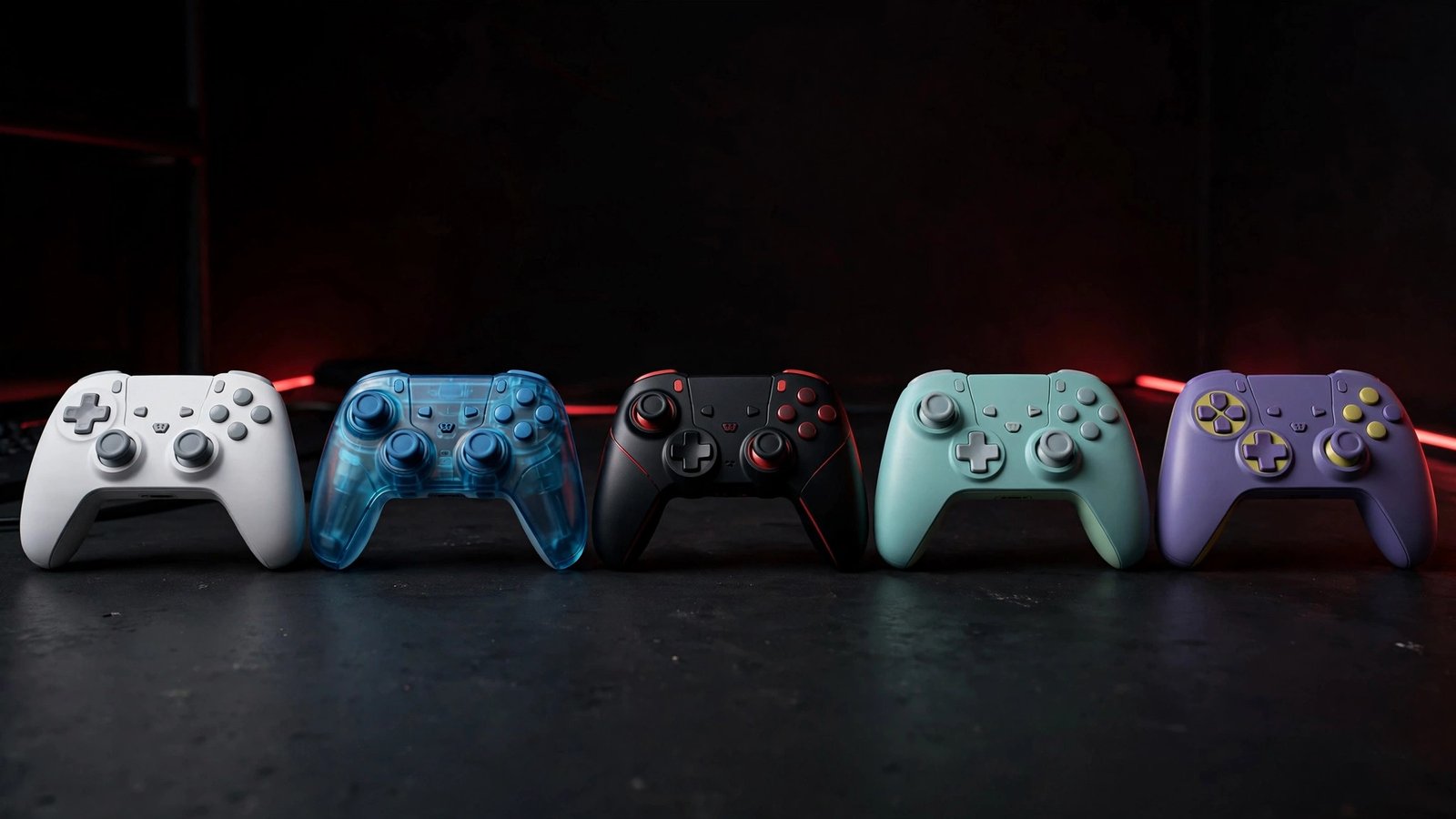
Looking for the best gaming controllers in 2026? There’s no single pad that rules every console, and any guide pretending otherwise is selling you something. If you play on Xbox or PC, start with the Xbox Wireless Controller in Carbon Black — it’s the one most games already expect, it pairs cleanly, and it just works. PS5 players don’t really have a debate: get the DualSense, in Cosmic Red if you like the look, because nothing else unlocks what PS5 games were built around. And if you bounce between PC and Switch, the 8Bitdo Pro 2 Bluetooth Hall Effect is the flexible pick that keeps coming up in 2026 roundups for exactly that job.
That split is the whole guide in three sentences. Everything below is for the moment you ask “yeah, but what about…?” — drift, wired play, back buttons, and the one naming trap that could cost you a return. The guide has grown since those three sentences were written: a pro pad for PS5, a pro pad for Xbox, a fight stick for each console, and two more drift-proof pads joined the list — so the platform-first rule matters more than ever.
Browse all twelve pads on the controller category page.
Key facts
- The Xbox Wireless Controller is the default pick for Xbox and PC because Windows and most PC games treat it as native, with no extra setup in most cases.
- The PlayStation DualSense is the only pad in this guide that gives PS5 players full adaptive triggers and detailed haptics in supported PS5 games.
- Hall Effect sticks, used by the GameSir G7 SE, the 8Bitdo Pro 2 Hall Effect, and the 8Bitdo Ultimate 2C, use magnetic sensing instead of wearing potentiometer contacts, which is why reviewers link them to drift resistance.
- iFixit’s 2021 DualSense teardown analysis, reported by VG247 and Video Games Chronicle, estimated the stock sticks could exceed their rated operating life in roughly 417 hours of heavy stick use — a figure that varies sharply by game.
- The 8Bitdo Ultimate 2C Wireless covered here is a PC and Android pad; it does NOT support Switch — the separate Ultimate 2C Bluetooth model is the Switch version.
- The Sony DualSense Edge Midnight Black is the pro PS5 pad: two remappable back buttons and swappable stick modules — but its sticks are still not Hall Effect, and battery runs 4–6 hours (plugin, Nov 2026: 4.6 stars with more than 2,000 reviews).
- The GameSir G7 Pro Wuchang Edition is the wireless-on-Xbox pro pad: TMR sticks, Hall Effect triggers, two back paddles, and a charging dock — buy the Wuchang Edition exactly, since the standard edition is wired-only on Xbox (plugin, Nov 2026: 4.3 stars with more than 1,300 reviews).
- The 8Bitdo Ultimate 2 Wireless and the GameSir Cyclone 2 are PC-first pads with drift-proof magnetic sticks — neither supports Xbox or PlayStation, and the Ultimate 2 has no official Switch support either (plugin, Nov 2026: Ultimate 2, 4.5 stars with more than 6,100 reviews; Cyclone 2, 4.3 stars with more than 3,300 reviews).
- The HORI Fighting Stick Alpha comes as two separate wired sticks — one for PS5 and PC, one for Xbox and PC — and the Xbox Elite Series 2 Core is the controller only, with no back paddles, dock, or case in the box (plugin, Nov 2026: Fighting Stick Alpha PS5, 4.6 stars with more than 870 reviews; Xbox version, 4.3 stars with more than 430 reviews; Elite Core, 4.3 stars with more than 47,300 reviews).
Which gaming controller should I buy first?
Short answer: Buy for your main platform first, not for the platforms you might play someday. An Xbox pad won’t unlock PS5 features, a Switch-focused pad won’t run an Xbox console, and the “universal” pad usually means universal across PC and mobile, not across rival consoles. Pick the pad built for where you play most, then check whether it also covers your second device.
That rule saves more money than any sale ever will. I’ve seen too many players grab a great PC pad, plug it into an Xbox, and wonder why nothing happens — Xbox consoles need a licensed controller, a point several 2026 roundups repeat because it trips people up every year. Meanwhile PC is forgiving: Steam and Windows accept nearly everything here, so PC players get to choose on feel and durability instead of compatibility panic. Start with the console, and let PC be the bonus.
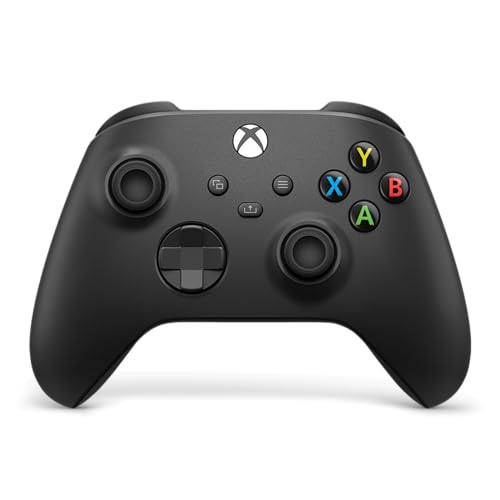
- Overall winner: Xbox Wireless Controller (Carbon Black) — best for most Xbox and PC players.
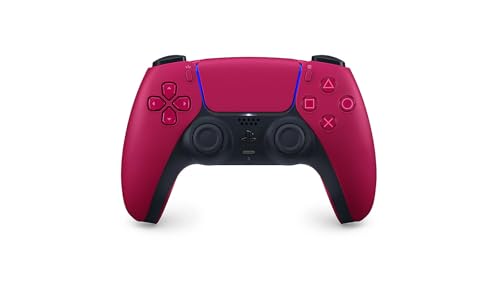
- Best for PS5: PlayStation DualSense Cosmic Red.
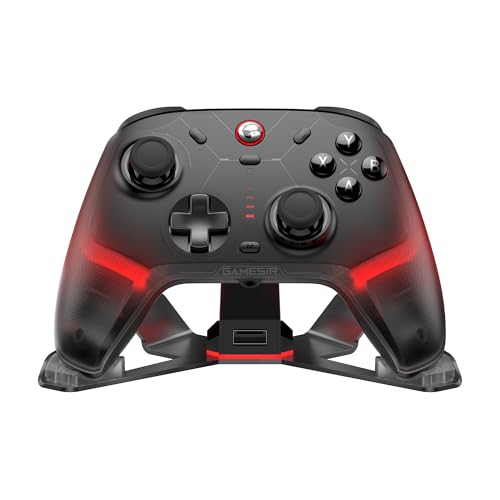
- Best competitive Xbox/PC pick: GameSir G7 SE (Blue).
- Best flexible PC/Switch pick: 8Bitdo Pro 2 Bluetooth Hall Effect (Black).
- Best budget PC/Android pick: 8Bitdo Ultimate 2C Wireless — not a Switch pad, despite how it’s often grouped.
- Best pro PS5 pad: Sony DualSense Edge Midnight Black.
- Best pro Xbox pad (essentials only): Xbox Elite Series 2 Core.
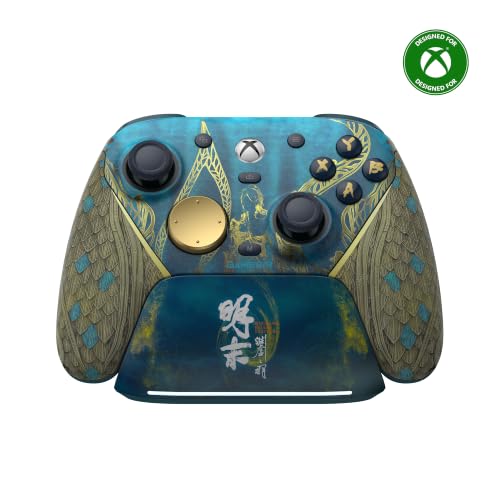
- Best Xbox wireless upgrade: GameSir G7 Pro Wuchang Edition.
- Best value wireless flagship: 8Bitdo Ultimate 2 Wireless — PC and Android, not a console pad.
- Best budget drift-proof pad: GameSir Cyclone 2 — PC and Switch, not a console pad.
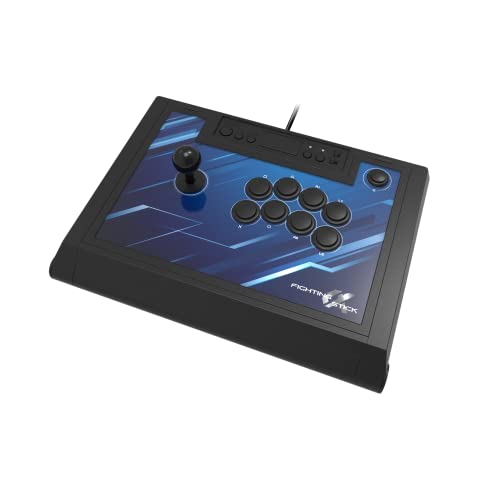
- Best fight stick for PS5: HORI Fighting Stick Alpha PS5.
- Best fight stick for Xbox: HORI Fighting Stick Alpha Xbox.
Best gaming controllers 2026 — comparison





| Controller | Best for | Strengths | Weaknesses | Verdict |
|---|---|---|---|---|
| PlayStation DualSense Cosmic Red | PS5 immersion | Adaptive triggers, detailed haptics, built-in mic and speaker, comfortable two-tone design | Stock potentiometer sticks can drift over time; standout features need supported games; shorter battery life than some rivals in roundups | The PS5 pick, full stop |
| Xbox Wireless Controller, Carbon Black | Xbox + PC default | Native PC/Xbox support, textured grips, hybrid D-pad, Share button, swappable AA power | Stock potentiometer sticks, not Hall Effect; no back paddles; rechargeable pack is separate | The safest first buy for Xbox/PC |
| GameSir G7 SE (Blue) | Competitive Xbox + PC, wired | Hall Effect sticks and triggers, 2 mappable back buttons with quick latches, long detachable cable, deep Nexus app tuning | Wired only — no wireless option; lighter stick tension isn’t for everyone; membrane face buttons, not mechanical | The wired upgrade that fixes the Xbox pad’s weakest point |
| 8Bitdo Ultimate 2C Wireless | Budget PC + Android | Hall Effect sticks and triggers, 1000 Hz polling on 2.4G/wired, extra L4/R4 bumpers, light and comfortable | No Switch support in this Wireless version; no official Xbox/PlayStation console support; short included cable noted in reviews | Brilliant budget PC pad — if you buy the right 2C |
| 8Bitdo Pro 2 Bluetooth Hall Effect (Black) | PC + Switch flexibility | Hall Effect sticks, 2 pro back buttons, 3 switchable profiles, mode switch for Switch/Windows/macOS/Android, replaceable battery pack | Motion control is Switch-focused; setup software needs a PC for the deepest tweaks; no battery-level readout on the pad itself, per user reports | The “one pad, several devices” pick |
| Sony DualSense Edge Midnight Black | Pro PS5 pad | Adaptive triggers + haptics, 2 remappable back buttons, swappable stick modules, 4 on-pad profiles | No Hall Effect sticks; 4–6 hour battery; heavier than the standard DualSense | The pro PS5 pad — buy it for the back buttons, not the battery |
| GameSir G7 Pro Wuchang Edition | Xbox + PC pro, wireless | TMR sticks, Hall Effect triggers with hair-trigger mode, 2 back paddles, charging dock, wireless on Xbox | Standard edition is wired-only on Xbox — buy the Wuchang Edition exactly; dock setup needs two USB ports | The Xbox pro pad without the Elite’s price tag |
| 8Bitdo Ultimate 2 Wireless | Value wireless flagship (PC/Android) | TMR sticks, switchable Hall Effect triggers, 2 back paddles + L4/R4 bumpers, charging dock, 1,000 Hz polling | No official Xbox, PlayStation, or Switch support; battery drops with RGB on | The value flagship — PC first, consoles never |
| GameSir Cyclone 2 | Budget drift-proof (PC/Switch) | TMR sticks, Hall Effect triggers with hair-trigger mode, 2 rear buttons, gyro, charging dock | No Xbox or PlayStation support; quality control is a lottery | The cheapest drift-proof pad here — buy it for the sticks |
| HORI Fighting Stick Alpha PS5 | Fight stick for PS5/PC | Hayabusa lever + buttons, clamshell modding, tournament lock, touchpad | Wired only; PS5 version only — Xbox needs the other stick; Noir layout divides players | The tournament stick for PS5 fighting games |
| HORI Fighting Stick Alpha Xbox | Fight stick for Xbox/PC | Hayabusa lever + buttons, clamshell modding, tournament lock | Wired only; Xbox version only — PS5 needs the other stick; Noir layout divides players | The tournament stick for Xbox fighting games |
| Xbox Elite Series 2 Core | Pro Xbox pad, essentials only | Adjustable-tension sticks, hair trigger locks, wrap-around grip, 40-hour battery | No paddles, dock, or case in the box; durability headwind; no Hall Effect sticks | The Elite’s feel without the extras — if you never used paddles |
PS5: Which controller is best for PS5?
Short answer: The PlayStation DualSense Cosmic Red is the best controller for PS5 because it’s the only pad here built around the console’s signature features. Adaptive triggers change resistance as you draw a bow or brake a car, and the dual-actuator haptics replace blunt rumble with texture you can actually feel. No third-party pad in this guide reproduces that combination on PS5.
Cosmic Red is a colourway, not a different controller — and that’s worth saying plainly, because colour editions sometimes get reviewed as if they were new hardware. Under the two-tone shell, per Sony’s own description carried by retailers, you get the same haptic feedback, dynamic adaptive triggers, built-in microphone, 3.5 mm headset jack, Create button, and integrated speaker. Supported games use that speaker for higher-fidelity effects, and the mic means casual chat doesn’t demand a headset. It’s a small thing until you’re mid-session and grateful for it.
So what’s the catch? Longevity, honestly. DualSense sticks use the conventional potentiometer design that wears with use, and iFixit’s teardown work — reported in February 2021 by VG247 and Video Games Chronicle — translated the stick maker’s cycle rating into roughly 417 hours of heavy, stick-intensive play before the rated life could be exceeded. Your mileage will vary wildly by genre; a slow RPG won’t chew through sticks like a daily shooter will. Still, that estimate is exactly why this guide keeps steering durability-first buyers toward Hall Effect pads on platforms where they exist. On PS5, though, you trade that durability for feel, and most PS5 players will happily make that trade — just go in with your eyes open, and don’t be shocked if a heavily used pad eventually drifts.
Best for: PS5-first players, story and action games, anyone who values immersion over raw longevity.
Watch out for: Chunkier grip than older PlayStation pads — some reviewers note thumb fatigue in short sessions for smaller hands; adaptive triggers can feel sensitive at first.
- Feel physically responsive feedback to your in-game actions through haptic feedback
- Experience varying levels of force and tension at your fingertips with adaptive triggers
- Chat online through the built-in microphone and connect a headset directly through the 3.5mm jack
Is the DualSense Edge worth it over the standard DualSense?
Short answer (53 words): Yes, if you play PS5 seriously and want back buttons without leaving Sony’s own pad. The Edge keeps the DualSense’s adaptive triggers and haptics, adds two remappable back buttons and swappable stick modules, and stores your profiles on the pad. Just know the battery is short and the sticks still aren’t Hall Effect.
The Edge is Sony’s own pro pad, and it keeps everything that makes the standard DualSense the PS5 pick: adaptive triggers, detailed haptics, the built-in mic, and the speaker. What it adds is control: two remappable back buttons in lever or half-dome styles, three sets of stick caps, trigger stops with three depths, Fn buttons for swapping profiles on the fly, and up to four profiles stored on the pad itself. The headline, though, is the swappable stick modules — when a stick starts drifting, you pop the whole module out and slide a fresh one in, no soldering, no new pad, no repair shop.
The honest limits are the ones that decide it. The stick modules are still potentiometer, not Hall Effect — the swap is the fix, not a cure, and a replacement module is a separate purchase when you need one. Battery runs 4–6 hours, shorter than the standard DualSense, so long sessions want the braided cable Sony includes. There are only two back buttons where the Xbox pro pad has four, and the Edge is heavier than the standard pad. Buy the Midnight Black finish on the card: it sidesteps the grip-wear reports that followed the white unit.
Sony DualSense Edge Midnight Black — Best pro PS5 pad: back buttons and a drift escape hatch
- Best for: Serious PS5 players who want back buttons, profiles, and a repairable stick — without leaving Sony’s own pad.
- Strengths: Full DualSense feature set (adaptive triggers, haptics, mic, speaker); two remappable back buttons (lever + half-dome styles); tool-free swappable stick modules; trigger stops; four on-pad profiles via Fn buttons; 4.6 stars with more than 2,000 reviews.
- Weaknesses: Sticks are still potentiometer, not Hall Effect — the module swap is the fix, not a cure. Battery runs 4–6 hours, shorter than the standard DualSense. Only two back buttons. Heavier than the standard pad.
- Verdict: The pro PS5 pad. Buy it for the back buttons and the swappable sticks — and keep the cable handy for long sessions.
- Ultra Customizable Controls
- Mappable Back Buttons
- DualSense Wireless Controller Features Built In
Xbox + PC: Which controller is best for Xbox and PC?
Short answer: The Xbox Wireless Controller in Carbon Black is the best Xbox and PC controller for most players because it needs no convincing. Windows treats it as native, Steam shows the right prompts, and Xbox consoles pair it over Xbox Wireless with lower latency than plain Bluetooth plus headset audio through the jack. It’s the default other pads get compared against, and that status is earned, not inherited. For five Xbox-only picks, see our Best Xbox Controllers 2026 guide.
Comfort does a lot of the quiet work here. Microsoft sculpted the Series X|S shell slightly smaller than the Xbox One pad, added textured grips to the triggers, bumpers, and back case, and fitted the hybrid D-pad borrowed from the Elite line — a dished, clicky design that reviewers keep praising for fighting games and platformers, even while noting it’s louder than a standard cross pad. A dedicated Share button captures clips without menu-diving, and button remapping through the Xbox Accessories app covers the basics without a third-party tool. On battery, the honest split is this: you get long play from two AA batteries and you can swap fresh ones in seconds, but if you hate buying batteries, you’ll want a rechargeable pack — and that’s a separate purchase, not a flaw to discover after checkout.
Now the trade-off, because there is one and it matters in 2026. Like the DualSense, this pad uses conventional potentiometer sticks rather than Hall Effect or TMR magnetic sensors, so it doesn’t get the drift-resistance story that dominates this year’s roundups. Several 2026 guides still rank it first for Xbox/PC anyway — SpecPicks, GamingOnBatteries, and others updated in autumn 2026 all land in the same place — because compatibility and feel outweigh a future risk for most casual and regular players. Competitive players who’ve already been burned by drift should skip ahead to the GameSir below instead of hoping this generation’s sticks behave differently.
Best for: Xbox Series X|S and Xbox One owners, PC players who want zero setup, cloud and mobile play over Bluetooth.
Watch out for: No back paddles, no Hall Effect sticks, AA batteries rather than a built-in rechargeable cell.
- MODERNIZED DESIGN — Experience the modernized design of the XBOX Wireless Controller with sculpted surfaces and updated …
- PRECISION PERFORMANCE — Stay on target with a hybrid D-pad and textured grips on triggers, bumpers, and back case for im…
- SHARE BUTTON: Seamlessly capture and share content such as screenshots, recordings, and more with the new Share button.
Is the Xbox Elite Series 2 Core worth it without the paddles?
Short answer (57 words): Yes, if you want the Elite’s feel without paying for accessories you won’t use. The Core is the same pro controller — adjustable-tension sticks, hair trigger locks, wrap-around grip, and a 40-hour battery — just without paddles, dock, or case in the box. Know the durability headwind before you buy, and that the sticks still aren’t magnetic.
The Core is the Elite’s controller with the extras left out, and for a lot of players that is the right trade. You keep the adjustable-tension thumbsticks (three settings, tool included), the shorter hair trigger locks, the wrap-around rubber grip, deep tuning through the Xbox Accessories app, and a rechargeable battery rated up to 40 hours. If you never used back paddles, you lose nothing — and you keep the pro feel, the weight, and the build that made the Elite the Xbox pro standard.
The honest limits start with the box. There are no paddles, no charging dock, no carrying case, and no extra sticks or D-pad inside — those come as a separately sold component pack if you change your mind later, so check the card says Core and know what is (and isn’t) in it. And the durability headwind is real: long-running owner reports of bumper and stick wear follow this line, so read recent reviews before you buy. The sticks are potentiometer, not magnetic — the Core buys feel and tuning, not drift-proofing. Present it as the Core, always: the box is the controller and the basics, nothing more.
Xbox Elite Series 2 Core — Best pro Xbox pad, essentials only: the Elite’s feel without the extras
- Best for: Xbox and PC players who want the Elite’s feel and tuning — and never used back paddles.
- Strengths: Adjustable-tension thumbsticks with the tool included; shorter hair trigger locks; wrap-around rubber grip; deep Xbox Accessories app tuning; rechargeable battery rated up to 40 hours; 4.3 stars with more than 47,300 reviews.
- Weaknesses: No back paddles, no charging dock, no carrying case, no extra sticks or D-pad in the box. Long-running owner reports of bumper and stick wear — check recent reviews. Sticks are potentiometer, not Hall Effect.
- Verdict: The Elite for players who never used paddles. Buy the Core for the feel — and only if you accept the box is the controller and the basics, nothing more.
- XBOX ELITE WIRELESS CONTROLLER SERIES 2: Play like a pro with adjustable-tension thumbsticks, wrap-around rubberized gri…
- CORE ESSENTIALS: Includes just the components you need to unleash your best game. Additional components sold separately …
- LIMITLESS CUSTOMIZATION: Exclusive button mapping options in the Xbox Accessories app—even pick which color the Xbox but…
Is a wired controller still worth it in 2026?
Short answer: Yes — if you play competitively on Xbox or PC and you’d rather have the lowest-latency, never-charge connection than wireless freedom. The GameSir G7 SE (Blue) is the wired pick that makes that trade feel like an upgrade, not a compromise, because it adds Hall Effect sticks, Hall Effect triggers, and back buttons the first-party Xbox pad lacks. If you play from the couch across the room, though, a cable will annoy you daily, and you should buy wireless instead.
GameSir’s pitch, confirmed by Tom’s Guide’s review and multiple retailer spec listings, is simple: non-contact magnetic sensors in sticks and triggers mean there’s no wearing contact to grind into drift, and the triggers stay smooth and consistent for throttle and brake control in racers. Tom’s Guide also praised the companion app and hardware shortcuts for on-the-fly tuning, and called the G7 SE a genuine upgrade over the original G7 — while being blunt that wired-only is its main limitation. That tension is the review in miniature: more control, less freedom.
Practically, you get two mappable back buttons with quick latches to switch them on or off, a long detachable USB-C cable, a 3.5 mm jack with mic mute, and four rumble motors (two in the grips, two behind the triggers) per GameSir’s spec listings. Some players note the sticks feel lighter than a standard Xbox pad’s, and the face buttons are membrane rather than mechanical — quieter at night, less clicky than pro pads. One caution from recent coverage is worth carrying into the notes rather than burying: isolated reports around a 2026 firmware update describe bricked units and trigger/audio glitches, so update through the official Nexus software carefully and don’t update mid-tournament. The hardware story is strong; the software story just asks for a little care.
Best for: Competitive Xbox/PC players, FPS and racing fans, anyone who’s replaced a drifting pad and never wants to do it again.
Watch out for: Wired only, lighter stick tension, membrane buttons, firmware updates need care.
- 【DESIGN FOR XBOX】 Officially licensed by Xbox, the G7 SE Xbox controller is compatible with Windows 10/11, Xbox One, and…
- 【PROFESSIONAL-GRADE ACCESSORIES】Can set to 1000Hz polling rate and 0 dead zone. The G7 SE Hall effect sticks and hall tr…
- 【ON-FLY MAPPINGS】GameSir G7 SE with 2 additional back buttons, load up your favorite button mappings with or without sof…
Is the GameSir G7 Pro Wuchang the Xbox pro pad to buy?
Short answer (59 words): Yes, if you play Xbox and PC and want pro features without pro money. The Wuchang Edition pairs magnetic TMR sticks with Hall Effect triggers, two back paddles, and a charging dock, and it works wirelessly on Xbox where the standard edition needs a cable. It is the G7 SE, grown up — with a dock in the box.
The Wuchang Edition is the G7 SE, grown up. You get GameSir’s Mag-Res TMR sticks, Hall Effect triggers that switch between full analog travel and a short hair-trigger click, two back paddles, a removable faceplate, and a charging dock in the box — the pro feature set, at a working player’s figure. The edition matters more than the artwork: the Wuchang Edition works wirelessly on Xbox through its 2.4 GHz receiver, where the standard edition is wired-only on Xbox — so check the card says Wuchang before you buy, not just GameSir G7 Pro.
The honest limits are small but real. The dock setup needs two USB ports on Xbox — one for the dock, one for the receiver — which is a small annoyance on a console with limited ports. The Nexus app’s deepest tuning is PC-only, and the Wuchang look costs more than the plain edition for the same hardware underneath. Buy it for the wireless Xbox play and the magnetic sticks, not for the artwork alone — and if you play wired-only anyway, the G7 SE above is still the cheaper way in.
GameSir G7 Pro Wuchang Edition — Best Xbox wireless upgrade: magnetic sticks, paddles, and a dock
- Best for: Xbox and PC players who want pro features — magnetic sticks, paddles, a dock — without pro money.
- Strengths: Mag-Res TMR sticks; Hall Effect triggers with analog and hair-trigger modes; two back paddles; charging dock in the box; works wirelessly on Xbox via 2.4 GHz receiver; 4.3 stars with more than 1,300 reviews.
- Weaknesses: The dock setup needs two USB ports on Xbox. Deepest Nexus app tuning is PC-only. The Wuchang artwork costs more than the plain edition for the same hardware — buy the Wuchang Edition exactly, since the standard edition is wired-only on Xbox.
- Verdict: The Xbox pro pad for players who skipped the Elite. Buy it for wireless Xbox play and drift-proof sticks — and check the card says Wuchang.
- Officially Licensed Wireless Controller for Xbox: As GameSir’s first wireless controller for Xbox, it features 2.4G wire…
- Tri-mode connectivity: The G7 Pro Wuchang: Fallen Feathers edition supports seamless connectivity across Xbox, PC, and A…
- Hall Effect Analog Triggers: The GameSir precision-tuned Hall Effect analog triggers provide unmatched smoothness and li…
PC + Switch: Which controller is best for PC and Switch?
Short answer: The 8Bitdo Pro 2 Bluetooth Hall Effect in Black is the best PC and Switch controller in this guide because it was designed to hop between devices. A physical mode switch on the back flips between Switch, Windows, macOS, and Android, and three onboard profiles let you keep different mappings ready without reopening software. If your gaming life is split across a PC and a Switch, this is the pad that stops you buying two.
That’s a different kind of “best” from the PS5 and Xbox picks above, and it should be. The Pro 2’s Hall Effect sticks — magnetic sensing, per 8Bitdo’s Hall Edition specs and XDA’s October 2026 coverage — remove the wear mechanism behind most drift, while two pro-level back buttons, mappable to functions or macros through 8Bitdo’s Ultimate Software, keep your thumbs on the sticks during shooters and platformers. Battery life is rated around 20 hours from its 1000 mAh cell with roughly four hours to recharge, and the pack itself is replaceable — you can even swap in AA batteries, a longevity detail most modern pads have abandoned. Reviewers also keep mentioning the D-pad, which suits retro and 2D games in a way mushy pads don’t, and the gyro and rumble support that make Switch play feel native rather than emulated.
There are quirks, and you’d find them eventually, so here they are now. Motion control is Switch-focused, the deepest customization still wants a PC, and several users report there’s no clear battery indicator on the pad itself — you check charge elsewhere or learn to plug in on routine. The sticks sit closer together than on a PlayStation pad, which some players love and some need a session to adjust to. None of that outweighs the flexibility, but all of it belongs in a buying decision, not in a returns form.
Best for: PC + Switch players, retro and 2D games, Steam Deck and emulation setups, travellers who want one pad.
Watch out for: No Xbox console support, no PlayStation console support, software quirks, battery readout is minimal.
- Hall Effect Joystick Update.
- Compatible with Switch, Windows, Apple, Android, Steam Deck, and Raspberry Pi.
- 2 pro-level back buttons.
Is the 8Bitdo Ultimate 2 Wireless the best value wireless pad?
Short answer (57 words): Yes, if you play on PC and want a flagship-feeling pad without flagship money. The Ultimate 2 Wireless pairs magnetic TMR sticks with switchable Hall Effect triggers, back paddles, and a charging dock that holds the receiver. Just know it has no official Xbox, PlayStation, or Switch support — PC, Steam Deck, and Android is its home.
The Ultimate 2 is the 2C’s big brother, and the upgrade is visible. You get TMR sticks instead of Hall Effect, Hall Effect triggers that switch between a long analog pull and a short tactile click, two back paddles plus L4/R4 bumpers, a six-axis gyro, and a charging dock that stores the 2.4 GHz receiver — so the pad is charged and the receiver is out of the back of the tower. It connects over 2.4 GHz or cable on Windows and Bluetooth on Android, at 1,000 Hz polling, with RGB rings around the sticks.
The honest limits are about where it plays. There is no official Xbox, PlayStation, or Switch support — this is a PC, Steam Deck, and Android pad, and anyone buying it for a console will be disappointed. A firmware update is reported to enable Switch 2 play, but this guide does not promise it — buy the pad for the platforms it officially supports. Battery runs shorter with the RGB rings on, and the shape suits small and medium hands best. Check the card says Wireless — the near-identical Bluetooth model is the Switch one, and mixing them up is the same trap as the 2C below.
8Bitdo Ultimate 2 Wireless — Best value wireless flagship: the 2C, grown up
- Best for: PC, Steam Deck, and Android players who want flagship features — TMR sticks, paddles, a dock — without flagship money.
- Strengths: TMR sticks; Hall Effect triggers switchable between analog and tactile modes; two back paddles plus L4/R4 bumpers; six-axis gyro; charging dock that stores the receiver; 1,000 Hz polling on 2.4 GHz and wired; 4.5 stars with more than 6,100 reviews.
- Weaknesses: No official Xbox, PlayStation, or Switch support — PC, Steam Deck, and Android only. Battery runs shorter with the RGB rings on. Shape suits small and medium hands best.
- Verdict: The value flagship. Buy it for PC play with everything included — and never for a console.
- TMR Joysticks – Offering higher sensitivity, greater precision, and enhanced durability.
- 8BitDo Exclusive Wireless Technology – “8Speed”, it delivers an exceptionally stable 2.4G connection with ultra-low late…
- Trigger Mode Switch – Easily switch between linear Hall Effect triggers and non-linear tactile triggers for optimal cont…
Is the GameSir Cyclone 2 the best cheap drift-proof pad?
Short answer (60 words): Yes, if you play on PC or Switch and want drift-proof sticks for the least money. The Cyclone 2 pairs TMR sticks with Hall Effect triggers, two rear buttons, and gyro, and it comes with a charging dock. It has no Xbox or PlayStation support, and quality control is a lottery — buy it for the sticks, not the polish.
The Cyclone 2 is the cheapest way into drift-proof sticks in this guide, and the hardware punches far above its slot. You get GameSir’s Mag-Res TMR sticks, Hall Effect triggers with a physical switch between full analog travel and a short hair-trigger click, two rear buttons, a six-axis gyro, and a charging dock in the box — the same magnetic-stick story as pads that cost far more, for PC, Switch, and mobile. Reviewers back the drift-resistance claim after extended testing, and the triggers are the feature owners keep praising.
The honest limits are the ones that come with the figure. Quality control is a lottery — owner reports of uneven units are common enough to name plainly, so test the pad hard in the returns window and send back a bad one. There is no Xbox or PlayStation support, the face buttons are average rather than premium, and the software is functional rather than polished. Buy it for the sticks and the triggers, not for the polish — and if you want the same idea with more refinement, the Ultimate 2 above is the step up.
GameSir Cyclone 2 — Best budget drift-proof pad: flagship sticks for the least money
- Best for: PC and Switch players on a tight budget who want drift-proof sticks above all else.
- Strengths: Mag-Res TMR sticks; Hall Effect triggers with analog and hair-trigger modes; two rear buttons; six-axis gyro; charging dock in the box; 1,000 Hz polling on wired and 2.4 GHz; 4.3 stars with more than 3,300 reviews.
- Weaknesses: No Xbox or PlayStation support. Quality control is a lottery — test it hard in the returns window. Average face buttons; software is functional rather than polished.
- Verdict: The cheapest drift-proof pad here. Buy it for the sticks and the triggers — and send back a bad unit without hesitation.
- PC Controller with TMR Joysticks — Advanced TMR sticks deliver ultra-precise control with zero stick drift and long-last…
- Wireless Gaming Controller with 3 Connectivity Modes — Easily switch between 2.4G wireless, Bluetooth, and USB-C wired c…
- Hall Effect Controller with 2-in-1 Trigger System — Seamlessly switch between Hall Effect analog triggers for racing gam…
Wait — does the 8Bitdo Ultimate 2C actually work on Switch?
Short answer: Not this version. The 8Bitdo Ultimate 2C Wireless in this guide works on Windows PC over its 2.4G receiver or cable, and on Android over Bluetooth, but it does not support Switch. If you need Switch, you want the separately sold Ultimate 2C Bluetooth model, which looks almost identical — so check the product title before you buy, not just the photos.
This is the single most important correction in the guide, and it’s why the 2C sits in this section for comparison rather than as a Switch recommendation. PriceDropIQ’s October 2026 review spells the split out explicitly: same family name, different supported platforms, and buyers mix them up constantly. The Wireless model’s own strengths are real — Hall Effect sticks and triggers, a maker-quoted 1000 Hz polling rate on 2.4G and wired connections, two extra remappable L4/R4 bumpers you can map without software, and maker-quoted battery figures of up to 19 hours on 2.4G and 32 hours on Bluetooth from a 480 mAh cell — but none of that helps if you bought it for a Switch and it won’t pair. Best Buy reviewers, meanwhile, praise its solid build, light comfortable shape, and stable wireless performance on PC, which is exactly the job it was built for.
So who should buy it? PC players on a budget who want drift-resistant sticks without paying for features they’ll never use, and Android players who want a proper pad instead of touchscreen controls. Steam play is repeatedly described as plug-and-play, and the low-latency 2.4G connection is the reason competitive-leaning PC players pick it over a Bluetooth-only budget pad. Just don’t let a roundup that lists “PC, Android, Switch” for the 2C family talk you into the wrong variant — that shorthand is how returns happen.
Best for: Budget PC gaming, Android gaming, Steam Deck-style PC play, first Hall Effect pad.
Watch out for: No Switch support (Wireless version), no Xbox/PlayStation console support, short included cable in several reviews, Bluetooth is Android-focused rather than a PC wireless route.
- Compatible with Windows and Android.
- 1000Hz Polling Rate (for 2.4G and wired connection)
- Hall Effect joysticks and Hall triggers. Wear-resistant metal joystick rings.
Should I buy a fight stick instead of a pad?
Short answer (60 words): Only if you play fighting games seriously. A fight stick gives you an arcade lever and eight big buttons on your lap, which no pad matches for quarter-circles and combos — but it is a wired, lap-sized, single-genre tool. Buy the PlayStation version for PS5 and PC, or the Xbox version for Xbox and PC, and never mix them up.
A fight stick is a different animal from every pad in this guide, and it should be bought like one. You get an arcade lever and eight big buttons on your lap, built for quarter-circles, combos, and tournament play — no pad matches it for fighting games, and no stick matches a pad for anything else. Both HORI Alphas share the same formula: HORI’s Hayabusa lever and buttons with a short throw, a clamshell case that opens on one latch for modding, a tournament lock switch, and button remapping with up to four profiles through the HORI Device Manager app on PC. Both are wired only, with a non-detachable cable — wired is the tournament standard, and there is no wireless option to miss.
The honest limits decide which version, and whether to buy at all. The Noir button layout offsets the columns slightly and divides players on long sessions. The stick is heavy and lap-sized, so it lives on a desk or a lap, not in a bag. And the two versions are console-locked — the PS5 stick does not work on Xbox, the Xbox stick does not work on PS5, and both work on PC. Buy the version that matches your console, check the card before you buy, and skip the whole category if fighting games are a sometimes thing rather than your main genre.
HORI Fighting Stick Alpha PS5 — Best fight stick for PS5: the tournament stick for PlayStation fighting games
- Best for: PS5 and PC players who main fighting games — Street Fighter, Tekken, and the tournament scene.
- Strengths: HORI Hayabusa lever and buttons with a short throw; clamshell case opens on one latch for easy modding; tournament lock switch; touchpad and full PS5 controls; remapping with up to four profiles via the HORI Device Manager app; 4.6 stars with more than 870 reviews.
- Weaknesses: Wired only, non-detachable cable. PS5 version only — it does not work on Xbox. Noir button layout divides players on long sessions. Heavy, lap-sized build.
- Verdict: The tournament stick for PS5 fighting games. Buy it if fighting games are your main genre — skip it if they are a sometimes thing.
- High-end pro fight stick for PlayStation 5, PlayStation 4 and PC
- Opens for easy customization and maintenance
- Replaceable top-panel artwork
HORI Fighting Stick Alpha Xbox — Best fight stick for Xbox: the tournament stick for Xbox fighting games
- Best for: Xbox and PC players who main fighting games — Street Fighter, Tekken, and the tournament scene.
- Strengths: HORI Hayabusa lever and buttons with a short throw; clamshell case opens on one latch for easy modding; tournament lock switch; remapping with up to four profiles via the HORI Device Manager app; 4.3 stars with more than 430 reviews.
- Weaknesses: Wired only, non-detachable cable. Xbox version only — it does not work on PS5. Noir button layout divides players on long sessions. Heavy, lap-sized build.
- Verdict: The tournament stick for Xbox fighting games. Buy it if fighting games are your main genre — skip it if they are a sometimes thing.
- Chassis opens for easy maintenance and customization
- Switch out top housing artwork with your own
- Assignable buttons, Share Button, Profile Button, Key Lock Mode, and more
What is stick drift, and why does Hall Effect matter in 2026?
Short answer: Stick drift is when your character or camera moves without you touching the stick, and it happens because conventional sticks rely on physical contacts that wear down with use. Hall Effect sticks avoid that wear by sensing the stick’s position magnetically, without contact, which is why 2026 roundups treat magnetic sticks as the durability fix rather than a luxury. It doesn’t make a pad indestructible, but it removes the most common way pads die.
That distinction now splits the whole market, and this guide’s twelve pads fall neatly on either side of it — with two fight sticks sitting outside the split entirely, since an arcade stick has no thumbsticks to drift. DualSense, Xbox Wireless, DualSense Edge, and Elite Core give you first-party feel and platform features with conventional sticks; GameSir G7 SE, GameSir G7 Pro, 8Bitdo Pro 2, 8Bitdo Ultimate 2C, 8Bitdo Ultimate 2, and GameSir Cyclone 2 give you magnetic sticks with third-party trade-offs like software quirks or narrower console support. Neither side is “wrong” — but if you’ve already thrown away a drifting pad, you know which side of that line you want to stand on next time. Check the stick type before you check anything else, because it’s the spec most likely to decide whether you’re still happy in two years.
How do I choose, then? A quick decision path
- PS5 is your main console? DualSense Cosmic Red. Don’t overthink it.
- Xbox console, or PC with Xbox-style prompts? Xbox Wireless Carbon Black for the easy life, GameSir G7 SE Blue if you play competitively and don’t mind a cable.
- PC and Switch, or PC plus retro/emulation? 8Bitdo Pro 2 Bluetooth Hall Effect Black.
- PC only, tight budget, drift is your nightmare? 8Bitdo Ultimate 2C Wireless — and double-check the title says Wireless / PC & Android, not Bluetooth / Switch.
- PS5 is your main console and you want back buttons? DualSense Edge Midnight Black — and accept the short battery.
- Xbox is your main console and you want the pro feel? Elite Series 2 Core if you never used paddles; GameSir G7 Pro Wuchang Edition if you want magnetic sticks and wireless play.
- PC only, and you want the most pad for the money? 8Bitdo Ultimate 2 Wireless for the flagship feel, GameSir Cyclone 2 if the budget is tight.
- Fighting games are your main genre? HORI Fighting Stick Alpha — PS5 version for PlayStation, Xbox version for Xbox.
- Still torn between two? Buy for the console you play this week, not the one you might buy next year. Controllers are easier to replace than consoles are to regret.
Browse the full controller range on the controller category page.
Frequently asked questions
Can I use a PS5 DualSense on PC?
Yes, over USB-C or Bluetooth, and Steam support is strong — but adaptive triggers and full haptics only shine in games that explicitly support them, which is a smaller list on PC than on PS5.
Can I use an Xbox controller on PlayStation?
No — not natively on a PS5 console. Xbox pads are licensed for Xbox and PC, and PlayStation needs its own pad. PC is the shared ground, not the consoles.
Do Hall Effect sticks guarantee no drift ever?
No honest guide can promise that. They remove the wearing-contact mechanism behind most drift, which is a big durability win, but buttons, triggers, and general wear still exist. Think “far less likely,” not “immortal.”
Is the GameSir G7 SE really Xbox-licensed?
Yes — it’s an officially licensed Xbox controller for Xbox Series X|S, Xbox One, and Windows 10/11, which is why it works on Xbox consoles where most PC pads don’t.
Does the 8Bitdo Ultimate 2 Wireless work on Switch?
No — not officially. The Wireless model in this guide is built for PC, Steam Deck, and Android. If you need Switch, you want the separately sold Ultimate 2 Bluetooth model, which looks almost identical — so check the product title before you buy, not just the photos.
Does the Xbox Elite Series 2 Core come with back paddles?
No. The Core box holds the controller, one D-pad, two thumbsticks, a USB-C cable, and the thumbstick adjustment tool — no paddles, no charging dock, no carrying case. Those come as a separately sold component pack if you want them later.
As an Amazon Associate, EWM PLAY earns from qualifying purchases made through links on this page, at no additional cost to you.
[…] Looking for the best gaming mouse in 2026? This guide compares seven Razer and Logitech mice — from the ultralight Viper V3 Pro to the MMO-ready Naga V2 HyperSpeed — by shape, weight, and grip, so you can find the best gaming mouse for the way you play. If you’re building a complete setup, pair your best gaming mouse with one of our best gaming controllers. […]
[…] Best Gaming Controllers 2026 […]