
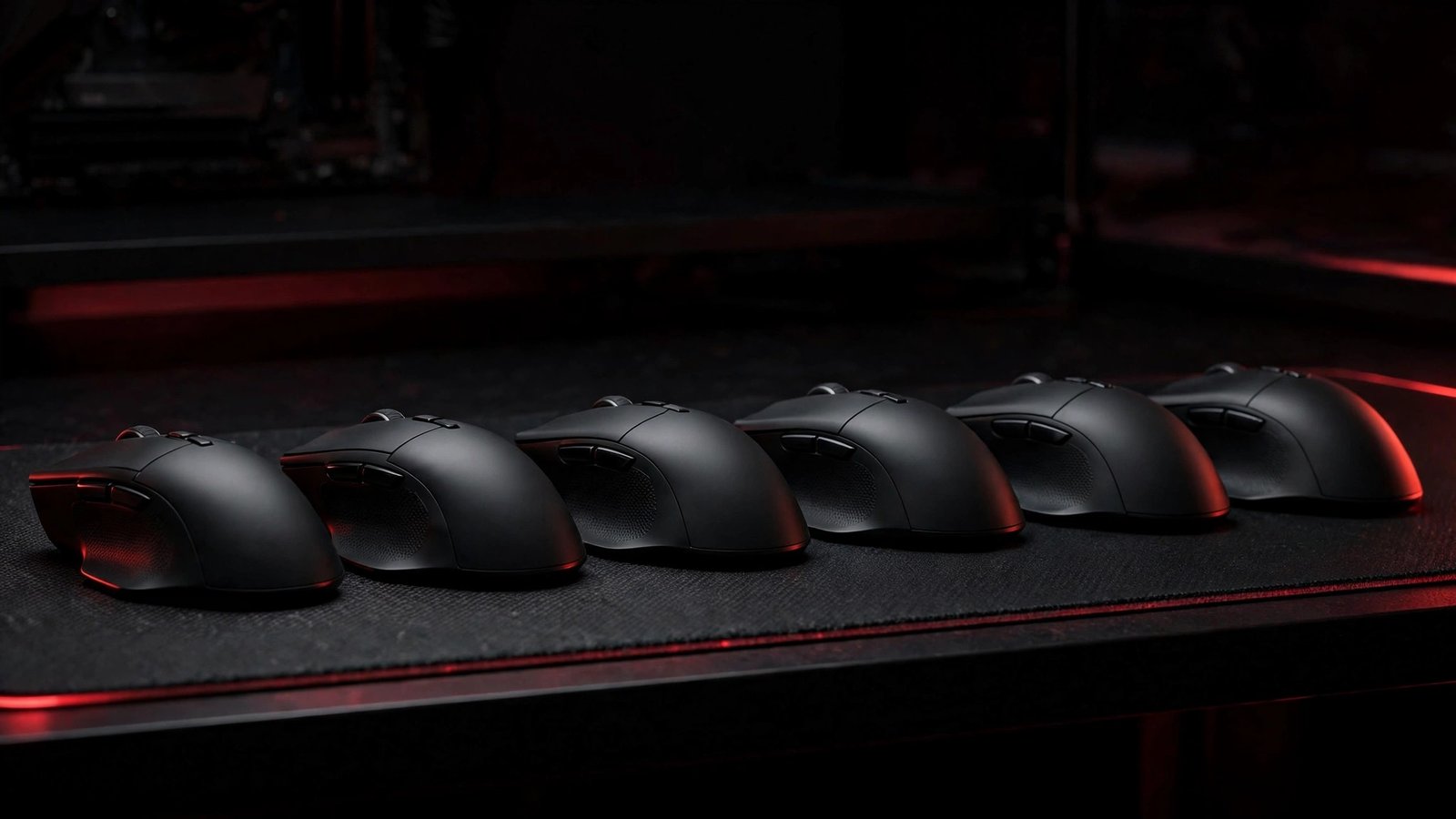
Looking for the best gaming mouse in 2026? This guide compares thirteen Razer and Logitech mice — from the ultralight Viper V3 Pro to the MMO-ready Naga V2 HyperSpeed — by shape, weight, and grip, so you can find the best gaming mouse for the way you play. If you’re building a complete setup, pair your best gaming mouse with one of our best gaming controllers.
Key facts
- The Razer Viper V3 Pro (Black) is the competitive benchmark here: 54 g, Focus Pro 35K Gen-2 sensor, and 8,000 Hz HyperPolling in the box (ProSettings, 2026).
- The Razer Basilisk V4 HyperSpeed launched 8 October 2026 with a 94 g body, Focus X 33K sensor, and 12 customizable controls (Razer launch coverage, October 2026).
- The Logitech G305 runs up to 250 hours on a single AA battery with LIGHTSPEED wireless at a 1 ms report rate (Logitech listing).
- The Razer Naga V2 HyperSpeed carries 19 programmable buttons, including a 12-button thumb grid, for MMO play (Razer spec coverage, 2026).
- Shape beats the spec sheet: every mouse below wins a different slot, and no single mouse suits every hand and every game (BuiltToFrag, September 2026 update).
- The Logitech G Pro X Superlight 2 Black is the esports standard here: 60 g, HERO 2 sensor, up to 95 hours of battery — with a known scroll-wheel encoder lottery disclosed in its section (plugin, Nov 2026: 4.5 stars with more than 2,400 reviews).
- The Razer DeathAdder V4 Pro Black is the new ergonomic flagship: 56 g, Focus Pro 45K sensor, true 8,000 Hz polling with the dongle in the box — and loud clicks (plugin, Nov 2026: 4.3 stars with more than 500 reviews.)
- The Logitech G903 Lightspeed HERO 25K Black is the only ambidextrous pick here, and the only one that serves left-handed players (plugin, Nov 2026: 4.6 stars with more than 3,800 reviews).
- The Razer Viper V3 HyperSpeed Black runs up to 280 hours on a single AA battery — the longest battery in this guide — with a Focus Pro 30K sensor (plugin, Nov 2026: 4.3 stars with more than 1,300 reviews).
- The Razer DeathAdder V3 Pro (standard Black) is the older generation of the V4 Pro: same DeathAdder shape, Focus Pro 30K, up to 90 hours — the ergonomic value pick now the V4 Pro exists (plugin, Nov 2026: 4.3 stars with more than 2,200 reviews). The Logitech G Pro X Superlight 2 DEX Black is the same Superlight 2 in a right-handed ergonomic shape (plugin, Nov 2026: 4.6 stars with more than 590 reviews).
Best gaming mouse 2026: the short answer first
If you want one mouse and you play competitive shooters, get the Razer Viper V3 Pro in Black. It’s the lightest mouse in this lineup, its sensor and 8,000 Hz polling are the real deal rather than box decoration, and it’s the mouse tracked pros actually use more than any other. Everyone else should start from their games, not from this winner: MMO players need the Naga’s thumb grid, mixed-game players who love buttons and a planted feel will be happier with a Basilisk or a G502 Hero, and anyone who just wants dependable wireless without fuss should look hard at the G305. Six more mice joined since: the Superlight 2 and its right-handed DEX twin for esports, the DeathAdder V4 Pro and its older V3 Pro sibling for ergonomic players, the ambidextrous G903 for left hands, and the Viper V3 HyperSpeed for budget wireless.
That’s the whole guide in two paragraphs, honestly. The rest of this page earns that verdict mouse by mouse, so you can check it against your hand and your library before you buy anything.
Comparison at a glance
| Mouse | Best for | Shape / connection | Standout spec |
|---|---|---|---|
| Razer Viper V3 Pro (Black) | Competitive FPS — overall winner | Symmetrical, wireless | 54 g; Focus Pro 35K Gen-2; 8,000 Hz in box |
| Razer Basilisk V4 HyperSpeed | Wireless all-rounder | Right-handed ergonomic, wireless | 94 g; Focus X 33K; up to 140 hrs wireless |
| Razer Basilisk V3 | Wired feature-heavy gaming | Right-handed ergonomic, wired | 101 g; Focus+ 26K; HyperScroll tilt wheel |
| Logitech G502 Hero | Wired control + tunable weight | Right-handed ergonomic, wired | 121 g base; HERO 25K; 5 × 3.6 g weights |
| Logitech G305 LIGHTSPEED | Dependable wireless on a budget | Compact symmetrical, wireless | 99 g with AA; HERO 12K; up to 250 hrs |
| Razer DeathAdder V3 HyperSpeed | Smaller ergonomic wireless | Right-handed ergonomic, wireless | 55 g; Focus X 26K; 1,000 Hz out of box |
| Razer Naga V2 HyperSpeed | MMO / macro-heavy play | Right-handed ergonomic, wireless | 95 g; Focus Pro 30K; 19 programmable buttons |
| Logitech G Pro X Superlight 2 Black | Esports flagship | Symmetrical, wireless | 60 g; HERO 2, 44,000 DPI; up to 95 hrs |
| Logitech G Pro X Superlight 2 DEX Black | Ergonomic esports | Right-handed ergonomic, wireless | 60 g; HERO 2, 44,000 DPI; up to 95 hrs |
| Razer DeathAdder V4 Pro Black | Ergonomic flagship | Right-handed ergonomic, wireless | 56 g; Focus Pro 45K; 8,000 Hz in box |
| Logitech G903 Lightspeed HERO 25K Black | Ambidextrous / left-hand | Ambidextrous, wireless | 110 g; HERO 25K; up to 140 hrs |
| Razer Viper V3 HyperSpeed Black | Budget wireless FPS | Symmetrical, wireless | 82 g with AA; Focus Pro 30K; up to 280 hrs |
| Razer DeathAdder V3 Pro (Black) | Ergonomic value | Right-handed ergonomic, wireless | 63 g; Focus Pro 30K; up to 90 hrs |
Which gaming mouse should I buy in 2026?
Short answer: Buy the Razer Viper V3 Pro in Black if you play competitive FPS and want the lightest, fastest mouse here — or the Logitech G Pro X Superlight 2 if you want the esports standard, and the Superlight 2 DEX if your hand prefers a right-handed shape. Pick the Razer DeathAdder V4 Pro for ergonomic flagship comfort, the DeathAdder V3 Pro for the same shape for less, the Razer Naga V2 HyperSpeed for MMOs, a Basilisk for button-heavy mixed gaming, the Logitech G502 Hero for wired tunable weight, the G903 if you are left-handed, the G305 for simple wireless value, the Viper V3 HyperSpeed for budget wireless, or the DeathAdder V3 HyperSpeed for a smaller ergonomic shape.
Your hand decides more than any sensor number does. A mouse that fights your grip will cost you aim no matter how good its tracking is, and that’s why this guide sorts by player first and spec second.
What makes the Viper V3 Pro the overall winner?
Short answer: The Viper V3 Pro wins because it removes weight and delay without removing reliability: 54 g, a Focus Pro 35K Gen-2 sensor, and an 8,000 Hz HyperPolling dongle in the box. ProSettings calls it the new benchmark, and its shape suits claw and fingertip grips best.
Razer Viper V3 Pro (Black only) — Best for competitive FPS
- Best for: Competitive FPS players, especially claw and fingertip grippers.
- Strengths: Feather-light 54 g body that flicks and stops with almost no effort; Focus Pro 35K Gen-2 sensor rated to 35,000 DPI with 750 IPS tracking; true 8,000 Hz wireless polling with the dongle included, not sold separately; Gen-3 optical switches rated to 90 million clicks; large, smooth stock feet that reviewers consistently praise.
- Weaknesses: No Bluetooth, no RGB, and no free-spinning wheel — this mouse spends its weight budget on speed, not extras. The pronounced rear hump divides palm grippers, so palm players should try the shape logic before committing. Higher polling rates also eat battery faster than the headline 1,000 Hz figures suggest.
- Verdict: The overall winner of this lineup, and the only pick here I’d hand to a ranked grinder without a caveat about speed. It’s not the most versatile mouse on this page — it’s the fastest, and for its audience that’s the whole point.

- 54 G ULTRA LIGHTWEIGHT DESIGN — Designed in collaboration with world-class esports pros, the Viper V3 Pro’s perfectly ba…
- FOCUS PRO 35K OPTICAL SENSOR GEN-2 — Experience pro grade tracking performance on a wider variety of surfaces including …
- 8000 Hz HYPERPOLLING TECHNOLOGY — By combining Razer HyperPolling with the ultra smooth connection of Razer HyperSpeed, …
Is the Logitech G Pro X Superlight 2 still the esports standard?
Short answer (60 words): Yes, if you play competitive shooters and want the mouse the pros actually use. The Superlight 2 pairs a 60 g body with the flawless HERO 2 sensor and a 95-hour battery, and it stays the default esports pick for a reason. Just know the scroll wheel has a known encoder lottery — a small minority of owners report self-scrolling.
The Superlight 2 is the mouse the Viper V3 Pro above is measured against, and the rivalry is real. You get a 60 g symmetrical body with no holes and no flex, the HERO 2 sensor tracking to 44,000 DPI with no smoothing, acceleration, or filtering anywhere in the range, LIGHTFORCE hybrid switches that end the double-click worry, and a 95-hour battery that means charging every couple of weeks. It is the mouse tracked pros use most, and the shape that defined competitive wireless mice — boring in the best possible way, as one 2026 review puts it.
The honest limits are the ones that follow the whole Superlight family. The scroll wheel is the known weak point — a persistent minority of owners report encoder faults, self-scrolling, or missed steps, and the standard fix is a warranty claim or an encoder swap. Five buttons only, no infinite scroll wheel, no RGB to speak of — it spends everything on speed. And 8,000 Hz wireless polling arrives through a firmware update, not out of the box. Buy it for the sensor and the shape, and test the wheel hard in the first weeks.
Logitech G Pro X Superlight 2 Black — Best esports flagship
- Best for: Competitive FPS players who want the mouse the pros actually use, and anyone who wants the esports default.
- Strengths: Feather-light 60 g body with no holes and no flex; HERO 2 sensor up to 44,000 DPI with zero smoothing, acceleration, or filtering; LIGHTFORCE hybrid switches — no double-click issue by design; up to 95 hours of battery; POWERPLAY wireless charging compatible; 4.5 stars with more than 2,400 reviews.
- Weaknesses: Scroll-wheel encoder lottery — a persistent minority of owners report self-scrolling or missed steps. Five buttons only; no infinite scroll; 8,000 Hz polling needs a firmware update.
- Verdict: The esports standard. Buy it if you want the default competitive mouse — and test the scroll wheel hard in the first weeks.

- Better Performance: Our championship-winning wireless mouse for laptop and computer is made even better; now with 2K pol…
- Fast and Precise Lightweight Gaming Mouse: A pro gaming icon—now faster and more precise; it is designed in collaboratio…
- Pro Precision: LIGHTFORCE hybrid optical-mechanical switches enable pro-level precision, reliability and ultralow latenc…
Should I buy the Superlight 2 DEX instead of the standard Superlight 2?
Short answer (56 words): Yes, if you love the Superlight 2’s internals but a symmetrical shell never fit your hand. The DEX keeps the same 60 g weight, HERO 2 sensor, and 95-hour battery in a taller, right-handed ergonomic shape with a deeper thumb scoop. It is right-hand only — left-handed players should look at the ambidextrous pick below instead.
The DEX is the Superlight 2 for hands that never liked symmetrical shells. Same 60 g weight, same HERO 2 sensor, same 95-hour battery and LIGHTFORCE switches, in a taller right-handed shape with a deeper thumb scoop and a more contoured grip. If the standard Superlight 2 felt flat in your palm, this is the version that fills it — and at the same weight, which is the part that usually forces a compromise on ergonomic mice.
The honest limits are the shape itself. It is right-hand only — left-handed players should skip straight to the G903 below, because no setting makes this mouse fit the other hand. Five buttons, same as the standard, and the same scroll-wheel encoder question follows the whole Superlight family. Buy the DEX for the shape, not for different internals — inside, it is the same mouse, so pick purely on which shell your hand prefers.
Logitech G Pro X Superlight 2 DEX Black — Best ergonomic esports
- Best for: Right-handed competitive players who want Superlight 2 internals in an ergonomic shell.
- Strengths: Same 60 g weight, HERO 2 sensor, and 95-hour battery as the standard Superlight 2; taller right-handed shape with a deeper thumb scoop; LIGHTFORCE switches; POWERPLAY compatible; 4.6 stars with more than 590 reviews.
- Weaknesses: Right-hand only — left-handed players need the G903 instead. Five buttons only. Same scroll-wheel encoder question as the rest of the Superlight family.
- Verdict: The Superlight 2 for ergonomic hands. Buy it if the symmetrical shell never fit — otherwise the standard is the same mouse.

- Undisturbed Gaming, Wherever You Play: Our LIGHTSPEED Mac/PC gaming mice operate at up to 8 kHz polling for a responsive…
- Pro-Precision Gaming Mice: The most advanced sensor in gaming. The HERO 2 sensor of this computer mouse has sub micron t…
- Designed With Pros, Engineered to Win: Designed alongside the world’s best esports athletes, this wireless mouse helps y…
Is the Basilisk V4 HyperSpeed the best wireless all-rounder?
Short answer: Yes, for most mixed-game players who want wireless freedom plus real buttons. The Basilisk V4 HyperSpeed pairs a 94 g ergonomic body with a Focus X 33K sensor, 12 customizable controls, and up to 140 hours of wireless battery — a modern, cable-free take on the classic Basilisk formula.
Razer Basilisk V4 HyperSpeed — Best for wireless all-round gaming
- Best for: Mixed-game players who want an ergonomic wireless mouse with plenty of controls.
- Strengths: Fresh October 2026 design with a comfortable right-handed shape and thumb rest; Focus X 33K Gen-3 sensor; four-way tilt wheel with tactile and free-spin modes; HyperSpeed Wireless plus Bluetooth, so it can move between machines; rated battery life up to 140 hours on wireless and up to 225 hours on Bluetooth; switches rated to 100 million clicks.
- Weaknesses: 1,000 Hz polling with the included receiver — reaching 8,000 Hz needs a separately sold dock or dongle, and buyers should know that before they expect flagship polling out of the box. At 94 g it’s substantial next to the Viper, not a flick-first ultralight.
- Verdict: The smartest wireless default in this guide. If you play a bit of everything and hate cables, start here and only move to the Viper if shooters dominate your hours.

- IMMERSIVE CONTROL — Switch seamlessly between tactile scrolling for weapon cycling and free-spin mode for rapid navigati…
- PRECISION FOR EVERY PLAYSTYLE — Dominate competitive games with the Razer Focus X 33K Optical Sensor Gen-3 featuring 99….
- LONG-LASTING WIRELESS PERFORMANCE — Play for up to 140 hours on Razer HyperSpeed Wireless or up to 225 hours on Bluetoot…
Should I still buy the wired Basilisk V3?
Short answer: Yes, if you want maximum buttons and a superb scroll wheel and don’t mind a cable. The wired Basilisk V3 gives you 11 programmable buttons, a HyperScroll tilt wheel, and Chroma RGB in a comfortable 101 g ergonomic body with flawless Focus+ 26K tracking.
Razer Basilisk V3 — Best for wired, feature-heavy gaming
- Best for: Players who want lots of buttons, a great scroll wheel, and RGB without going wireless.
- Strengths: The HyperScroll tilt wheel is genuinely useful — free-spin for long documents and inventories, tactile notched mode for weapon cycling, plus tilt inputs; 11 programmable buttons including a multi-function thumb trigger; Focus+ 26K sensor with 99.6% resolution accuracy; 11 Chroma RGB zones; optical Gen-2 switches rated to 70 million clicks at 0.2 ms actuation.
- Weaknesses: It’s wired, full stop, and at 101 g it’s heavy by competitive FPS standards. Customization depth can overwhelm players who just want plug-and-play.
- Verdict: The wired pick that refuses to feel old. If your desk setup is settled and you value controls over grams, this is still a superb buy.

- ICONIC ERGONOMIC DESIGN WITH THUMB REST — PC gaming mouse favored by millions worldwide with a form factor that perfectl…
- 11 PROGRAMMABLE BUTTONS — Assign macros and secondary functions across 11 programmable buttons to execute essential acti…
- HYPERSCROLL TILT WHEEL — Speed through content with a scroll wheel that free-spins until its stopped or switch to tactil…
Why does the G502 Hero refuse to die?
Short answer: Because nobody else lets you tune the mouse itself. The Logitech G502 Hero combines the proven HERO 25K sensor, 11 programmable buttons, and five removable 3.6 g weights in a sculpted wired body — so you can dial in a planted, deliberate feel that ultralight mice simply can’t offer, and it keeps earning recommendations years after launch.
Logitech G502 Hero — Best for wired control and tunable weight
- Best for: Players who like a heavier, planted mouse and want to fine-tune its balance.
- Strengths: HERO 25K sensor with 100–25,600 DPI and clean 1:1 tracking; 11 programmable buttons with onboard profiles; adjustable weight system (121 g base, five 3.6 g weights); dual-mode hyper-fast scroll wheel; LIGHTSYNC RGB; a shape that long-term owners keep coming back to.
- Weaknesses: The cable adds drag unless you use a bungee, and 121 g before weights is already heavier than every wireless pick here — it’s the heaviest mouse in this lineup. Its mechanical switches and older design language show their age next to optical-switch rivals.
- Verdict: Buy it if you know you like weight. Don’t buy it chasing esports lightness — that’s the Viper’s job, and the G502 isn’t pretending otherwise.

- HERO Gaming Sensor: Next generation HERO mouse sensor delivers precision tracking up to 25600 DPI with zero smoothing, f…
- 11 programmable buttons and dual mode hyper-fast scroll wheel: The Logitech wired gaming mouse gives you fully customiza…
- Adjustable weights: Match your playing style. Arrange up to five 3.6 g weights for a personalized weight and balance con…
What’s the best simple wireless mouse here?
Short answer: The Logitech G305 LIGHTSPEED. It delivers a HERO sensor, 1 ms LIGHTSPEED wireless, six programmable buttons, and up to 250 hours from one AA battery in a compact 99 g body — dependable, portable wireless with no charging cable, no software homework, and no drama.
Logitech G305 LIGHTSPEED — Best for dependable wireless value
- Best for: Players who want wireless freedom, long battery life, and a simple, proven shape.
- Strengths: LIGHTSPEED wireless with a 1 ms report rate that reviewers treat as wired-equivalent; HERO sensor up to 12,000 DPI — far more than anyone plays at, and clean across that range; up to 250 hours on one AA, with an indicator before it dies; built-in nano-receiver storage for travel; onboard memory.
- Weaknesses: Six programmable buttons limit macro-heavy play, and the AA battery is why it lands at 99 g rather than ultralight territory. Its older HERO sensor and compact shape won’t thrill players chasing flagship specs.
- Verdict: The “just works” pick. It’s the mouse I’d recommend to a friend building their first setup, and the backup I’d keep for a laptop bag.

- The next-generation optical HERO sensor delivers incredible performance and up to 10x the power efficiency over previous…
- Ultra-fast LIGHTSPEED wireless technology gives you a lag-free gaming experience, delivering incredible responsiveness a…
- G305 wireless mouse boasts an incredible 250 hours of continuous gameplay on just 1 AA battery; switch to Endurance mode…
Is the Logitech G903 still worth buying for left-handed players?
Short answer (59 words): Yes, if you are left-handed or want an ambidextrous mouse with real buttons. The G903 is the only pick here that flips its side buttons for either hand, with a HERO 25K sensor and a 140-hour battery. It is big and heavy by modern standards, and it still charges over micro-USB — but nothing else here serves left hands.
The G903 is the old soldier of this guide and the only one that serves left hands. You get an ambidextrous body with side buttons you move to either side — two on the left, two on the right, or all four at once — up to 11 programmable buttons, a HERO 25K sensor, a dual-mode hyper-fast scroll wheel, and a 140-hour battery with lighting on (180 with it off). It also takes the optional 10 g weight and works with Logitech’s POWERPLAY charging mat, so it can charge while you play.
The honest limits are its age. At 110 g it is the heaviest wireless mouse here by a wide margin, and it shows its age — micro-USB charging in a USB-C guide, a plasticky feel next to the newer shells, and a 1,000 Hz ceiling. None of that matters if you are left-handed: nothing else in this guide flips for your hand, and that is the whole reason it is here. Buy the HERO 25K version on the card — never the original G903, which is a different sensor and a different mouse.
Logitech G903 Lightspeed HERO 25K Black — Best ambidextrous / left-hand
- Best for: Left-handed players, and anyone who wants an ambidextrous mouse with real buttons.
- Strengths: The only ambidextrous pick here — side buttons flip for either hand, up to 11 programmable buttons; HERO 25K sensor; 140-hour battery with lighting, 180 without; optional 10 g weight; POWERPLAY compatible; 4.6 stars with more than 3,800 reviews.
- Weaknesses: 110 g — the heaviest wireless mouse here by a wide margin. Micro-USB charging, plasticky feel, 1,000 Hz ceiling. Big body, not for smaller hands.
- Verdict: The left-hand pick, uncontested. Buy it if you are left-handed or want a true ambidextrous shape — and accept that it is an older mouse.

- HERO 25K Sensor: our most advanced, with 1:1 tracking, 400+ IPS, and 100-25,600 max DPI sensitivity — plus zero smoothin…
- LIGHTSPEED Wireless: pro-grade 1 ms report rate, no cable drag, no compromises on weight or battery life; esports profes…
- 140 Hour LiPo Battery: super-efficient system design results in almost 6X the battery life of previous gen; lasts for up…
Is the DeathAdder V3 HyperSpeed just a smaller DeathAdder?
Short answer: Mostly — and that’s a compliment. The DeathAdder V3 HyperSpeed shrinks the classic DeathAdder shape into a 55 g wireless body with a Focus X 26K sensor, keeping the ergonomic comfort while cutting the bulk. ProSettings calls it essentially a smaller, modern DeathAdder with flawless gaming performance.
Razer DeathAdder V3 HyperSpeed — Best for smaller ergonomic wireless
- Best for: Right-handed players who love the DeathAdder shape but want it smaller and wireless.
- Strengths: Compact ergonomic shape that’s easier to control than the full-size DeathAdder; Focus X 26K sensor (100–26,000 DPI) that reviewers say is indistinguishable from flagship sensors in real play; just 55 g; HyperSpeed Wireless plus Bluetooth; 8 programmable controls.
- Weaknesses: 1,000 Hz polling out of the box — higher rates need a separate dongle. The coating handles sweat less gracefully than some rivals, per ProSettings. No tilt wheel or RGB extravagance here.
- Verdict: The ergonomic sleeper of the lineup. Palm and hybrid grippers with smaller hands should try this before the bigger Basilisk shapes.

Price on Amazon: $79.99 — check the live listing, prices change.
Is the DeathAdder V4 Pro worth it over the V3 Pro?
Short answer (59 words): Yes, if you want the best ergonomic mouse Razer has made. The V4 Pro shrinks the classic DeathAdder shape to 56 g, adds the Focus Pro 45K sensor and true 8,000 Hz polling with the dongle in the box, and keeps the shape palm grippers love. Just know the clicks are loud, and a few owners report dongle failures.
The V4 Pro is the DeathAdder, rebuilt for the ultralight era. You get the classic ergonomic shape, re-sculpted down to 56 g, with Razer’s newest Focus Pro 45K sensor, Gen-4 optical switches rated to 100 million clicks, an optical scroll wheel, and true 8,000 Hz wireless polling with the HyperPolling dongle in the box — not sold separately. ProSettings already tracks it among the most-used mice in pro play, and the shape is the one palm grippers keep coming back to, now without the weight that used to hold it back.
The honest limits are the ones you hear and the ones you plug in. The clicks are loud — hollow, pingy, and noticeable to anyone else in the room — and a small number of owners report dongle failures, so keep the receipt and test the dongle early. Battery runs up to 150 hours at 1,000 Hz and far less at 8,000 Hz, so the headline polling rate costs endurance. It is also the newest DeathAdder, which is why the V3 Pro below now reads as the value pick.
Razer DeathAdder V4 Pro Black — Best ergonomic flagship
- Best for: Palm and claw grippers who want the best ergonomic mouse Razer has made, at ultralight weight.
- Strengths: Classic DeathAdder shape re-sculpted to 56 g; Focus Pro 45K sensor (45,000 DPI, 900 IPS); true 8,000 Hz wireless polling with the dongle in the box; Gen-4 optical switches rated to 100 million clicks; optical scroll wheel; up to 150 hours at 1,000 Hz; 4.3 stars with more than 500 reviews.
- Weaknesses: Loud, hollow clicks — noticeable to anyone else in the room. Isolated owner reports of dongle failures — test it early. Battery drops hard at 8,000 Hz.
- Verdict: The ergonomic king, finally travelling light. Buy it if the DeathAdder shape is your shape — and warn the room about the clicks.

- PRO-LEVEL SPEED WITH ULTRA-LIGHT CONTROL — Weighs just 56g with re-engineered ergonomic shape, enabling faster swipes an…
- LIGHTNING-FAST WIRELESS PERFORMANCE — Razer HyperSpeed Wireless Gen-2 delivers lower latency and ultra-stable connectivi…
- MAXIMUM AIM PRECISION AND TRACKING — 45K DPI Focus Pro Optical Sensor Gen-2 with 900 IPS and 99.8% accuracy ensures reli…
Is the older DeathAdder V3 Pro still a smart buy now the V4 Pro is here?
Short answer (57 words): Yes, if you want the DeathAdder shape and flagship tracking without paying flagship money. The V3 Pro is the older generation now, but its 63 g body, Focus Pro 30K sensor, and 90-hour battery are still serious hardware. Just know 8,000 Hz polling needs a dongle sold separately, and the V4 Pro above is the newer pick.
The V3 Pro is last generation’s flagship, and that is exactly why it belongs here. You get the same DeathAdder ergonomic shape at 63 g, the Focus Pro 30K sensor, Gen-3 optical switches rated to 90 million clicks, and a 90-hour battery — serious hardware that has not gotten slower because a newer model exists. For palm and claw grippers with larger hands, it is still one of the best-fitting mice in this guide, and the shape is the same one the V4 Pro above refines rather than replaces.
The honest limits are the generation gap. It polls at 1,000 Hz out of the box — 8,000 Hz needs the HyperPolling dongle sold separately, and running it there cuts battery hard. Five programmable buttons only, no RGB, and the V4 Pro above is lighter with a better sensor and the dongle in the box. Buy the V3 Pro when its card figure undercuts the V4 Pro by enough to matter — not when the two sit side by side.
Razer DeathAdder V3 Pro (standard Black) — Best ergonomic value
- Best for: Palm and claw grippers with larger hands who want the DeathAdder shape for less than the V4 Pro.
- Strengths: Same DeathAdder ergonomic shape at 63 g; Focus Pro 30K sensor; Gen-3 optical switches rated to 90 million clicks; up to 90 hours of battery; HyperSpeed Wireless plus Bluetooth; 4.3 stars with more than 2,200 reviews.
- Weaknesses: 1,000 Hz out of the box — 8,000 Hz needs the HyperPolling dongle sold separately, and battery drops hard there. Five programmable buttons only; no RGB. The V4 Pro above is lighter with a better sensor.
- Verdict: The ergonomic value pick. Buy it when its card figure undercuts the V4 Pro by enough to matter — the shape is the same, the generation is the difference.

- 63G ULTRA-LIGHTWEIGHT DESIGN — Enjoy a level of speed and control favored by the world’s top players with one of the lig…
- FOCUS PRO 30K OPTICAL SENSOR — Flawless tracking performance on a wider variety of surfaces including glass—supported by…
- OPTICAL MOUSE SWITCHES GEN-3 — From an improved 90-million click lifecycle with zero double-clicking issues, to a bliste…
Is the Viper V3 HyperSpeed the best budget wireless mouse here?
Short answer (55 words): Yes, if you want the Viper shape and a flagship sensor on a budget. The Viper V3 HyperSpeed runs up to 280 hours on a single AA battery with a Focus Pro 30K sensor. Just know 8,000 Hz polling needs a dongle sold separately, and it is heavier than the Pro with the battery in.
The Viper V3 HyperSpeed is the cheapest way into the Viper shape. You get the same symmetrical claw-and-fingertip shell as the V3 Pro above, a Focus Pro 30K sensor, Gen-2 mechanical switches, and a battery story nothing else here touches — up to 280 hours from a single AA battery. It is the mouse for players who want flagship tracking and never want to think about charging, and at the 2,000-plus-a-month sales pace the research file recorded, it is the fast seller of this refresh.
The honest limits are the battery itself. It runs on a disposable AA, not a rechargeable cell — 82 g with the battery in, against the Pro’s 54 g — and 1,000 Hz polling out of the box, with 8,000 Hz only through the HyperPolling dongle sold separately. Six programmable buttons, no RGB, no charging cable in the box. Buy it for the battery life and the shape; buy the V3 Pro if grams matter more than battery weeks.
Razer Viper V3 HyperSpeed Black — Best budget wireless FPS
- Best for: Competitive players on a budget who want the Viper shape and flagship tracking — and never want to charge a mouse.
- Strengths: Same Viper symmetrical shape as the V3 Pro; Focus Pro 30K sensor; up to 280 hours on a single AA battery — the longest battery in this guide; HyperSpeed Wireless; 4.3 stars with more than 1,300 reviews.
- Weaknesses: Disposable AA battery, not rechargeable — 82 g with the battery in, against the Pro’s 54 g. 1,000 Hz out of the box; 8,000 Hz needs the HyperPolling dongle sold separately. Six programmable buttons; no RGB.
- Verdict: The budget wireless pick. Buy it for the battery life and the shape — buy the V3 Pro if grams matter more than battery weeks.

- 82G LIGHTWEIGHT DESIGN — Featuring a mass centralized design, the Razer Viper V3 HyperSpeed ensures seamless, consistent…
- FOCUS PRO 30K OPTICAL SENSOR — With a forward sensor placement and intelligent functions, our flagship sensor ensures a …
- UP TO 280 HOURS OF BATTERY LIFE — Power through most intense scrimming and tournament schedule with up to 280 hours of h…
What if I mainly play MMOs?
Short answer: Get the Razer Naga V2 HyperSpeed and don’t look back. Its 12-button thumb grid plus 19 programmable buttons total turn rotations, macros, and inventory work into thumb presses, while the Focus Pro 30K sensor and long AA battery life keep it reliable through marathon sessions — no other mouse here comes close for MMO play.
Razer Naga V2 HyperSpeed — Best for MMO gaming
- Best for: MMO and macro-heavy players who live on thumb buttons.
- Strengths: 12-button side grid with 19 programmable buttons total; Focus Pro 30K optical sensor; HyperScroll wheel with free-spin and tactile modes; HyperSpeed Wireless plus Bluetooth; rated battery life up to 250 hours on wireless and up to 400 hours on Bluetooth from a single AA; Gen-2 mechanical switches rated to 60 million clicks.
- Weaknesses: It’s right-handed and medium-to-large, and at 95 g it’s no FPS flick tool. Some owners find the rear thumb buttons harder to reach and the grid buttons similar-feeling without texture markers — a real learning curve for the back row. No RGB on this model.
- Verdict: Uncontested in its slot. If you won’t use the thumb grid, skip it — but if you will, nothing else on this page replaces it.

- 19 PROGRAMMABLE BUTTONS — Armed with ergonomically positioned buttons that provide an arsenal of commands at the fingert…
- RAZER HYPERSPEED WIRELESS (2.4 GHZ) AND BLUETOOTH — Unleash seamless, low-latency performance that’s 25% faster than oth…
- POWERED BY RAZER HYPERSCROLL TECHNOLOGY — Perform repeated commands rapidly or blaze through content in free-spin mode, …
Best gaming mouse 2026 — comparison
How do I choose between wired and wireless?
Short answer: Choose wireless if you hate cable drag, travel, or switch machines — modern LIGHTSPEED and HyperSpeed wireless are wired-equivalent for gaming. Choose wired if you never want to think about batteries or charging, and you play at a fixed desk.
Don’t let old wireless horror stories decide for you. The G305, the HyperSpeed Razers, and the Viper all use low-latency 2.4 GHz wireless, not Bluetooth, for gaming — Bluetooth is the backup for battery life and casual use, not the ranked mode. Every new pick in this refresh is wireless — the wired side of this guide is unchanged.
What do DPI, polling rate, and weight actually mean?
Short answer: DPI is sensitivity, not quality — most competitive players use 400–1,600 DPI, which every mouse here clears easily. Polling rate is how often the mouse reports its position; 1,000 Hz is fine for most players, 8,000 Hz helps competitive aim marginally. Weight affects flick speed and fatigue more than either number.
That’s the liberating truth of this category in 2026: the sensor war is over, as one 2026 guide put it, and shape, weight, and grip are what separate a good mouse from your mouse. Buy the shape first, check the spec second, and ignore any headline number you can’t feel in your hand.
Which mouse wins each slot?
| Slot | Winner |
|---|---|
| Overall winner | Razer Viper V3 Pro (Black) |
| Best esports flagship | Logitech G Pro X Superlight 2 Black |
| Best ergonomic esports | Logitech G Pro X Superlight 2 DEX Black |
| Best ergonomic flagship | Razer DeathAdder V4 Pro Black |
| Best ergonomic value | Razer DeathAdder V3 Pro (Black) |
| Best wireless all-rounder | Razer Basilisk V4 HyperSpeed |
| Best wired feature-heavy | Razer Basilisk V3 |
| Best wired tunable weight | Logitech G502 Hero |
| Best dependable wireless value | Logitech G305 LIGHTSPEED |
| Best smaller ergonomic wireless | Razer DeathAdder V3 HyperSpeed |
| Best budget wireless FPS | Razer Viper V3 HyperSpeed Black |
| Best ambidextrous / left-hand | Logitech G903 Lightspeed HERO 25K Black |
| Best MMO | Razer Naga V2 HyperSpeed |
If you only remember one line: competitive players take the Viper or the Superlight 2, ergonomic players take a DeathAdder, MMO players take the Naga, left-handed players take the G903, and everyone in between should pick between the two Basilisks, the G502 Hero, the G305, and the Vipers based on cable, weight, and hand size.
For more on how pros configure their mice, see ProSettings.
As an Amazon Associate, EWM PLAY earns from qualifying purchases made through links on this page, at no additional cost to you.
[…] Best Gaming Mouse 2026 […]