
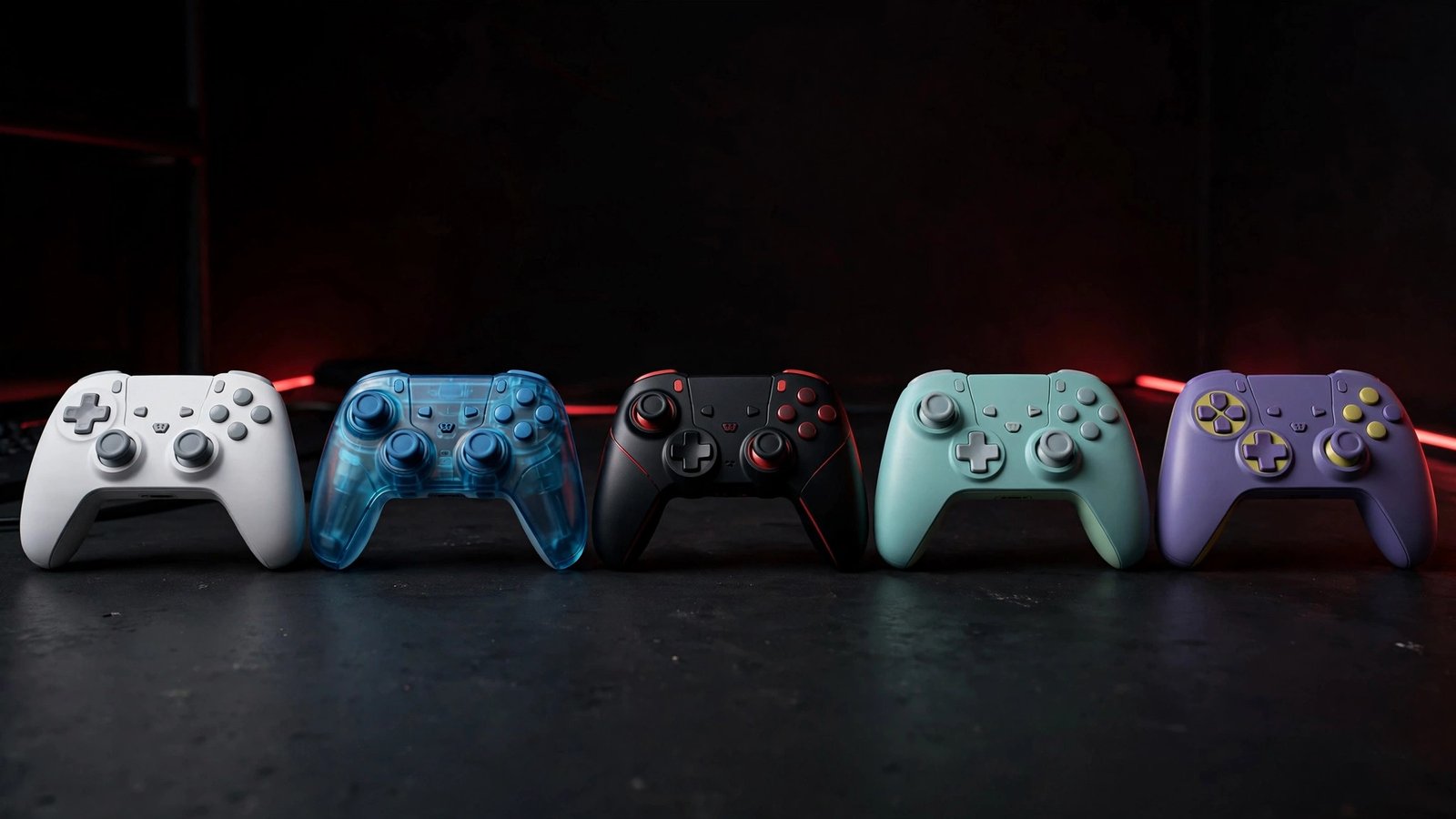
Looking for the best gaming controllers in 2026? There’s no single pad that rules every console, and any guide pretending otherwise is selling you something. If you play on Xbox or PC, start with the Xbox Wireless Controller in Carbon Black — it’s the one most games already expect, it pairs cleanly, and it just works. PS5 players don’t really have a debate: get the DualSense, in Cosmic Red if you like the look, because nothing else unlocks what PS5 games were built around. And if you bounce between PC and Switch, the 8Bitdo Pro 2 Bluetooth Hall Effect is the flexible pick that keeps coming up in 2026 roundups for exactly that job.
That split is the whole guide in three sentences. Everything below is for the moment you ask “yeah, but what about…?” — drift, wired play, back buttons, and the one naming trap that could cost you a return.
Browse all five pads on the controller category page.
Key facts
- The Xbox Wireless Controller is the default pick for Xbox and PC because Windows and most PC games treat it as native, with no extra setup in most cases.
- The PlayStation DualSense is the only pad in this guide that gives PS5 players full adaptive triggers and detailed haptics in supported PS5 games.
- Hall Effect sticks, used by the GameSir G7 SE, the 8Bitdo Pro 2 Hall Effect, and the 8Bitdo Ultimate 2C, use magnetic sensing instead of wearing potentiometer contacts, which is why reviewers link them to drift resistance.
- iFixit’s 2021 DualSense teardown analysis, reported by VG247 and Video Games Chronicle, estimated the stock sticks could exceed their rated operating life in roughly 417 hours of heavy stick use — a figure that varies sharply by game.
- The 8Bitdo Ultimate 2C Wireless covered here is a PC and Android pad; it does NOT support Switch — the separate Ultimate 2C Bluetooth model is the Switch version.
Which gaming controller should I buy first?
Short answer: Buy for your main platform first, not for the platforms you might play someday. An Xbox pad won’t unlock PS5 features, a Switch-focused pad won’t run an Xbox console, and the “universal” pad usually means universal across PC and mobile, not across rival consoles. Pick the pad built for where you play most, then check whether it also covers your second device.
That rule saves more money than any sale ever will. I’ve seen too many players grab a great PC pad, plug it into an Xbox, and wonder why nothing happens — Xbox consoles need a licensed controller, a point several 2026 roundups repeat because it trips people up every year. Meanwhile PC is forgiving: Steam and Windows accept nearly everything here, so PC players get to choose on feel and durability instead of compatibility panic. Start with the console, and let PC be the bonus.
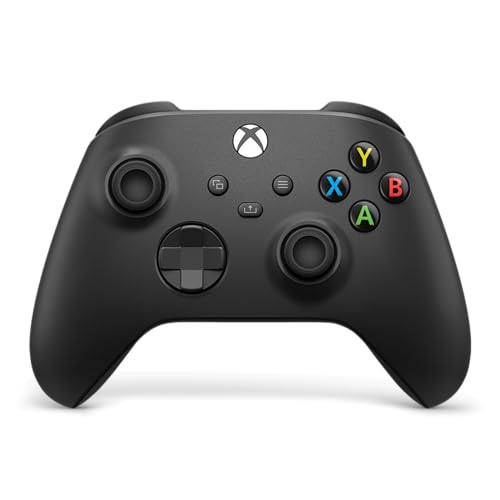
- Overall winner: Xbox Wireless Controller (Carbon Black) — best for most Xbox and PC players.
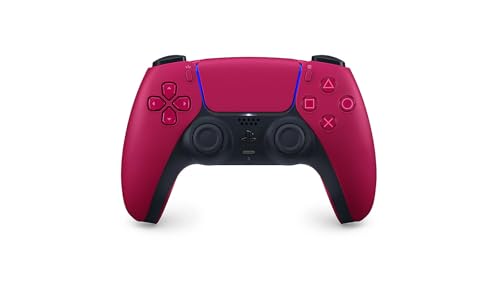
- Best for PS5: PlayStation DualSense Cosmic Red.
- Best competitive Xbox/PC pick: GameSir G7 SE (Blue).
- Best flexible PC/Switch pick: 8Bitdo Pro 2 Bluetooth Hall Effect (Black).
- Best budget PC/Android pick: 8Bitdo Ultimate 2C Wireless — not a Switch pad, despite how it’s often grouped.
Best gaming controllers 2026 — comparison


| Controller | Best for | Strengths | Weaknesses | Verdict |
|---|---|---|---|---|
| PlayStation DualSense Cosmic Red | PS5 immersion | Adaptive triggers, detailed haptics, built-in mic and speaker, comfortable two-tone design | Stock potentiometer sticks can drift over time; standout features need supported games; shorter battery life than some rivals in roundups | The PS5 pick, full stop |
| Xbox Wireless Controller, Carbon Black | Xbox + PC default | Native PC/Xbox support, textured grips, hybrid D-pad, Share button, swappable AA power | Stock potentiometer sticks, not Hall Effect; no back paddles; rechargeable pack is separate | The safest first buy for Xbox/PC |
| GameSir G7 SE (Blue) | Competitive Xbox + PC, wired | Hall Effect sticks and triggers, 2 mappable back buttons with quick latches, long detachable cable, deep Nexus app tuning | Wired only — no wireless option; lighter stick tension isn’t for everyone; membrane face buttons, not mechanical | The wired upgrade that fixes the Xbox pad’s weakest point |
| 8Bitdo Ultimate 2C Wireless | Budget PC + Android | Hall Effect sticks and triggers, 1000 Hz polling on 2.4G/wired, extra L4/R4 bumpers, light and comfortable | No Switch support in this Wireless version; no official Xbox/PlayStation console support; short included cable noted in reviews | Brilliant budget PC pad — if you buy the right 2C |
| 8Bitdo Pro 2 Bluetooth Hall Effect (Black) | PC + Switch flexibility | Hall Effect sticks, 2 pro back buttons, 3 switchable profiles, mode switch for Switch/Windows/macOS/Android, replaceable battery pack | Motion control is Switch-focused; setup software needs a PC for the deepest tweaks; no battery-level readout on the pad itself, per user reports | The “one pad, several devices” pick |
PS5: Which controller is best for PS5?
Short answer: The PlayStation DualSense Cosmic Red is the best controller for PS5 because it’s the only pad here built around the console’s signature features. Adaptive triggers change resistance as you draw a bow or brake a car, and the dual-actuator haptics replace blunt rumble with texture you can actually feel. No third-party pad in this guide reproduces that combination on PS5.
Cosmic Red is a colourway, not a different controller — and that’s worth saying plainly, because colour editions sometimes get reviewed as if they were new hardware. Under the two-tone shell, per Sony’s own description carried by retailers, you get the same haptic feedback, dynamic adaptive triggers, built-in microphone, 3.5 mm headset jack, Create button, and integrated speaker. Supported games use that speaker for higher-fidelity effects, and the mic means casual chat doesn’t demand a headset. It’s a small thing until you’re mid-session and grateful for it.
So what’s the catch? Longevity, honestly. DualSense sticks use the conventional potentiometer design that wears with use, and iFixit’s teardown work — reported in February 2021 by VG247 and Video Games Chronicle — translated the stick maker’s cycle rating into roughly 417 hours of heavy, stick-intensive play before the rated life could be exceeded. Your mileage will vary wildly by genre; a slow RPG won’t chew through sticks like a daily shooter will. Still, that estimate is exactly why this guide keeps steering durability-first buyers toward Hall Effect pads on platforms where they exist. On PS5, though, you trade that durability for feel, and most PS5 players will happily make that trade — just go in with your eyes open, and don’t be shocked if a heavily used pad eventually drifts.
Best for: PS5-first players, story and action games, anyone who values immersion over raw longevity.
Watch out for: Chunkier grip than older PlayStation pads — some reviewers note thumb fatigue in short sessions for smaller hands; adaptive triggers can feel sensitive at first.
- Feel physically responsive feedback to your in-game actions through haptic feedback
- Experience varying levels of force and tension at your fingertips with adaptive triggers
- Chat online through the built-in microphone and connect a headset directly through the 3.5mm jack
Xbox + PC: Which controller is best for Xbox and PC?
Short answer: The Xbox Wireless Controller in Carbon Black is the best Xbox and PC controller for most players because it needs no convincing. Windows treats it as native, Steam shows the right prompts, and Xbox consoles pair it over Xbox Wireless with lower latency than plain Bluetooth plus headset audio through the jack. It’s the default other pads get compared against, and that status is earned, not inherited. For five Xbox-only picks, see our Best Xbox Controllers 2026 guide.
Comfort does a lot of the quiet work here. Microsoft sculpted the Series X|S shell slightly smaller than the Xbox One pad, added textured grips to the triggers, bumpers, and back case, and fitted the hybrid D-pad borrowed from the Elite line — a dished, clicky design that reviewers keep praising for fighting games and platformers, even while noting it’s louder than a standard cross pad. A dedicated Share button captures clips without menu-diving, and button remapping through the Xbox Accessories app covers the basics without a third-party tool. On battery, the honest split is this: you get long play from two AA batteries and you can swap fresh ones in seconds, but if you hate buying batteries, you’ll want a rechargeable pack — and that’s a separate purchase, not a flaw to discover after checkout.
Now the trade-off, because there is one and it matters in 2026. Like the DualSense, this pad uses conventional potentiometer sticks rather than Hall Effect or TMR magnetic sensors, so it doesn’t get the drift-resistance story that dominates this year’s roundups. Several 2026 guides still rank it first for Xbox/PC anyway — SpecPicks, GamingOnBatteries, and others updated in autumn 2026 all land in the same place — because compatibility and feel outweigh a future risk for most casual and regular players. Competitive players who’ve already been burned by drift should skip ahead to the GameSir below instead of hoping this generation’s sticks behave differently.
Best for: Xbox Series X|S and Xbox One owners, PC players who want zero setup, cloud and mobile play over Bluetooth.
Watch out for: No back paddles, no Hall Effect sticks, AA batteries rather than a built-in rechargeable cell.
- MODERNIZED DESIGN — Experience the modernized design of the XBOX Wireless Controller with sculpted surfaces and updated …
- PRECISION PERFORMANCE — Stay on target with a hybrid D-pad and textured grips on triggers, bumpers, and back case for im…
- SHARE BUTTON: Seamlessly capture and share content such as screenshots, recordings, and more with the new Share button.
Is a wired controller still worth it in 2026?
Short answer: Yes — if you play competitively on Xbox or PC and you’d rather have the lowest-latency, never-charge connection than wireless freedom. The GameSir G7 SE (Blue) is the wired pick that makes that trade feel like an upgrade, not a compromise, because it adds Hall Effect sticks, Hall Effect triggers, and back buttons the first-party Xbox pad lacks. If you play from the couch across the room, though, a cable will annoy you daily, and you should buy wireless instead.
GameSir’s pitch, confirmed by Tom’s Guide’s review and multiple retailer spec listings, is simple: non-contact magnetic sensors in sticks and triggers mean there’s no wearing contact to grind into drift, and the triggers stay smooth and consistent for throttle and brake control in racers. Tom’s Guide also praised the companion app and hardware shortcuts for on-the-fly tuning, and called the G7 SE a genuine upgrade over the original G7 — while being blunt that wired-only is its main limitation. That tension is the review in miniature: more control, less freedom.
Practically, you get two mappable back buttons with quick latches to switch them on or off, a long detachable USB-C cable, a 3.5 mm jack with mic mute, and four rumble motors (two in the grips, two behind the triggers) per GameSir’s spec listings. Some players note the sticks feel lighter than a standard Xbox pad’s, and the face buttons are membrane rather than mechanical — quieter at night, less clicky than pro pads. One caution from recent coverage is worth carrying into the notes rather than burying: isolated reports around a 2026 firmware update describe bricked units and trigger/audio glitches, so update through the official Nexus software carefully and don’t update mid-tournament. The hardware story is strong; the software story just asks for a little care.
Best for: Competitive Xbox/PC players, FPS and racing fans, anyone who’s replaced a drifting pad and never wants to do it again.
Watch out for: Wired only, lighter stick tension, membrane buttons, firmware updates need care.
- 【DESIGN FOR XBOX】 Officially licensed by Xbox, the G7 SE Xbox controller is compatible with Windows 10/11, Xbox One, and…
- 【PROFESSIONAL-GRADE ACCESSORIES】Can set to 1000Hz polling rate and 0 dead zone. The G7 SE Hall effect sticks and hall tr…
- 【ON-FLY MAPPINGS】GameSir G7 SE with 2 additional back buttons, load up your favorite button mappings with or without sof…
PC + Switch: Which controller is best for PC and Switch?
Short answer: The 8Bitdo Pro 2 Bluetooth Hall Effect in Black is the best PC and Switch controller in this guide because it was designed to hop between devices. A physical mode switch on the back flips between Switch, Windows, macOS, and Android, and three onboard profiles let you keep different mappings ready without reopening software. If your gaming life is split across a PC and a Switch, this is the pad that stops you buying two.
That’s a different kind of “best” from the PS5 and Xbox picks above, and it should be. The Pro 2’s Hall Effect sticks — magnetic sensing, per 8Bitdo’s Hall Edition specs and XDA’s October 2026 coverage — remove the wear mechanism behind most drift, while two pro-level back buttons, mappable to functions or macros through 8Bitdo’s Ultimate Software, keep your thumbs on the sticks during shooters and platformers. Battery life is rated around 20 hours from its 1000 mAh cell with roughly four hours to recharge, and the pack itself is replaceable — you can even swap in AA batteries, a longevity detail most modern pads have abandoned. Reviewers also keep mentioning the D-pad, which suits retro and 2D games in a way mushy pads don’t, and the gyro and rumble support that make Switch play feel native rather than emulated.
There are quirks, and you’d find them eventually, so here they are now. Motion control is Switch-focused, the deepest customization still wants a PC, and several users report there’s no clear battery indicator on the pad itself — you check charge elsewhere or learn to plug in on routine. The sticks sit closer together than on a PlayStation pad, which some players love and some need a session to adjust to. None of that outweighs the flexibility, but all of it belongs in a buying decision, not in a returns form.
Best for: PC + Switch players, retro and 2D games, Steam Deck and emulation setups, travellers who want one pad.
Watch out for: No Xbox console support, no PlayStation console support, software quirks, battery readout is minimal.
- Hall Effect Joystick Update.
- Compatible with Switch, Windows, Apple, Android, Steam Deck, and Raspberry Pi.
- 2 pro-level back buttons.
Wait — does the 8Bitdo Ultimate 2C actually work on Switch?
Short answer: Not this version. The 8Bitdo Ultimate 2C Wireless in this guide works on Windows PC over its 2.4G receiver or cable, and on Android over Bluetooth, but it does not support Switch. If you need Switch, you want the separately sold Ultimate 2C Bluetooth model, which looks almost identical — so check the product title before you buy, not just the photos.
This is the single most important correction in the guide, and it’s why the 2C sits in this section for comparison rather than as a Switch recommendation. PriceDropIQ’s October 2026 review spells the split out explicitly: same family name, different supported platforms, and buyers mix them up constantly. The Wireless model’s own strengths are real — Hall Effect sticks and triggers, a maker-quoted 1000 Hz polling rate on 2.4G and wired connections, two extra remappable L4/R4 bumpers you can map without software, and maker-quoted battery figures of up to 19 hours on 2.4G and 32 hours on Bluetooth from a 480 mAh cell — but none of that helps if you bought it for a Switch and it won’t pair. Best Buy reviewers, meanwhile, praise its solid build, light comfortable shape, and stable wireless performance on PC, which is exactly the job it was built for.
So who should buy it? PC players on a budget who want drift-resistant sticks without paying for features they’ll never use, and Android players who want a proper pad instead of touchscreen controls. Steam play is repeatedly described as plug-and-play, and the low-latency 2.4G connection is the reason competitive-leaning PC players pick it over a Bluetooth-only budget pad. Just don’t let a roundup that lists “PC, Android, Switch” for the 2C family talk you into the wrong variant — that shorthand is how returns happen.
Best for: Budget PC gaming, Android gaming, Steam Deck-style PC play, first Hall Effect pad.
Watch out for: No Switch support (Wireless version), no Xbox/PlayStation console support, short included cable in several reviews, Bluetooth is Android-focused rather than a PC wireless route.
- Compatible with Windows and Android.
- 1000Hz Polling Rate (for 2.4G and wired connection)
- Hall Effect joysticks and Hall triggers. Wear-resistant metal joystick rings.
What is stick drift, and why does Hall Effect matter in 2026?
Short answer: Stick drift is when your character or camera moves without you touching the stick, and it happens because conventional sticks rely on physical contacts that wear down with use. Hall Effect sticks avoid that wear by sensing the stick’s position magnetically, without contact, which is why 2026 roundups treat magnetic sticks as the durability fix rather than a luxury. It doesn’t make a pad indestructible, but it removes the most common way pads die.
That distinction now splits the whole market, and this guide’s five pads fall neatly on either side of it. DualSense and Xbox Wireless give you first-party feel and platform features with conventional sticks; GameSir, 8Bitdo Pro 2, and 8Bitdo Ultimate 2C give you magnetic sticks with third-party trade-offs like software quirks or narrower console support. Neither side is “wrong” — but if you’ve already thrown away a drifting pad, you know which side of that line you want to stand on next time. Check the stick type before you check anything else, because it’s the spec most likely to decide whether you’re still happy in two years.
How do I choose, then? A quick decision path
- PS5 is your main console? DualSense Cosmic Red. Don’t overthink it.
- Xbox console, or PC with Xbox-style prompts? Xbox Wireless Carbon Black for the easy life, GameSir G7 SE Blue if you play competitively and don’t mind a cable.
- PC and Switch, or PC plus retro/emulation? 8Bitdo Pro 2 Bluetooth Hall Effect Black.
- PC only, tight budget, drift is your nightmare? 8Bitdo Ultimate 2C Wireless — and double-check the title says Wireless / PC & Android, not Bluetooth / Switch.
- Still torn between two? Buy for the console you play this week, not the one you might buy next year. Controllers are easier to replace than consoles are to regret.
Browse the full controller range on the controller category page.
Frequently asked questions
Can I use a PS5 DualSense on PC?
Yes, over USB-C or Bluetooth, and Steam support is strong — but adaptive triggers and full haptics only shine in games that explicitly support them, which is a smaller list on PC than on PS5.
Can I use an Xbox controller on PlayStation?
No — not natively on a PS5 console. Xbox pads are licensed for Xbox and PC, and PlayStation needs its own pad. PC is the shared ground, not the consoles.
Do Hall Effect sticks guarantee no drift ever?
No honest guide can promise that. They remove the wearing-contact mechanism behind most drift, which is a big durability win, but buttons, triggers, and general wear still exist. Think “far less likely,” not “immortal.”
Is the GameSir G7 SE really Xbox-licensed?
Yes — it’s an officially licensed Xbox controller for Xbox Series X|S, Xbox One, and Windows 10/11, which is why it works on Xbox consoles where most PC pads don’t.
As an Amazon Associate, EWM PLAY earns from qualifying purchases made through links on this page, at no additional cost to you.
[…] Looking for the best gaming mouse in 2026? This guide compares seven Razer and Logitech mice — from the ultralight Viper V3 Pro to the MMO-ready Naga V2 HyperSpeed — by shape, weight, and grip, so you can find the best gaming mouse for the way you play. If you’re building a complete setup, pair your best gaming mouse with one of our best gaming controllers. […]
[…] Best Gaming Controllers 2026 […]