
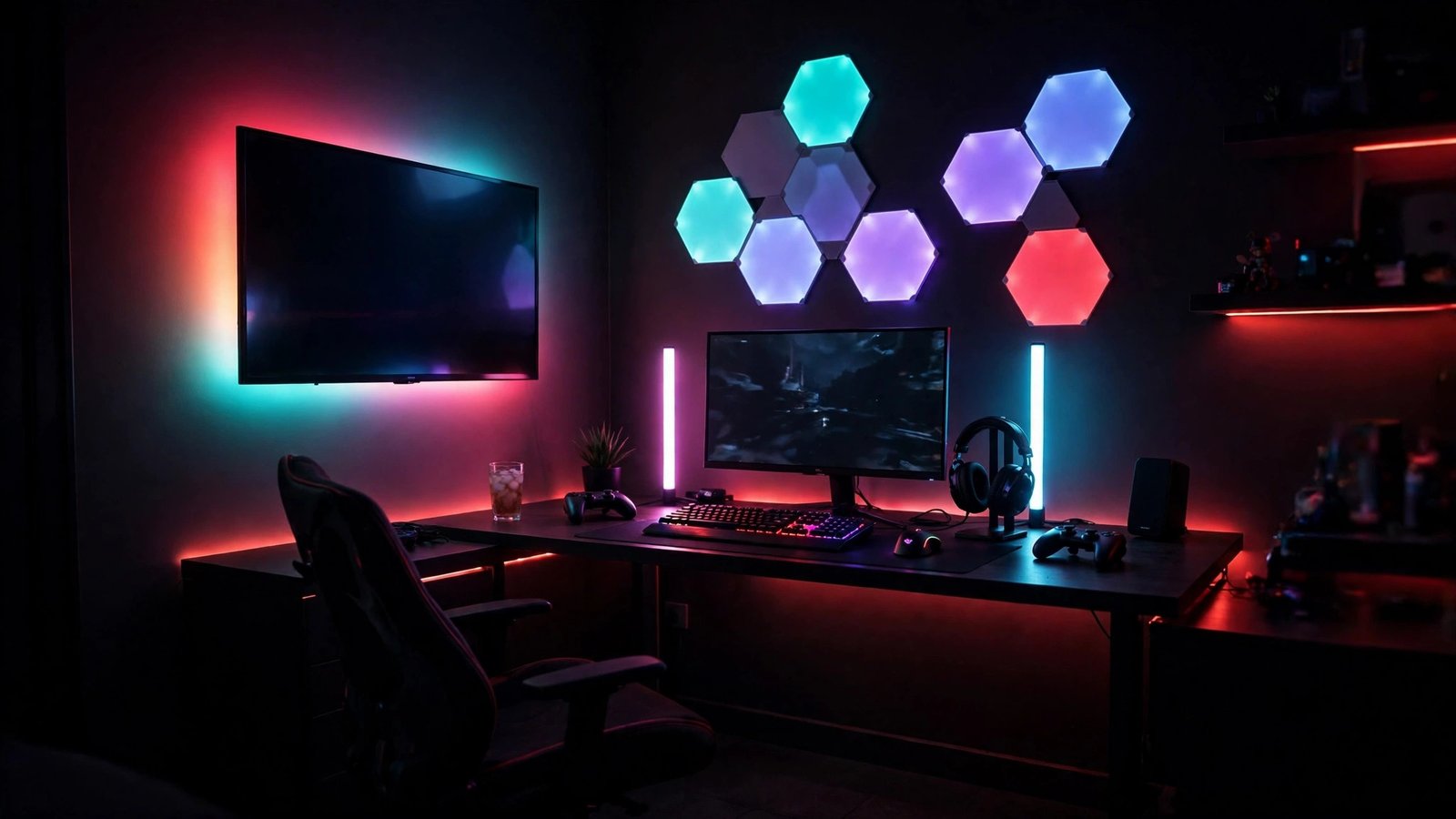
Looking for the best gaming room lighting in 2026? If your room feels flat while you play, the fix probably isn’t “more RGB.” It’s matching the light to the job: screen-synced glow behind the TV, soft accent bars beside a monitor, or wall panels that turn a blank wall into the room’s centrepiece, and this guide picks one winner for each of those jobs so you don’t buy a wall decoration when you needed a backlight.
That’s the whole shortlist, honestly. The Govee TV Backlight 3 Lite is our overall winner for the best gaming room lighting because nothing else here changes how a game feels in the room as fast as a wall that mirrors the screen, while the Govee Smart Light Bar is the desk pick and the Nanoleaf Shapes Hexagons 9-pack is the wall-art pick, and mixing those jobs up is how most people end up disappointed with a good product.
Browse the full category: Room Decor.
Key facts
- Screen-synced TV backlighting is the biggest immersion jump of the three picks, because the wall behind the TV mirrors the game instead of sitting on one static colour.
- The Govee Smart Light Bar is a desk and monitor-side accent light, not a screen-syncing camera kit, and Govee’s own listing recommends it for monitors under 45 inches.
- Nanoleaf Shapes Hexagons are wall-panel decor and ambient wall art, not desk lighting, and each panel puts out 100 lumens according to multiple independent reviews.
- Bias lighting means light aimed at the wall behind a screen, and guides from Philips Hue (27 February 2026) and independent setup writers agree it softens the jump between a bright screen and a dark room.
- Adhesive complaints about the Govee TV Backlight 3 Lite are repeated across verified buyer reviews, including a peeling control box and strips coming unstuck — plan the install, don’t just stick and hope.
At a glance: best gaming room lighting, by job


| Product | Best for | Strengths | Weaknesses | Verdict |
|---|---|---|---|---|
| Govee TV Backlight 3 Lite | TV and couch gaming, screen-synced immersion | Camera syncs to any on-screen content with no HDMI box in the chain; RGBICW warm-white chip gives cleaner whites than RGB-only strips; DreamView can pull in up to 7 more Govee lights | Adhesive complaints are real and repeated (peeling control box and strips); camera sits visibly on top of the TV; colours can run oversaturated and warm; calibration can take a while to get right | Overall winner — buy this first if you game on a TV |
| Govee Smart Light Bar | Desk setups and monitors under 45 inches | Simple tabletop pair with no sticking, drilling, or camera to place; RGBICWW multi-colour segments plus music sync through a built-in mic; app and voice control through Alexa, Google Assistant, and Matter | No screen-colour matching at all — it reacts to sound, not to the picture; 350 lumens is accent-level brightness, not room lighting; needs desk space beside the monitor | Best desk pick — the low-fuss accent light |
| Nanoleaf Shapes Hexagons 9-pack, White | Wall art and ambient panels behind or beside a setup | Genuinely modular wall art you design yourself, with touch control, Music Sync, Screen Mirror, and game effects through Razer Chroma and Overwolf; expands far beyond 9 panels on one controller | It is not desk lighting and won’t light your keyboard or your face; light doesn’t fill the whole hexagon, so corners read rounded; app bugginess is reported and the install takes planning | Best wall-panel pick — buy it for the wall, never as a desk lamp |
- Upgraded Govee Envisual Technology: The upgraded chip provides stronger performance with a fish-eye correction function,…
- 4-in-1 Lamp Bead: RGBICW TV lights add an extra warm white chip into the color mix, a purer white tone and the improved …
- Gravitational Hanging Design for Camera: Simplify installation and adapt for ultra-thin TVs. You can use the adhesive to…
- Segmented Dynamic Color: Featuring RGBICWW technology, this silver light bar offers tunable cool-to-warm white and vivid…
- Music Sync Lighting: The built-in mic detects ambient sound to dynamically sync color and effects. Enjoy ultra-responsiv…
- Matter-Supported Smart TV Lightbar: Voice-control colors, brightness & power via Alexa, Google Home. Create cozy scenes,…
- [Build & Expand Your Designs] Create beautiful symmetry in any room, or get completely abstract – the choice is yours. M…
- [Color-Changing Animations] Customize your lights with colors and motions; transition colors slowly for an ambience that…
- [16M+ RGBW Colors] Virtually limitless color options. Select from or create your own color-changing Scenes for the perfe…
What’s the best gaming room lighting overall?
If you want one pick that changes how games feel, start with screen-synced TV backlighting, then add desk bars or wall panels only if your setup needs them. That order matters, because a glowing wall behind a TV does more for immersion than a second accent light, and it keeps your desk clear for the gear you already own.
Here’s why that order holds up across the sources I checked, and why it still leaves room for the other two picks. Independent 2026 roundups keep landing on the same split — a camera backlight for the TV, bars or strips for the desk, panels for the wall — while Philips Hue’s own February 2026 ideas guide frames it as layers, with bias light behind the screen first and accent colour after, and my take lines up with both: buy the layer your eyes actually sit in front of, then decorate around it. A TV backlight earns the top slot because it works while you’re couch-gaming, movie-watching, and just sitting in the room, whereas bars and panels only earn their keep once that first layer is already doing its job.
Is the Govee TV Backlight 3 Lite the best pick for TV gaming?
Yes, for most TV gamers it is, because its camera reads whatever is on screen and drives the strip to match, with no HDMI box, no format limit, and no need to care which app or console produced the picture. That single-camera trick is the whole pitch, and it is also the honest limit, since a camera can only ever guess at colour the way an HDMI sync box measures it.
So what do you actually get in the box, and what should you watch for? Govee’s listing and an independent backlight comparison agree on the shape of it: a strip sized to your TV in four sections, a top-mounted camera with fish-eye correction meant to widen edge accuracy, a dedicated warm-white chip inside each RGBICW bead for cleaner whites, and DreamView sync that can pull up to seven more Govee lights into the same scene. Put that next to the buyer record and the picture sharpens fast, because verified reviewers keep reporting the same three headaches — a control box whose adhesive gives up and drops off the back of the TV, strips that peel, and a camera that feels unstable on some sets — alongside praise for the brightness and the “the room just feels bigger” effect once calibration clicks. Calibration itself splits reviewers down the middle, with some done in minutes and others fiddling for an hour or more, and a few noting whites drifting green or colours leaning warm and oversaturated, which is exactly why you should calibrate in a dark room, clear the space in front of the TV, and treat the first night as setup night rather than game night.
Best for: TV and couch gaming where the wall behind the screen can actually catch the glow.
Strengths: Screen-synced colour from any source; no HDMI hardware in the chain; cleaner whites than RGB-only strips; DreamView room sync.
Weaknesses: Adhesive complaints are real — control box and strips peeling are reported repeatedly, so have a backup mounting plan; visible camera on top of the TV; colours can run oversaturated and warm; calibration can be fiddly.
Verdict: Overall winner. If you game on a TV, this is the first light to buy, and the adhesive issue is a reason to install it carefully, not a reason to skip it.
Is the Govee Smart Light Bar the best pick for a desk setup?
For a desk, yes, because it does the one thing a desk actually needs from accent lighting — a soft, colourful wash beside the monitor — without asking you to stick anything, mount anything, or perch a camera on your display. That simplicity is the product, and confusing it with a screen-sync kit is the only way to be disappointed by it.
Let’s be blunt about what it is and isn’t, since the name invites the mix-up. Govee’s own listing for this bar pair (model H6056) describes RGBICWW segments, 16 million colours, a built-in mic that lets the bars dance to music, movie audio, and game sound, plus app and voice control through Alexa, Google Assistant, and Matter, and it recommends the pair for monitors under 45 inches — while independent roundups repeat the same under-45-inch guidance. At 350 lumens per the Amazon listing, this is accent brightness, not a lamp you’d read by. There’s no camera here, so there’s no picture matching, and that’s fine once you stop expecting it: the bars react to sound, they hold a scene, and they sit on the desk where you can move them in seconds, whereas the TV backlight above commits you to a strip, a camera, and a calibration session. My call is that the bar pair wins the desk slot precisely because it asks the least of you, and its ceiling is lower than the other two picks for exactly the same reason.
Best for: Desk and monitor setups under 45 inches where you want colour without an install project.
Strengths: Tabletop pair, no adhesive or drilling; RGBICWW multi-colour segments; music sync via built-in mic; app plus Alexa, Google Assistant, and Matter voice control.
Weaknesses: No screen-colour sync — audio-reactive only; 350 lumens is accent-level, not task lighting; eats desk space beside the monitor.
Verdict: Best desk pick. Buy it when the desk is the setup, and skip it when the TV is.
Are Nanoleaf Shapes Hexagons worth it, or are they just pretty wall tiles?
They’re worth it if you want the wall itself to be the showpiece, and they’re a waste if what you actually need is light on your desk, because these panels are wall-panel decor and ambient art first and a light source a distant second. Nobody should buy a 9-pack of hexagons hoping to see their keyboard better, and this guide won’t pretend otherwise.
What makes them different from a strip you hide behind a desk is that you design the shape, and the reviews line up on that point from both sides of the argument. Tom’s Guide and iMore both describe the same kit — nine hexagon panels, linkers, a controller, and a power adapter, with each panel around 100 lumens, a white range from a warm 1200K to a cool 6500K, and a 25,000-hour rating — while Nanoleaf’s own page adds the parts that matter to gamers, namely Music Sync, Screen Mirror, touch control that lets you tap a panel to change a scene without reaching for your phone, and Razer Chroma and Overwolf effects for supported games and apps. Expansion is where the system quietly wins, since one controller supports up to 500 panels and the standard power supply covers up to 21 hexagons, so a 9-pack is a starting shape rather than a finished wall, though Windows Central’s gaming-room review also flags the honest costs: the app can be buggy, and the spend and effort sit well above a strip. Add iMore’s note that the light doesn’t quite fill the whole hexagon — the corners read rounded, and the panels look best from a step back — and you’ve got a fair picture: gorgeous wall art with real smart-home chops, bought for how the room looks, not for how well it lights a desk.
Best for: Wall art and ambient panels behind or beside a setup, especially for streamers whose wall is on camera.
Strengths: Fully modular layout you design yourself; touch control plus app, Apple Home, Google Home, Alexa, and SmartThings control; Music Sync, Screen Mirror, and Chroma/Overwolf game effects; expands to 21 panels on the standard supply.
Weaknesses: Not desk lighting — it will not light a keyboard, a controller, or your face; light doesn’t fill the full hexagon shape; app bugginess is reported; install takes measuring, planning, and wall space.
Verdict: Best wall-panel pick. Buy it for the wall, show it off, and pair it with a real desk light if you need one.
Does bias lighting actually help with eye strain?
A soft, dim light behind your screen genuinely helps during long sessions, because it shrinks the harsh jump between a bright display and a dark wall, and that comfort claim holds up across Philips Hue’s February 2026 gaming-room lighting ideas guide and independent layer-based setup writers alike. The catch is brightness and colour, not the idea itself.
Think of it as a buffer, not a spotlight, and the guidance converges nicely: keep the wall glow well dimmer than the screen, keep the light source itself out of your sightline and out of the screen’s reflection, and switch to neutral white — rather than a rainbow cycle — when you’re playing competitively or doing anything colour-sensitive, since coloured glow can shift how whites on screen look. All three picks here can play that buffer role in different rooms, which is why the TV backlight wins overall (it is the bias layer for a TV room) while the bars and panels are better understood as the accent layer you add after the buffer is sorted. If your eyes ache after night sessions, fix the dark-wall problem first, then worry about which colour your wall art cycles through.
What should I check before you buy any of these?
Measure first, then check control, because the wrong size or the wrong mount turns a good light into a return, and both mistakes are avoidable in five minutes. Start with the TV or monitor size, the wall space behind it, and whether you’re willing to stick, stand, or panel-mount your pick.
Run through this before you order, and you’ll dodge the complaints that dominate the buyer reviews. For the TV backlight, match the kit to your exact TV size band — 40–50, 55–65, or 75–85 inches — and confirm there’s a wall close behind the TV for the glow to land on, plus a stable top edge for the camera. For the bars, confirm your monitor is under 45 inches and that you have real desk space on either side, since a cramped desk turns a pair of bars into clutter. For the hexagons, measure the wall, sketch the layout, and count panels honestly, because nine panels make a feature, not a full wall, and expansion needs power-supply headroom. Finally, check control the way you’ll actually live with it — app, voice assistant, or a tap on the panel — rather than assuming every light speaks to every smart home you own.
Which one should you buy?
Buy the Govee TV Backlight 3 Lite if you game on a TV, full stop, because it’s the only pick here that makes the whole room react to the game. Grab the Govee Smart Light Bar if your setup lives on a desk and you want colour with zero install drama, and choose the Nanoleaf Shapes Hexagons 9-pack if the wall is the project and you’re happy to plan a layout. One winner per job, no hedging: TV room, desk, or wall — pick the job first and the product follows.
As an Amazon Associate, EWM PLAY earns from qualifying purchases made through links on this page, at no additional cost to you.