
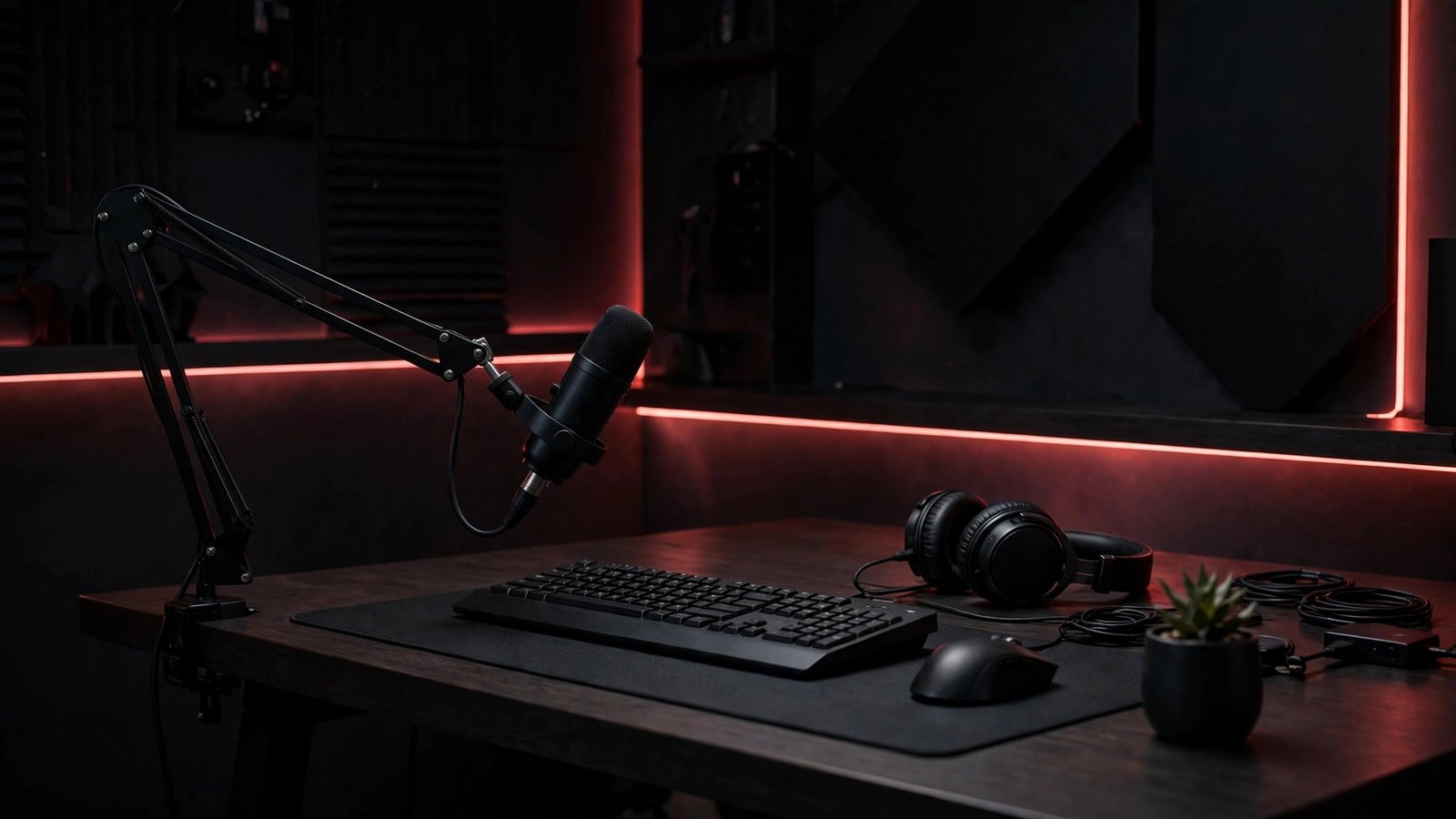
Looking for the best microphone for streaming in 2026? This guide compares four USB mics — from the compact RØDE NT-USB Mini to the budget HyperX SoloCast — so you can find the best microphone for streaming without an audio interface. If you’re building a complete setup, pair it with our best capture card.
Key facts
- All four mics in this guide are USB condenser microphones — none needs an audio interface (manufacturer listings and reviews, 2026).
- The Logitech Blue Yeti is the only mic here with four pickup patterns: cardioid, bidirectional, omnidirectional, and stereo (Logitech/Blue listings; TechTippr, 2026).
- The FIFINE AmpliGame A6T is the only full kit here: mic, boom arm, shock mount, and pop filter in the box (FIFINE listings; Audio Drama Production, 2026).
- The original HyperX SoloCast is a different product from the SoloCast 2, which launched in August 2025 with a new boxy design and built-in shock mount and pop filter (Notebookcheck, August 2025; Tom’s Hardware, SoloCast 2 review).
- The RØDE NT-USB Mini records at 24-bit/48 kHz over USB-C and has a built-in pop filter plus zero-latency headphone monitoring (RØDE via Equipboard/PC Gamer specs).
Your viewers will forgive an average webcam. They won’t forgive muddy, echoey voice audio — and that’s exactly why a dedicated USB mic is the single best first upgrade for a stream. You don’t need an interface, a mixer, or a treated room to sound noticeably better than a headset mic. You just need the right condenser mic for your desk, your room, and the way you actually stream.
Here’s the short version before we get into the detail. The RØDE NT-USB Mini is our overall winner for solo streamers: crisp voice, small footprint, and proper headphone monitoring in one tidy package. The Logitech Blue Yeti wins on versatility, because its four pickup patterns cover solo streams, two-person chats, and room recording that the others simply can’t do. The FIFINE AmpliGame A6T is the best starter kit, since the boom arm, shock mount, and pop filter are already in the box. And the original HyperX SoloCast is the pick for a tiny desk and a dead-simple setup — one mic, one tap-to-mute button, nothing to learn.
Best microphone for streaming 2026: quick comparison
| Microphone | Best for | Pickup pattern | Connection | Headphone monitoring | Standout | Watch out for |
|---|---|---|---|---|---|---|
| RØDE NT-USB Mini — overall winner | Solo streamers who want crisp voice in a small footprint | Cardioid | USB-C | Yes, zero-latency, with volume dial | Built-in pop filter; 24-bit/48 kHz; RØDE Connect software | No on-mic gain control; can pick up room noise |
| Logitech Blue Yeti — best versatile | Multi-use creators: solo, duo, and room recording | Cardioid, bidirectional, omnidirectional, stereo | USB | Yes, zero-latency | Four patterns; onboard gain, mute, and headphone volume | Big and heavy on a desk; sensitive to room noise |
| FIFINE AmpliGame A6T — best starter kit | First-time streamers who want everything in one box | Cardioid | USB-C to USB-A | Not stated as a headline feature — verify at publish | Boom arm, shock mount, and pop filter included; RGB lighting | USB-only, no XLR upgrade path; plastic body |
| HyperX SoloCast (original) — best tiny-desk simple mic | Small desks and no-fuss single-speaker streams | Cardioid | USB-C to USB-A | No | Tap-to-mute sensor with LED; compact and light | No gain dial, no headphone jack; needs to sit close to you |
Which streaming microphone should I buy first?
Buy the RØDE NT-USB Mini if you stream solo and want the best microphone for streaming with the cleanest out-of-the-box voice in the smallest package. It captures speech crisply, its cardioid pattern focuses on the voice in front of it, and the built-in pop filter tames harsh “p” and “b” sounds. Its headphone jack with zero-latency monitoring means you hear yourself as you sound live, not a delayed echo.
That recommendation comes with honest caveats, because no mic in this guide is magic. PC Gamer’s review praised the Mini’s crisp, clear test recordings but noted it picked up hum from a loud gaming PC, and Tom’s Guide found its audio gain-heavy with no gain control on the mic itself — the front dial controls headphone volume, not mic gain. So you’ll set gain in your OS or streaming software instead, and you’ll get the best results speaking fairly close to it. For a solo streamer who wants a tidy desk and a voice that cuts through game audio, though, that’s a trade worth making, and RØDE Connect software adds processing options on Mac and Windows.

- PLUG AND PLAY USB: connects straight to Mac, PC or iPad over USB, no interface or drivers needed
- STUDIO SOUND ON A DESK: condenser capsule with built-in pop filter tuned for voice, calls and streams
- HEAR YOURSELF LIVE: zero-latency headphone monitoring with hardware volume control on the mic
Is the Blue Yeti still good for streaming in 2026?
Yes — if you actually use what makes it different. The Yeti’s case in 2026 isn’t that it’s the newest or the smallest mic; it’s that no other mic in this guide switches between four pickup patterns. Cardioid handles your solo stream, bidirectional covers two people facing each other, omnidirectional captures a room, and stereo gives a wider recording. Recent 2026 roundups still list the Yeti as a versatile classic for exactly that reason, while noting newer, smaller mics now match it for a single voice.
Under the hood, it’s a three-capsule USB condenser with a 20 Hz–20 kHz frequency response, onboard gain, mute, and headphone-volume controls, plus a zero-latency headphone jack. Blue VO!CE processing through Logitech G HUB adds broadcast-style vocal effects if you want them. But — and this matters — the Yeti is big, heavy, and sensitive by design, so in an untreated room it will hear more of your keyboard, fan, and echo than a tighter mic would. Don’t confuse it with its siblings, either: the Yeti X adds a fourth capsule and a smart gain knob, and Logitech’s newer Yeti 2 is a separate model again. This guide covers the original Blue Yeti, full stop.

- Custom three-capsule array: This professional USB mic produces clear, powerful, broadcast-quality sound for YouTube vide…
- Blue VO!CE software: Elevate your streamings and recordings with clear broadcast vocal sound and entertain your audience…
- Four pickup patterns: Flexible cardioid, omni, bidirectional, and stereo pickup patterns allow you to record in ways tha…
What’s the best streaming mic kit for a beginner?
The FIFINE AmpliGame A6T, because it removes the most annoying part of starting out: buying accessories separately. You get the mic, a boom arm, a shock mount, a pop filter, a clamp, and a long USB cable in one box, which means you can clamp it to your desk, swing it into position, and go live the same day. Its cardioid condenser design focuses on your voice from the front, its tap-to-mute button sits right on top, and a volume knob at the bottom keeps level tweaks within reach.
Reviewers consistently score it as a strong-value starter kit, with the bundle and plug-and-play USB setup as its biggest strengths — and that lines up with FIFINE’s own spec sheet, which lists a 60 Hz–18 kHz response, USB-C on the mic end, and compatibility with PC, Mac, PS4, and PS5. Two honest limits: it’s USB-only, so there’s no XLR upgrade path if you later buy an interface, and like every condenser here it will still hear an untreated room. Also note the naming trap: the A6 ships with a desktop tripod, while the A6T — the version in this guide — is the boom-arm bundle. Check the listing title before you buy, because that one letter changes what’s in the box.

- [Right Out-of-the-Box] The plug-and-play gaming microphone set doesn’t need additional plug-ins or complicated device se…
- [Cool Lighting Design] Two-tone automatic gradient RGB makes your PC windows microphone icing on the cake. With soft and…
- [Easier Function Use] Setting touch-mute button on the top can be easily tapped with one hand, instead of holding the co…
Is the original HyperX SoloCast worth it, or should I get the SoloCast 2?
The original SoloCast is worth it if you want the simplest mic on this page and you can keep it close to your mouth — but don’t buy it thinking it’s the SoloCast 2, because it isn’t. The original is a small, round-bodied USB condenser with a single cardioid pattern, a tap-to-mute sensor with an LED on top, and a USB-C connection, and its standard spec is 16-bit/48 kHz. Tom’s Guide praised its rich, full voice recordings against other compact mics, while CGMagazine found it mid-heavy and a step behind some rivals on pure sound — which is a fair summary of where it sits: good, not class-leading, with simplicity as the real selling point.
What the original does not have matters as much as what it does. There’s no gain dial, no headphone jack, and no companion software to lean on, so monitoring means using your software, and level control lives in your OS. Long-term user reviews and Gadgets Middle East testing agree on the same practical rule: up close, roughly a hand’s width away, it sounds full and clear, but pulled back above a monitor or beyond a foot, your voice thins out and drops. The SoloCast 2, launched in August 2025, is a different, boxier mic with a built-in shock mount, an integrated pop filter, and 24-bit/96 kHz recording — genuinely useful upgrades, but a different product with a different listing. If your catalog card says “SoloCast” with no “2,” that’s the original, and this section describes that mic only.

- Plug N Play audio recording with USB-C connection: Get quality audio recordings with this easy-to-use USB condenser micr…
- Hi-Res 24-bit/96 kHz recording: SoloCast supports a high, studio-level bit depth and sampling rate.
- Tap-to-Mute sensor with LED status indicator: Simply tap the top of the mic to mute, and the easy-to-see LED indicator l…
Best microphone for streaming 2026 — comparison
Will a condenser mic pick up my keyboard and room noise?
Yes, more than a dynamic mic will — and that’s the one honest warning that applies to every mic in this guide. Condensers are sensitive by design: they capture vocal detail beautifully, but they’ll also hear keyboard clicks, fan hum, and bare-wall echo in an untreated room. Turtle Beach’s condenser-versus-dynamic testing puts it bluntly — dynamic mics barely registered nearby keystrokes where a condenser picked up every click — and that’s consistent with what reviewers found for the Yeti, the Mini, and the SoloCast alike.
That doesn’t mean you need a different mic type to start streaming. It means placement does more work than shopping does. Keep the mic close to your mouth, point its less-sensitive rear away from your keyboard where you can, and use a boom arm — the A6T includes one — to get the mic off the desk and away from vibration. A cardioid pattern helps, because it favors sound from the front, but it isn’t noise cancellation, and no software filter fully replaces getting the mic close. If your room is genuinely loud and you can’t change it, a dynamic USB/XLR mic is the better next step — but for a normal bedroom or office, a close-placed condenser from this guide will sound dramatically better than a headset mic.
Do I need an audio interface or extra software for any of these mics?
No. Every mic here plugs straight into your computer over USB and works as an audio input without an interface, which is the whole point of a USB streaming mic. The Yeti works driver-free on Mac and PC, with Blue VO!CE processing as an optional extra through Logitech G HUB; the Mini is class-compliant over USB-C with RØDE Connect as its optional software; the A6T is plug-and-play with no drivers; and the SoloCast has no drivers or software at all. If you’re on PS4 or PS5, the A6T and the SoloCast both list console compatibility over USB, while the Yeti and Mini are desktop-first picks — check the console listing before buying for a console-only setup.
How do I set up a USB mic so I don’t sound distant or echoey?
Start close, then fix the room around the mic — not the other way round. Aim for roughly a hand’s width to a foot from your mouth, speak into the front of the mic (not the top), and keep the mic on a boom arm or stable stand rather than flat on the desk where it picks up every thump. Set your gain so your normal speaking voice peaks comfortably without clipping, then do a short test recording in OBS or your streaming app and actually listen back before going live. If you hear echo, move closer and add anything soft behind you — curtains, a bookshelf, even a blanket over a bare wall — before you spend money on a new mic, because a close mic in a softened room beats an expensive mic across the room every time.
The verdict: one winner, three honest alternatives
Overall winner for the best microphone for streaming: RØDE NT-USB Mini. For a solo streamer, it’s the tightest package here — crisp voice, built-in pop filter, zero-latency monitoring, and a footprint that won’t eat your desk — with the caveat that gain lives in software, not on the mic. Best versatile: Logitech Blue Yeti. Buy it when one mic has to cover solo streams, two-person recordings, and room capture, and accept the bigger desk footprint and room sensitivity that come with it. Best starter kit: FIFINE AmpliGame A6T. Buy it when you want the boom arm, shock mount, and pop filter sorted in one box and you don’t care about an XLR upgrade path yet. Best tiny-desk simple mic: HyperX SoloCast (original). Buy it when you want one button, one pattern, and nothing to configure — and keep it close, because distance is its weakness.
Browse the full microphone category to compare these against the rest of the catalog: /shop/microphones/.
For more on microphone types, see Turtle Beach’s condenser vs dynamic guide.
As an Amazon Associate, EWM PLAY earns from qualifying purchases made through links on this page, at no additional cost to you.