
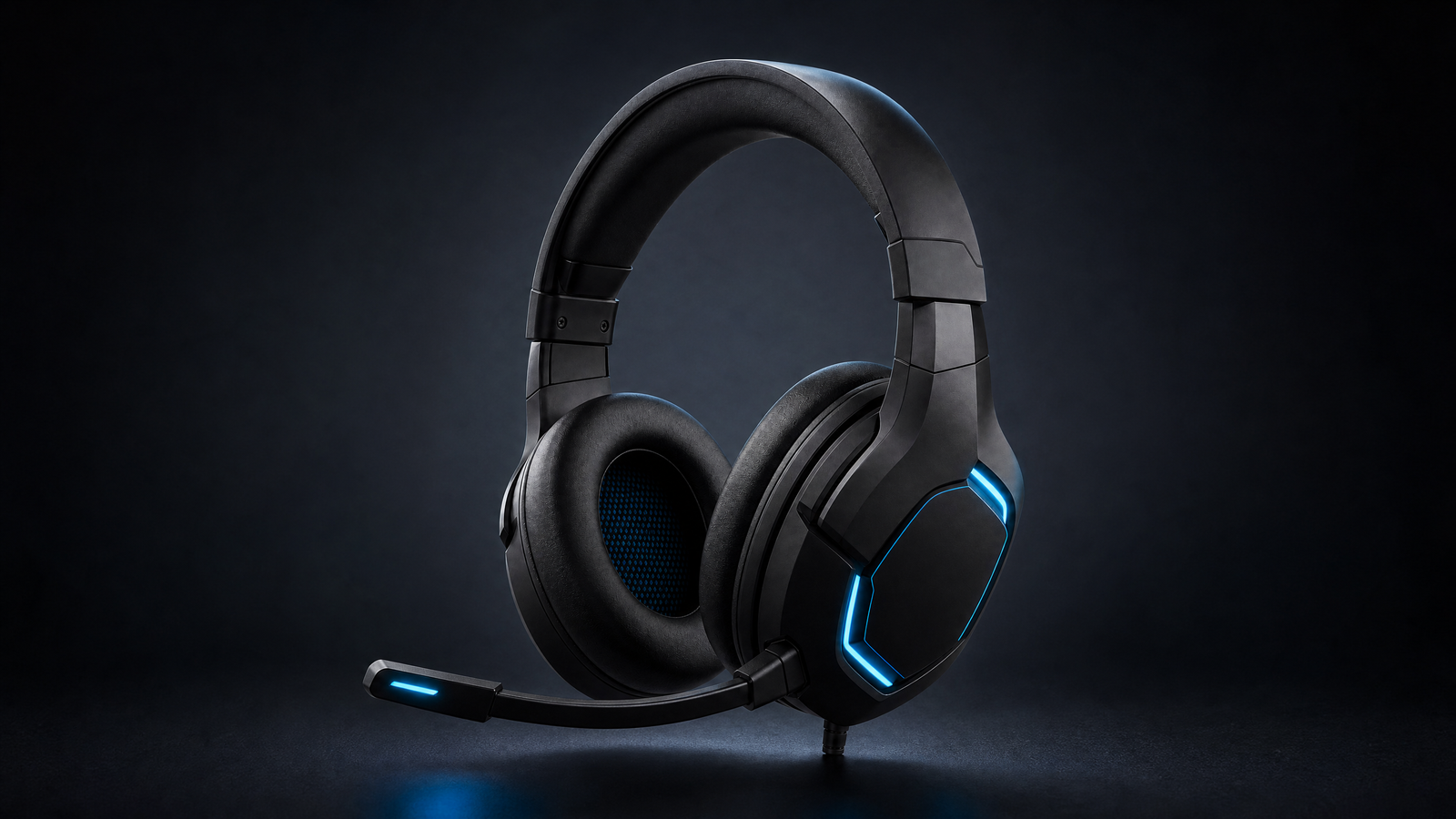
Description
Choosing a wireless gaming headset is not only about finding the loudest bass or the most dramatic RGB lighting. It is about matching the headset to the way you actually play: the platform you use, the games you return to, the people you chat with, and the length of your typical sessions. A good buying decision starts with a few practical checks before you press the Buy Now button.
Why a wireless gaming headset can improve a setup
The first benefit is freedom. A wireless connection can reduce cable clutter around a desk and make it easier to move between a PC, console, and a comfortable chair. That does not mean every wireless model is automatically better than a wired headset. The right choice depends on connection stability, platform support, microphone quality, comfort, and the controls you can reach without leaving the game.

1. Confirm the platform before comparing features
Start with compatibility rather than marketing language. A headset designed for PC may use a USB transmitter, Bluetooth, a 3.5 mm connection, or a combination of those options. Console support can vary by generation and by the exact edition of the product. Before buying, open the current Amazon listing and verify the platform, included adapter, connection method, and any software requirements. This simple step can prevent an attractive headset from becoming an expensive mismatch.
2. Treat comfort as a performance feature
Long sessions expose small comfort problems quickly. Check the weight, headband padding, ear-cup material, adjustment range, and the shape of the ear cushions. Players who wear glasses should pay attention to pressure around the frame. A headset can have excellent specifications and still be the wrong choice if it feels tight after an hour. Look for clear product photos and current customer feedback, but remember that fit is personal and no single review can predict how it will feel for everyone.
3. Look closely at microphone controls
For multiplayer games, voice chat is part of the experience. Review whether the microphone is detachable, retractable, or built into the ear cup. Check how mute works, where the volume wheel sits, and whether sidetone or mic monitoring is listed for the model. If you plan to stream, record tutorials, or join frequent calls, compare the microphone information with your existing setup instead of assuming that every gaming headset is ready for content creation.
4. Compare connection and latency information
Wireless convenience is useful only when the connection suits your games. Competitive players may care about low latency, while casual players may care more about range, battery management, and the ability to switch between devices. Do not copy a latency number or battery figure from a different model. Check the exact product page for the current specification, and be careful with bundles that include different transmitters or regional variations.
5. Check controls that matter during a match
Small controls can have a large impact when your attention is on the screen. A reachable volume wheel, clear mute indicator, and simple device switch can make everyday use easier. If the headset includes an app, review what the app actually controls: equalizer settings, firmware updates, microphone options, or lighting. Extra software can be helpful, but it should not be treated as a substitute for a comfortable fit and reliable basic controls.
6. Review the listing, delivery, and return details
Amazon listings can change as sellers, variants, prices, and availability change. Read the current listing before you buy, check the selected color or platform version, and review delivery and return information for your location. The product page is the final source for current pricing and availability. EWM Play does not add unverified prices, star ratings, battery claims, or compatibility promises to this guide.
7. Use an honest shortlist instead of a hype list
The best wireless gaming headset is the one that fits your actual use. Make a short checklist: platform, connection, comfort, microphone, controls, return policy, and the type of games you play. You can also browse the EWM Play gaming homepage for related gaming coverage, then compare the current product page with an independent editorial guide such as PC Gamer’s gaming headset guide. That internal link supports navigation on EWM Play, while the external reference is a normal editorial link and the Amazon button on this page is marked as an affiliate link.

Wireless gaming headset buying checklist
- Confirm the exact PC, PlayStation, Xbox, Switch, or mobile compatibility.
- Check the included transmitter, cable, and connection method.
- Review comfort details for the length of your normal sessions.
- Look at microphone placement, mute controls, and chat support.
- Compare the current listing, delivery terms, and return policy.
- Use the current Amazon page for specifications, availability, and price.
Frequently asked questions
Is a wireless gaming headset good for PC gaming?
It can be a convenient option when the model supports your PC connection, preferred chat software, and the games you play. Confirm the exact listing before buying.
Will every wireless headset work with every console?
No. Support depends on the headset, console generation, adapter, and sometimes the product edition. Check the compatibility section for the exact version.
Should I choose the cheapest headset?
Price is one factor, but comfort, microphone quality, connection type, return terms, and platform support can matter just as much. Compare the complete offer instead of the headline price alone.
See the setup in action
Buy Now — Check the current Amazon offer
Affiliate disclosure: As an Amazon Associate, EWM Play may earn from qualifying purchases. This page contains affiliate links, and using the link does not increase the price you pay.

Reviews
There are no reviews yet.